215585 32 Revision A
3.7 Connecting Transport Lighting Module – Without Dealer-Installed
Transport
The hitch assembly lighting harness must be connected to the lighting module on the header.
NOTE:
Follow these instructions if NOT installing the dealer-installed transport kit.
$
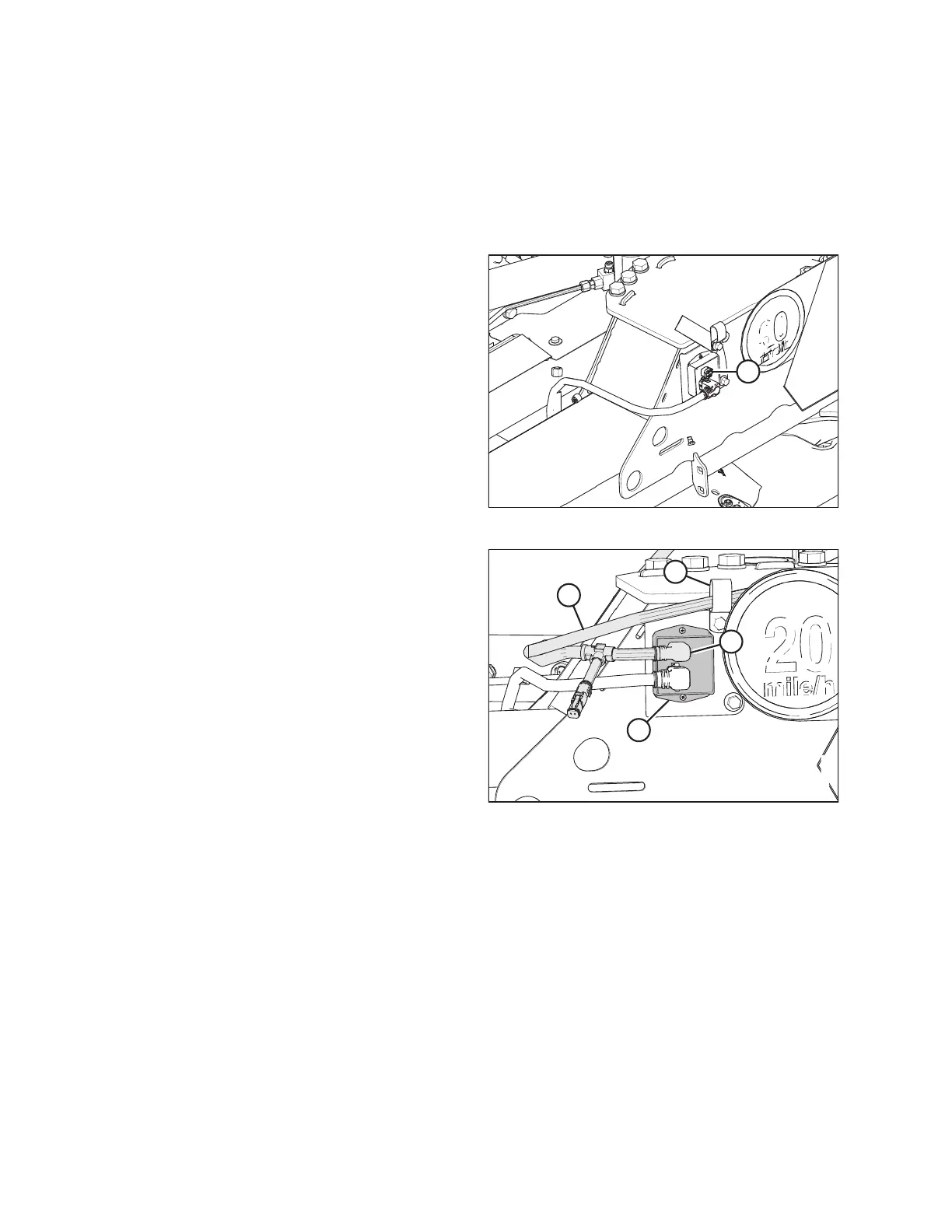
Figure 3.56: Lighting Module Plug
1. Remove plug (A) from the upper input receptacle on
transport lighting module.
$
%
&
'
Figure 3.57: Trailer Harness
2. Locate plug P102 on trailer harness (A) at the header end of
the hitch. Route plug P102 towards the transport lighting
module.
3. Secure the trailer harness with existing P-clip (D).
4. Connect plug P102 (B) to the upper input receptacle on
transport lighting module (C).
ASSEMBLING THE ROTARY DISC PULL-TYPE – WITH OR WITHOUT THE DEALER-INSTALLED TRANSPORT




 To Next Page