215585 16 Revision A
3.3 Installing Tractor Mating Hitch to Carrier Hitch
The tractor mating hitch connects the carrier hitch to the style of hitch on the tractor.
Depending on rotary disc pull-type configuration, refer to the applicable installation procedure:
• 3.3.1 Installing Drawbar Hitch, page 16
• 3.3.2 Installing Two-Point Hitch (Cat. II) Adapter, page 21
3.3.1 Installing Drawbar Hitch
The drawbar swivel hitch allows the pull-type to connect to a single point hitch connection and swing behind the tractor
without sacrificing turning range.
If attaching the rotary disc pull-type to a tractor with a drawbar hitch, proceed as follows. If attaching the rotary disc pull-
type to a tractor with a two-point hitch, refer to 3.3.2 Installing Two-Point Hitch (Cat. II) Adapter, page 21.
$
%
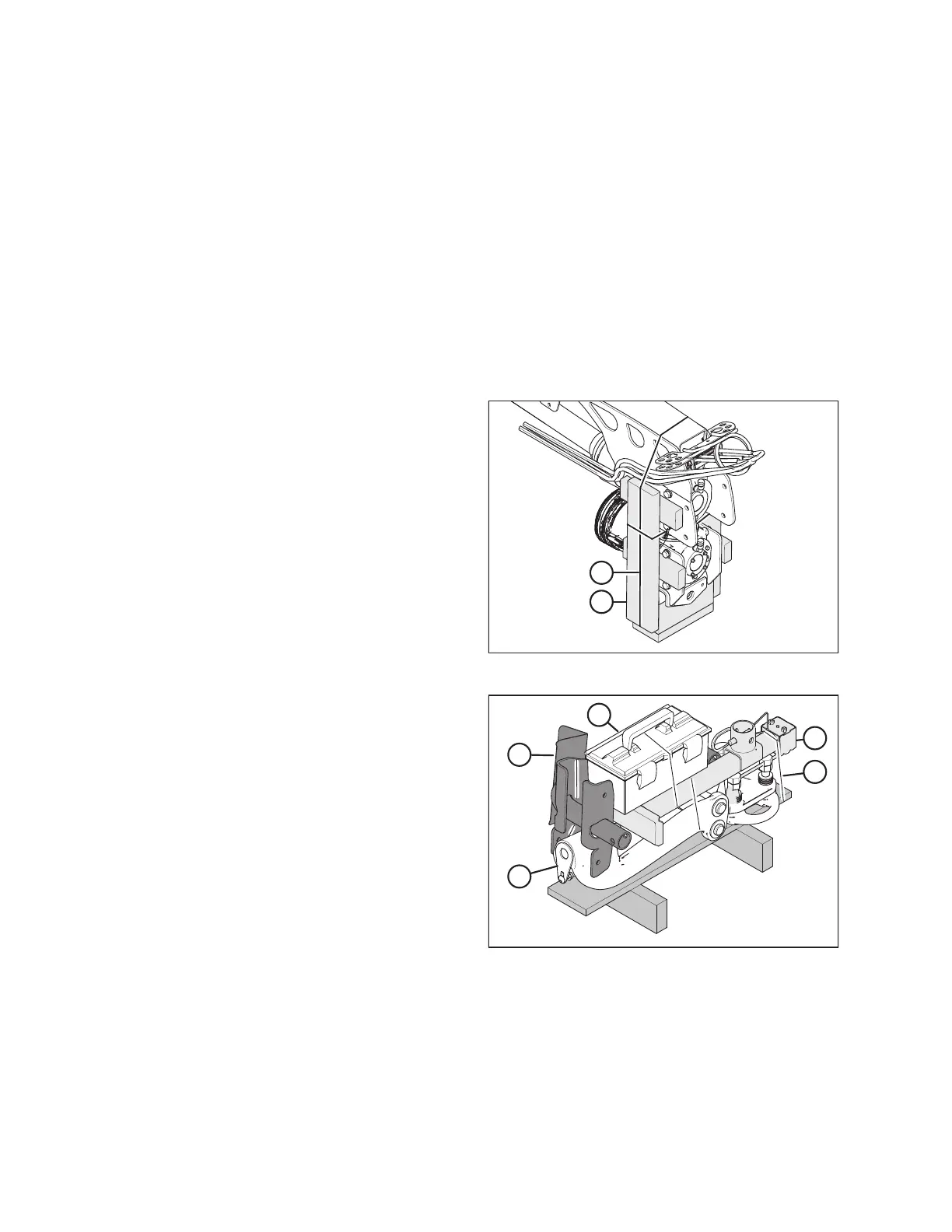
Figure 3.19: Hitch End Packing
1. Remove shipping wire or banding (A) securing shipping
blocks (B) at front of hitch, and remove blocks.
2. Swivel lower gearbox until the input shaft is facing forward.
$
%
&
'
(
Figure 3.20: Jack and Drawbar Hitch Packing
3. Remove shipping wire (A) from jack (B), toolbox (C), and
jack stand support (D).
4. Remove jack (B), toolbox (C), and jack stand support (D)
from the pallet. Leave drawbar hitch (E) attached to the
pallet.
5. Remove the hardware bag from the jack stand support.
ASSEMBLING THE ROTARY DISC PULL-TYPE – WITH OR WITHOUT THE DEALER-INSTALLED TRANSPORT




 To Next Page