215585 124 Revision A
$
%
&
$
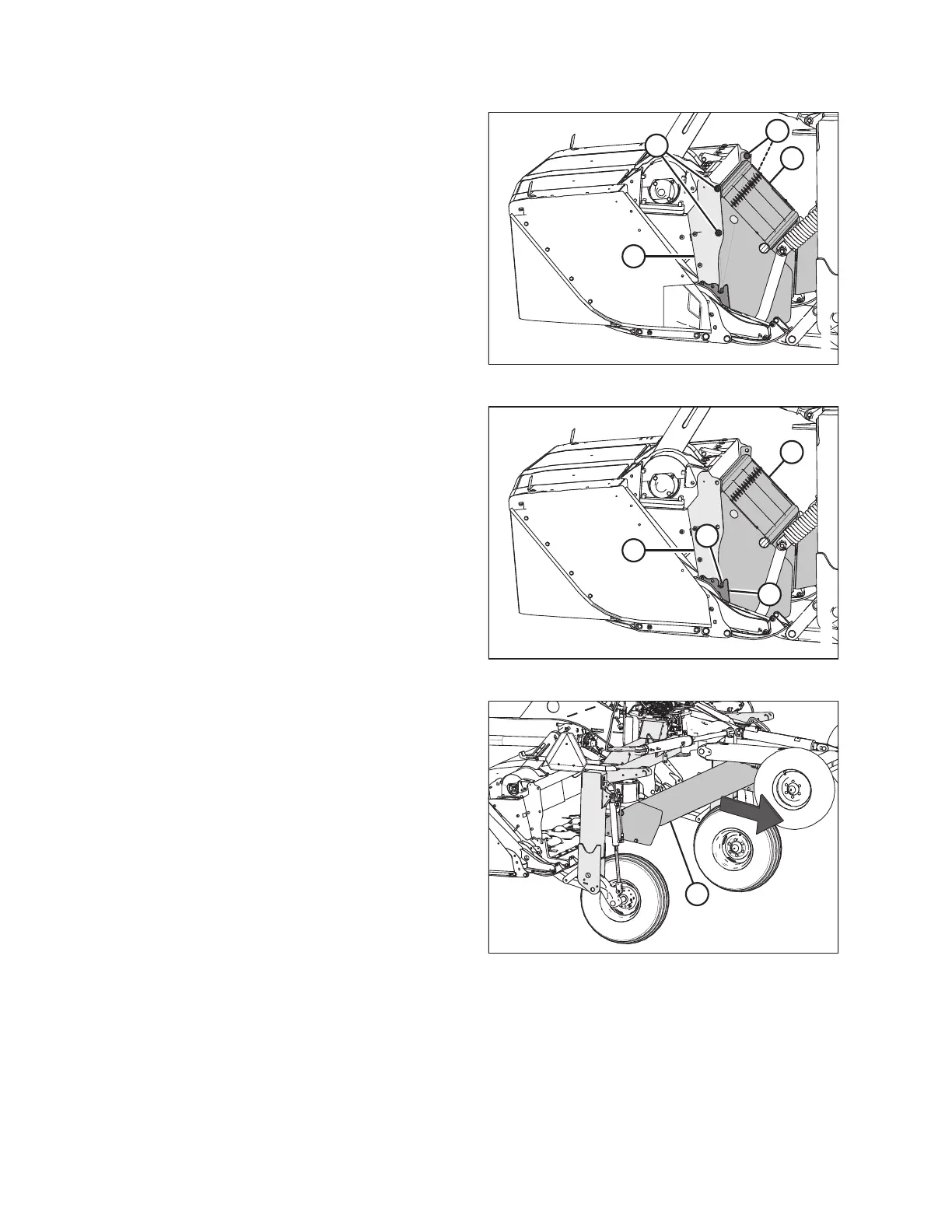
Figure 6.36: Header – View from Left
3. Remove four M16 hex head bolts (A), nuts, and flat washers
securing shield (B) to panel (C) on the rotary disc pull-type.
$
%
&
'
Figure 6.37: Header – View from Left
4. Lift shield (A) until pins (B) (one on each side) disengage
from the slots in support (C) and from the shield on
panel (D).
$
Figure 6.38: Shield Rotated
5. Rotate shield (A) 90° and move it away from the
carrier frame.
COMPLETING ROTARY DISC PULL-TYPE ASSEMBLY





 To Next Page