6-5
4. CHANGING TO SEARCHER HOOK MODE
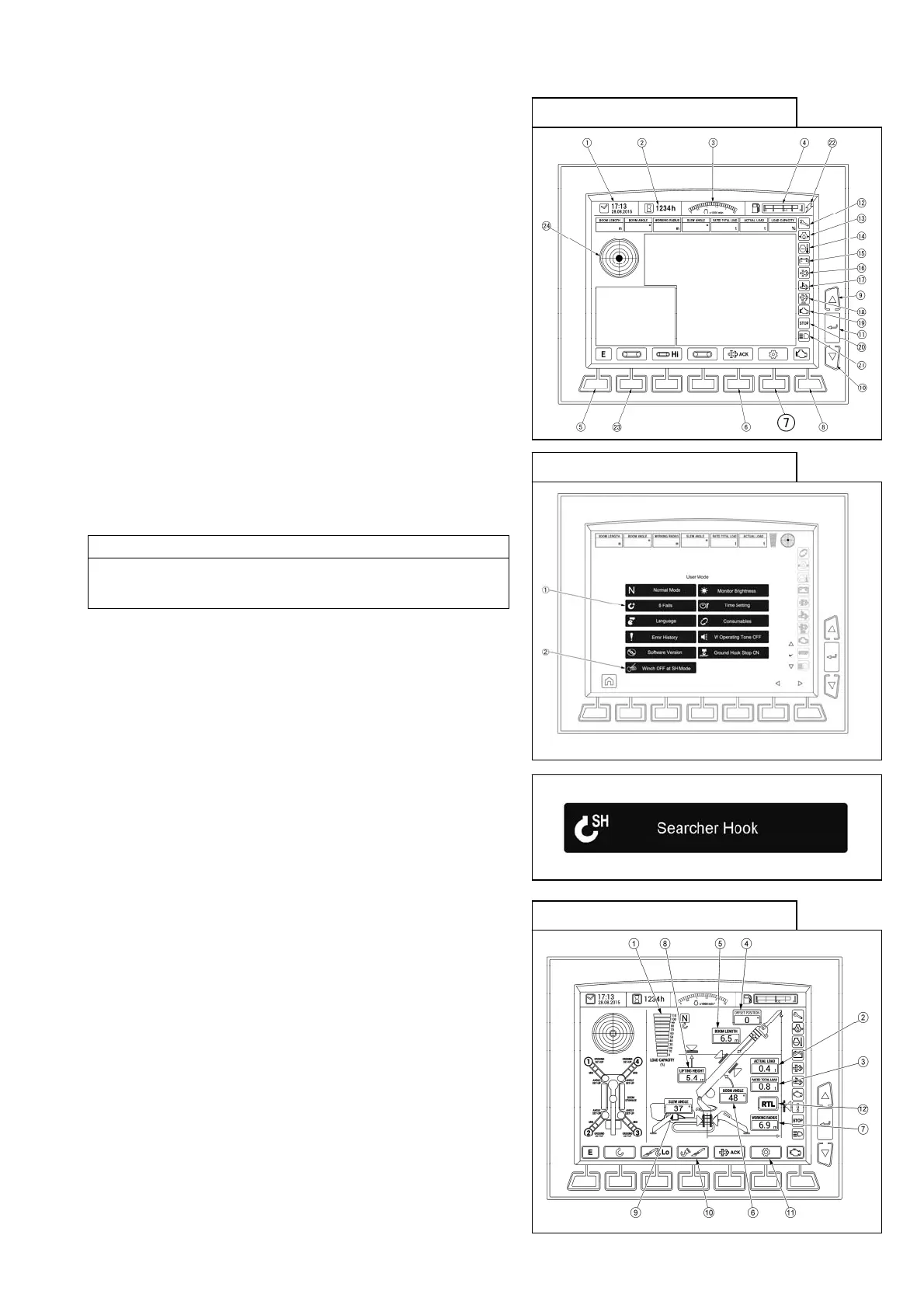
[1] When the Settings switch (7) (user mode) is selected, you
proceed to the User Initial Mode screen.
[2] Touching the Hook Number of Falls switch / Searcher
Hook switch (1) on the User Initial Mode screen opens the
Searcher Hook Display, enabling selection and switching.
NOTES
When you select the number of wire falls, it goes back to the
standard crane mode from the searcher hook mode.
[3] Monitor screen for searcher hook mode.
Make searcher hook settings in accordance with the
instruction manual.
Monitor (common to all modes)
Monitor (user Initial Mode)
Monitor (searcher hook mode)



 To Next Page