S-2
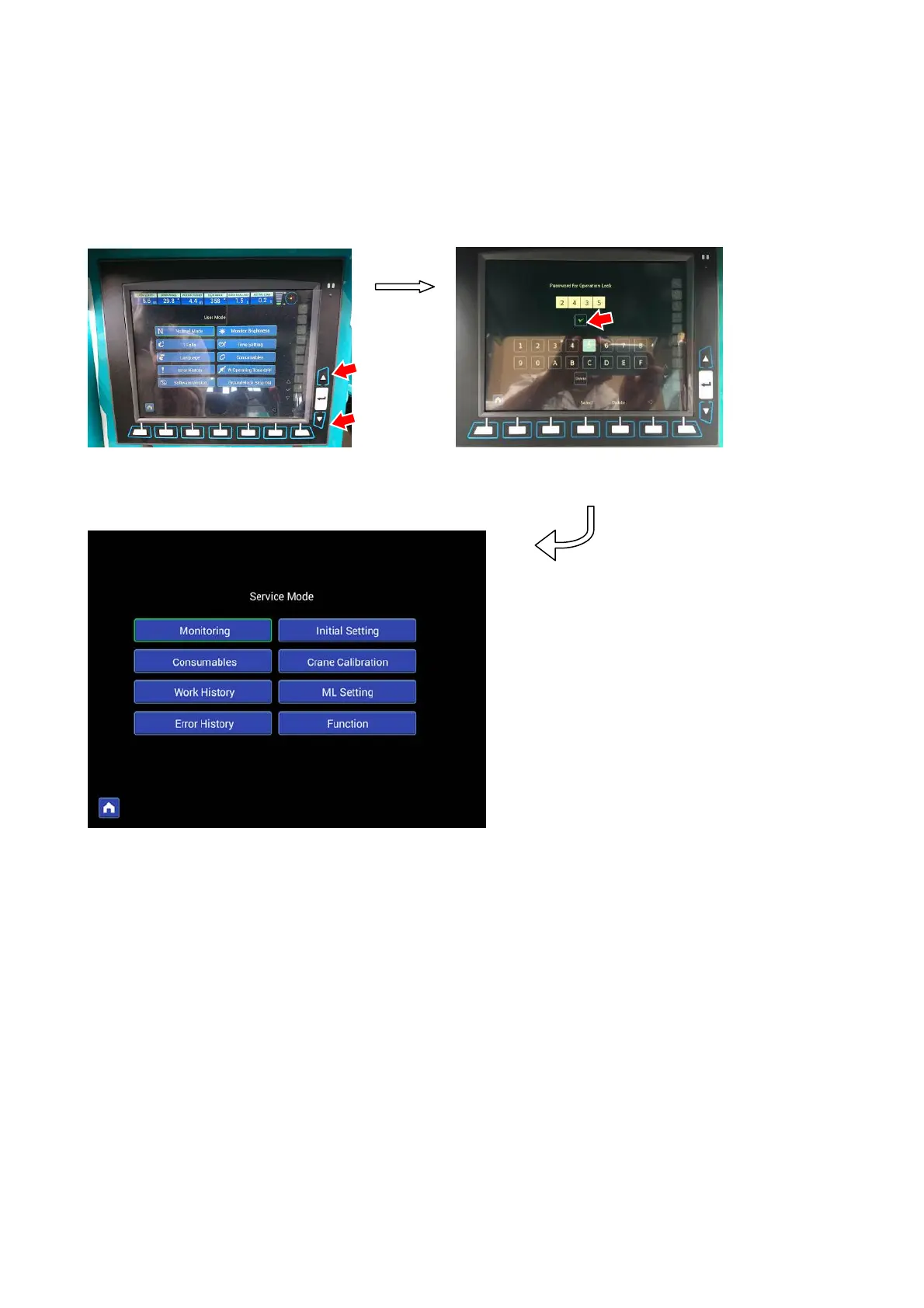
After entering the user mode screen, if you keep pressing the upper and lower pop-up select switches at the same time,
it will shift to the password entry screen.
When the password input screen is displayed, please enter 【2435】to the password entry field and press the enter
button on the screen. It will shift to the service mode screen.
If the screen does not shift to the service mode, check the password again.
(1)Monitoring
(2)Consumables
(3)Work History
(4)Error History
(5)Initial Setting
(6)Crane Calibration
(7)ML Setting
(8)Function
Password input screen
Service mode screen
Enter
Enter
User mode screen
Long
pressing



 To Next Page