S-14
6.5 LOAD CALIBRATION
*
If you mount a fly jib to a no fly jib spec machine, please select "with fly jib" in ML setting in service mode and then
perform load calibration. On the contrary, if you remove the fly jib from the fly jib spec machine, please select "without
fly jib" in the same ML setting and perform load calibration.
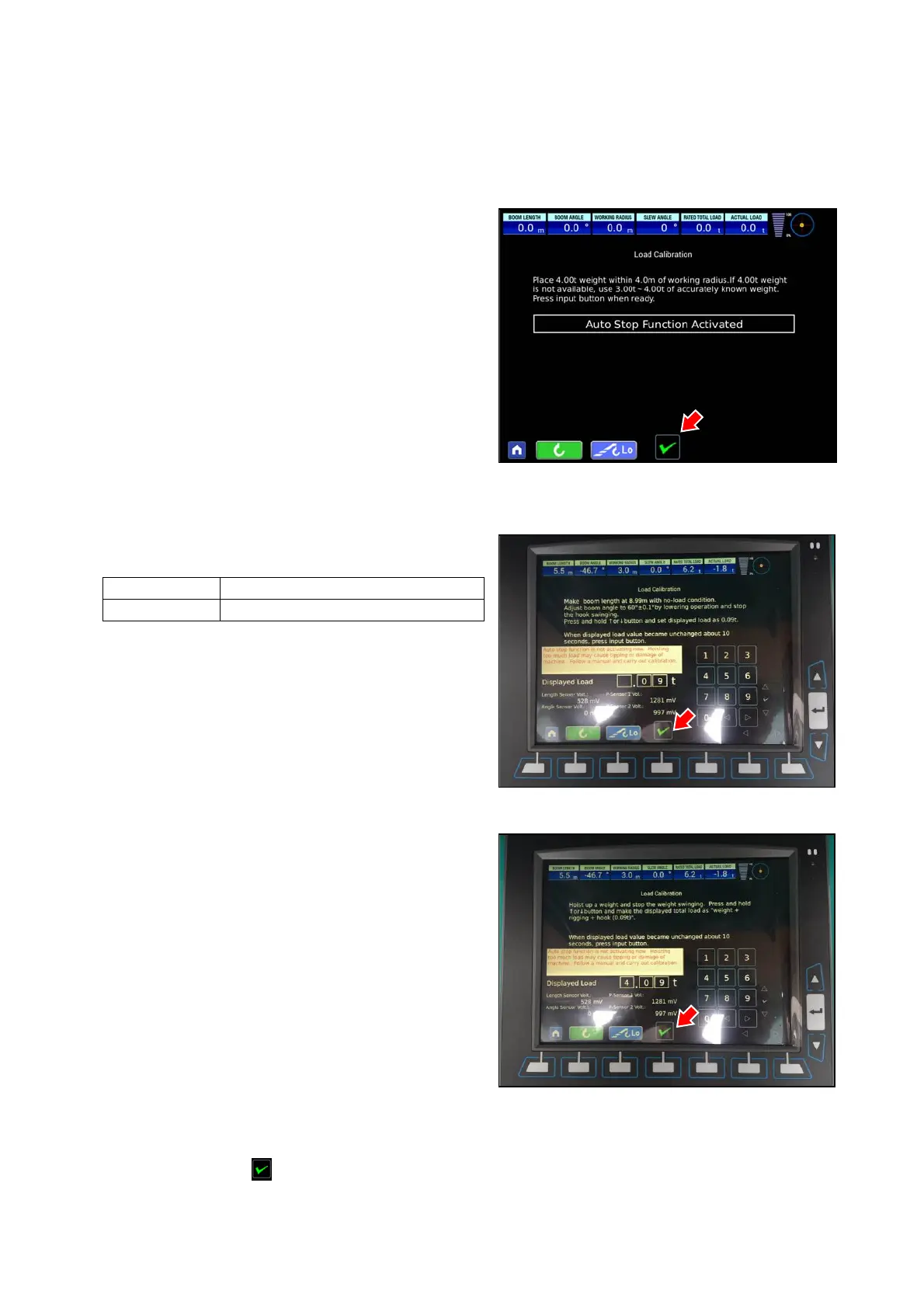
• Preparing the weight for load calibration
Prepare the weight of 4.00 t in the place with a working
radius of 4.0 m.
(If the weight of 4.00t is not available, prepare a precisely
determined weight within the range of 3.00 to 4.00 t.)
When the weight is ready, press the input button (check mark)
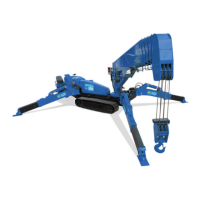
• Load calibration (under no load)
While nothing is suspended, adjust the boom length and
angle by operating the boom in the following conditions:
Boom length 8.99m (2 stage boom)
Boom angle 60°±0.1°(Adjust by lowering operation.)
Stop the swaying of hook.
Input the actual load and press the input button (check mark)
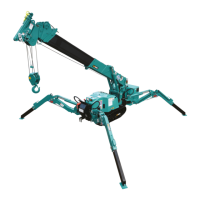
• Load calibration (with the weight suspended)
After the load-calibration without load is completed, lower
hook and suspend the prepared weight.
Input the actual load, and when input voltage is stabilized,
press the input button (check mark).
* Load value to input is weight + rigging + hook block weight (0.09 t).
Note : If the enter button ( ) is not displayed, it is the case judged as it is not connected with the pressure sensor due
to the pressure sensor initial value abnormality, disconnection & etc. If the enter button is not displayed, calibration
cannot be performed. Check wiring or pressure sensor.


 To Next Page