T-409
1.2.2 TROUBLESHOOTING OF THE ELECTRICAL SYSTEMS
E-1 [Monitor displays nothing]
Content When turning the starter key on, nothing is displayed on the monitor.
Assumed cause
and action to be
taken
Cause Diagnostic method and action to be taken
1
Power off by disconnect
switch
• Check the disconnect switch to see if the power has been shut
down.
2 Battery capacity shortage
• Check if battery voltage has dropped.
Voltage (1 item): 12 V or more; Specific gravity (1 item): 1.26
or more
3 Fuse blown off
• Check if fuse has been blown off. If so, ground fault may have
occurred, and thus check the circuit.
Fuse F8, F9
4
Open-circuit failure of
harness
(Open-circuit or connector
contact fault)
• Check to ensure that there is no open-circuit in the monitor
power circuit.
5
Harness short-circuit fault
(Contact with grounding
circuit)
• Check to ensure that there is no ground fault in the monitor
power circuit.
6 Monitor fault
• When no problem is found under 1 through 5, monitor fault is
conceivable.
(The internal fault prevents the diagnosis to be executed.)
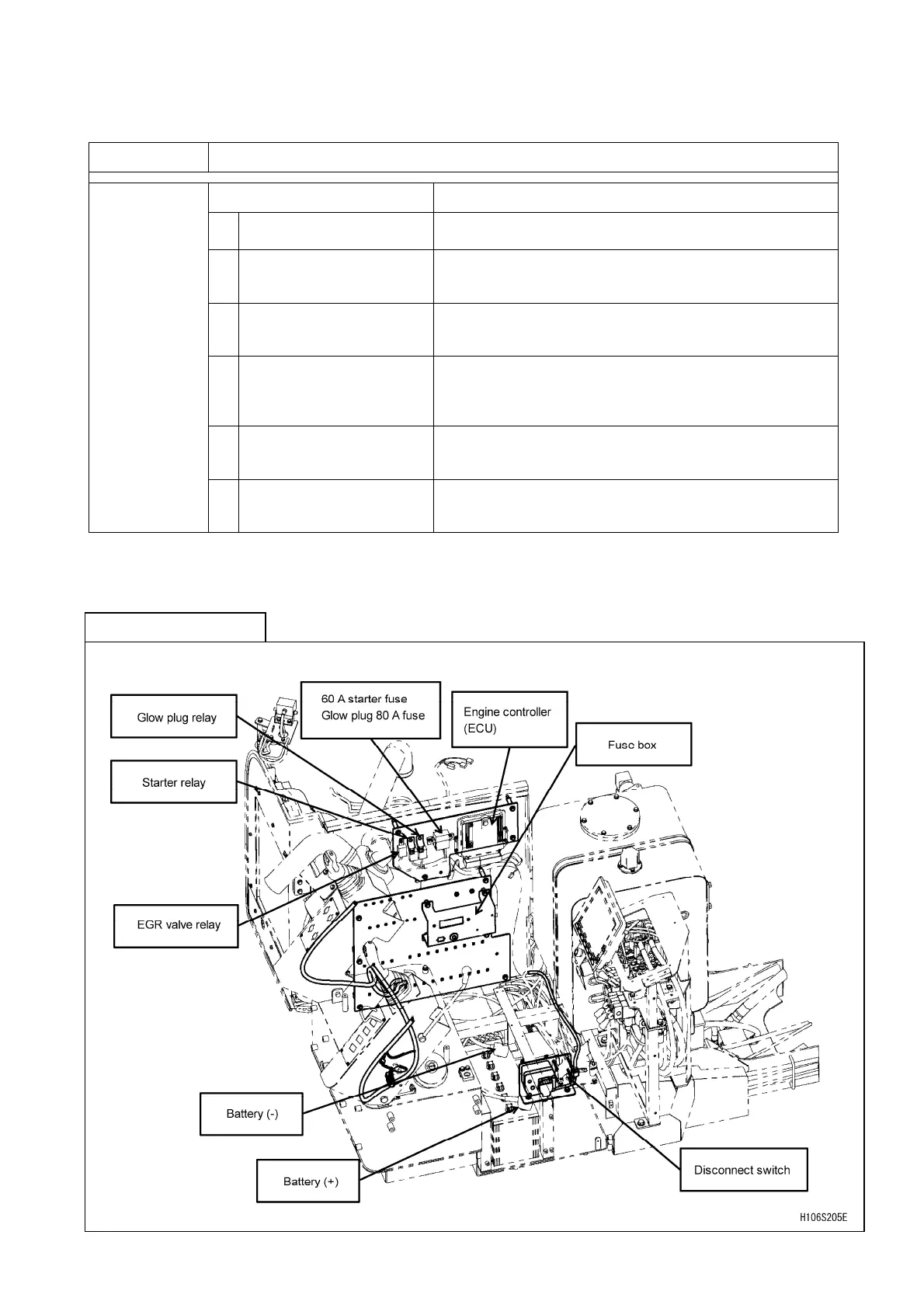
[Location information]



 To Next Page