S-4
2. CONSUMABLES
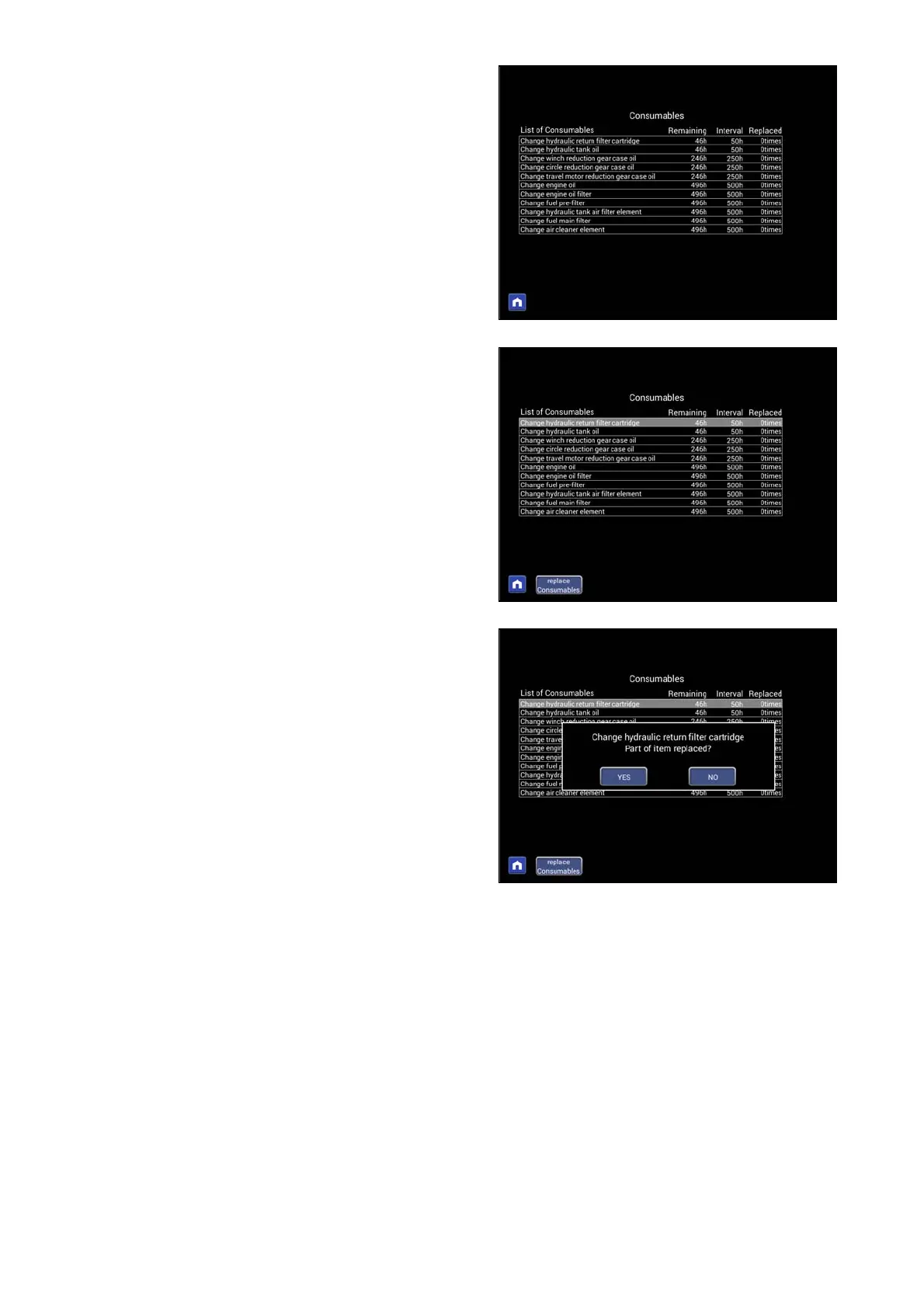
You can check the remaining time of the consumable item, the
replacement period and the replacement count.
To return to the previous screen, push the home button on the
bottom left.
・ When consumable items are replaced
Select the replaced consumables with the up and down pop-up
select switches (highlighted in white) and press the replace
consumables button. A confirmation screen will be displayed.
If you press "YES", the number of replacement is incremented
by 1 and the remaining time is reset to the time until the next
replacement.
If you press "NO", the confirmation screen disappears and you
return to the original screen.



 To Next Page