S
ection
5
the Regulator Sensing Voltage setting plus/minus the Band setting. For example, a Regulator Sensing Voltage
setting of 100 volts and a Band setting of 10 percent allows the Fine Adjustment function to increase the voltage
setpoint to a maximum of 110 volts and decrease the voltage setpoint to a minimum of 90 volts. For VAR, PF or
FCR modes, the Raise and Lower buttons allow ne adjustment over the entire adjustment range.
Alarm/Status Tab
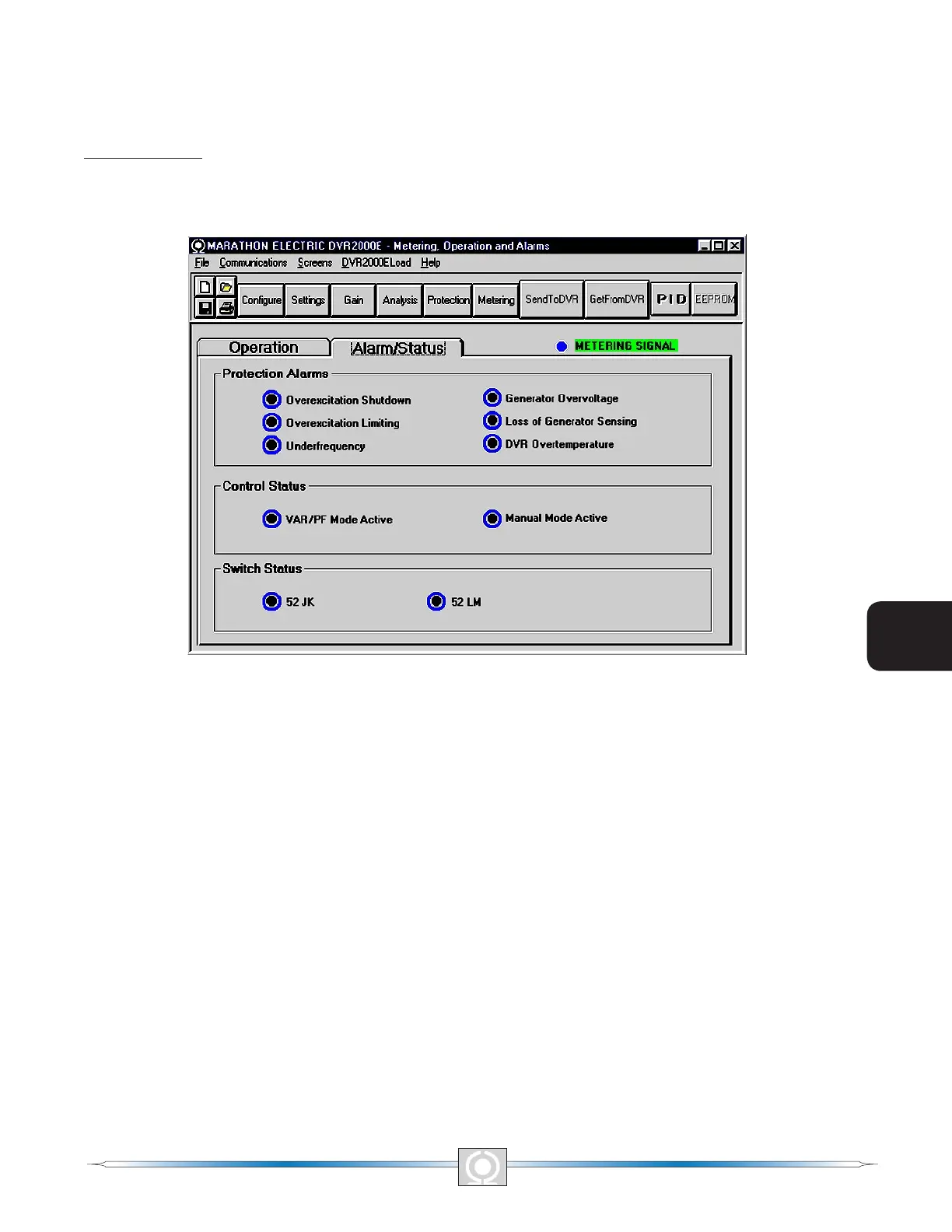
The Alarm/Status tab indicators provide the status of DVR2000E protection functions, control modes, and contact
inputs. Alarm/Status tab indicators are illustrated in Figure 5-23 and are described in the following paragraphs.
Figure 5-23. Metering, Operation and Alarms - Alarm/Status Tab
Protection Alarms. Six Protection Alarm indicators provide the status of DVR2000E protection functions. Alarm
indicators include Overexcitation Shutdown, Overexcitation Limiting, Underfrequency, Generator Overvoltage,
Loss of Generator Sensing, and DVR Overtemperature. When a DVR2000E protection function detects an alarm
condition, the appropriate indicator changes from black to red.
Control Status. Two Control Status indicators indicate when the VAR/PF and Manual modes are active. The
Manual Mode Active indicator changes from black to red when the FCR control mode is active. The VAR/PF Mode
Active indicator changes from black to red when the DVR2000EC is operating in AVR mode and correction of
power factor or vars is selected.
Switch Status. Three Switch Status indicators indicate when the DVR2000E control inputs are open or closed. The
52JK switch open indicator changes from black to red when the user-supplied contacts at terminals 52J and 52K
are closed. When this control input is open, selection of PF or VAR mode can be made on the Operation tab of
the Metering, Operation, and Alarms screen. The 52LM switch closed indicator changes from black to red when
the user-supplied contacts at terminals 52L and 52M are closed. When this control input is closed, parallel control
and droop is inactive.
Metering Signal. The Metering Signal indicator of the Alarm/Status tab ashes to indicate when metering is active.
When the Metering button is clicked or Metering on the Menu bar is clicked followed by Disable Metering, the
Metering Signal indicator stops ashing and the metering functions stop being updated.
58
3
Main Index
5
Section 5 Index
59
3
Main Index
5
Section 5 Index



 To Next Page