FlyMarker
®
mini 85/45 plus and 120/45 plus
Operating Manual
5.4.15 Save file (program option B: KOMFORT)
This function is only possible after entering the user or
administrative password.
(→ Chapter “Entering passwords”, page 21).
The Save file command is mainly used in combination with the Auto numbering 1/2substitute.
( Chapter “Configuring/inserting auto-numbering”, page 94)
Using the Save file substitute saves the marking file after every marking. This retains the last
marked value even after FlyMarker
®
mini 120/45 is turned off and back on.
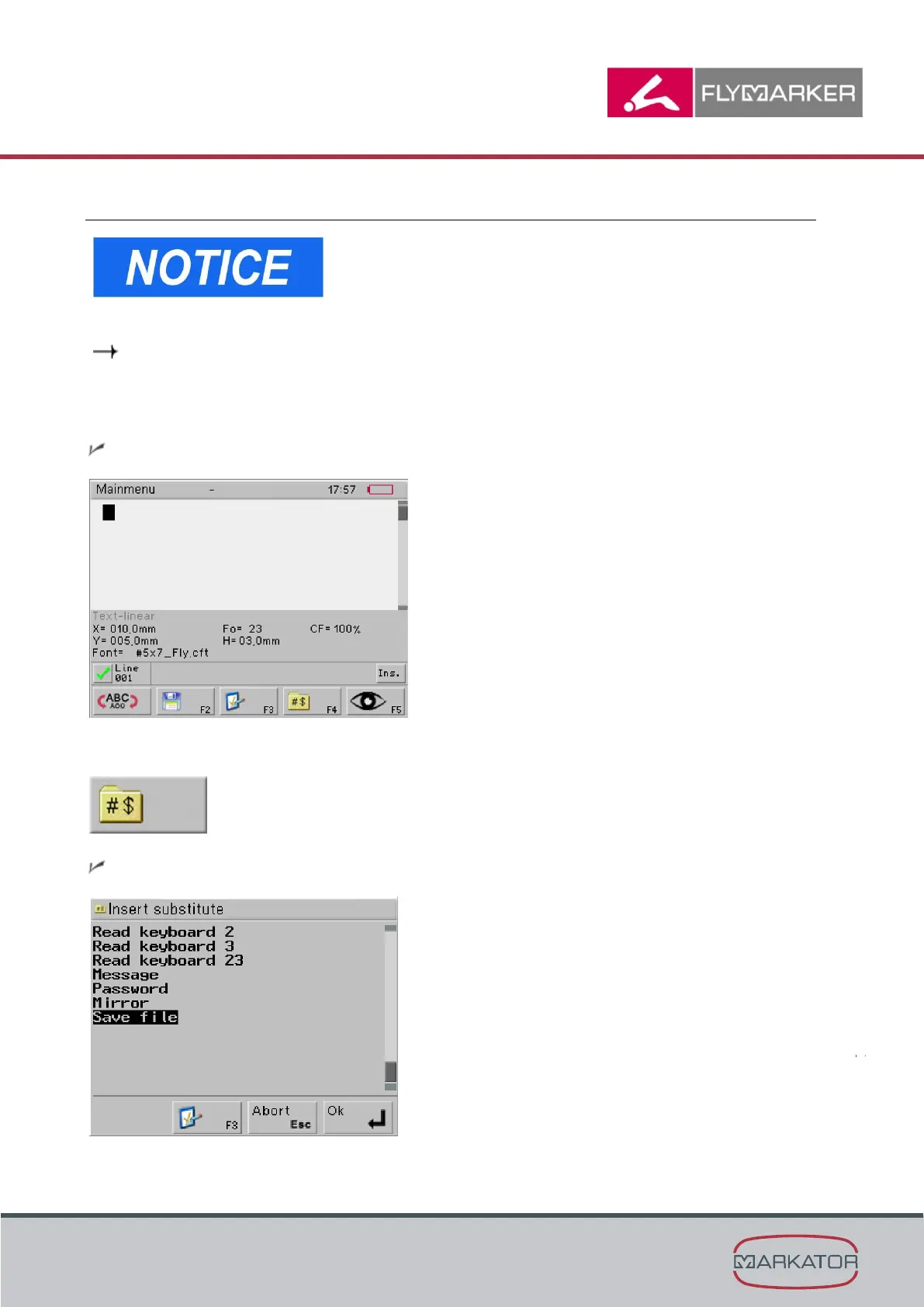
The main menu appears.
1. Press F4.
The Insert substitute window appears.



 To Next Page