FlyMarker
®
mini 85/45 plus and 120/45 plus
Operating Manual
4.2.8 Battery charging status
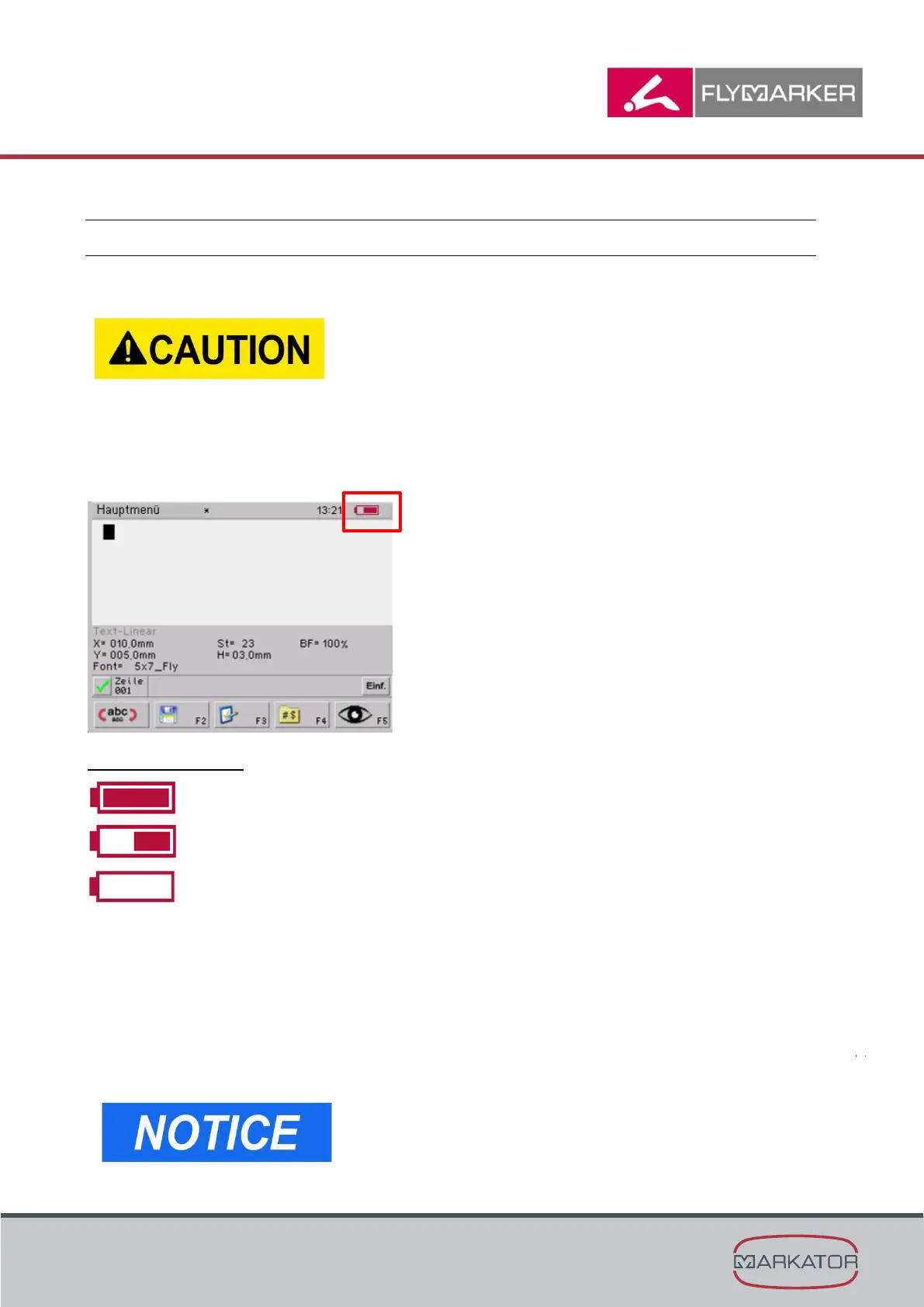
4.2.4.1 Checking the battery charging status in the software
If the FlyMarker
®
mini remains switched off for more than 2
days(e.g. on weekends), the battery must be removed from
the machine.
If the battery remains for longer than 2 days on the switched
off FlyMarker
®
mini, this may cause a deep discharge of the
battery.
In this case warranty will expire.
The charging status is shown continuously in the main menu.
The possibilities are:
Charge approx. 100% (battery is full)
Charge approx. 50%
Charge approx. 0% (battery is empty)
In the following cases, the battery is drained and must be completely recharged:
- If the battery charge is less than 19.0 V, the following display appears in the inactive state:
“Battery low!”
- If the battery charge is less than 18.5 V, the following display appears in the inactive state:
“Battery drained. Please replace!”
If the battery charge is less than 18.0 V, FlyMarker
®
mini 120/45 shuts itself off.
If electric tension is lower than 18.0 V, FlyMarker mini shuts
down by itself.



 To Next Page