FlyMarker
®
mini 85/45 plus and 120/45 plus
Operating Manual
4.2 Instructions on the keyboard and display
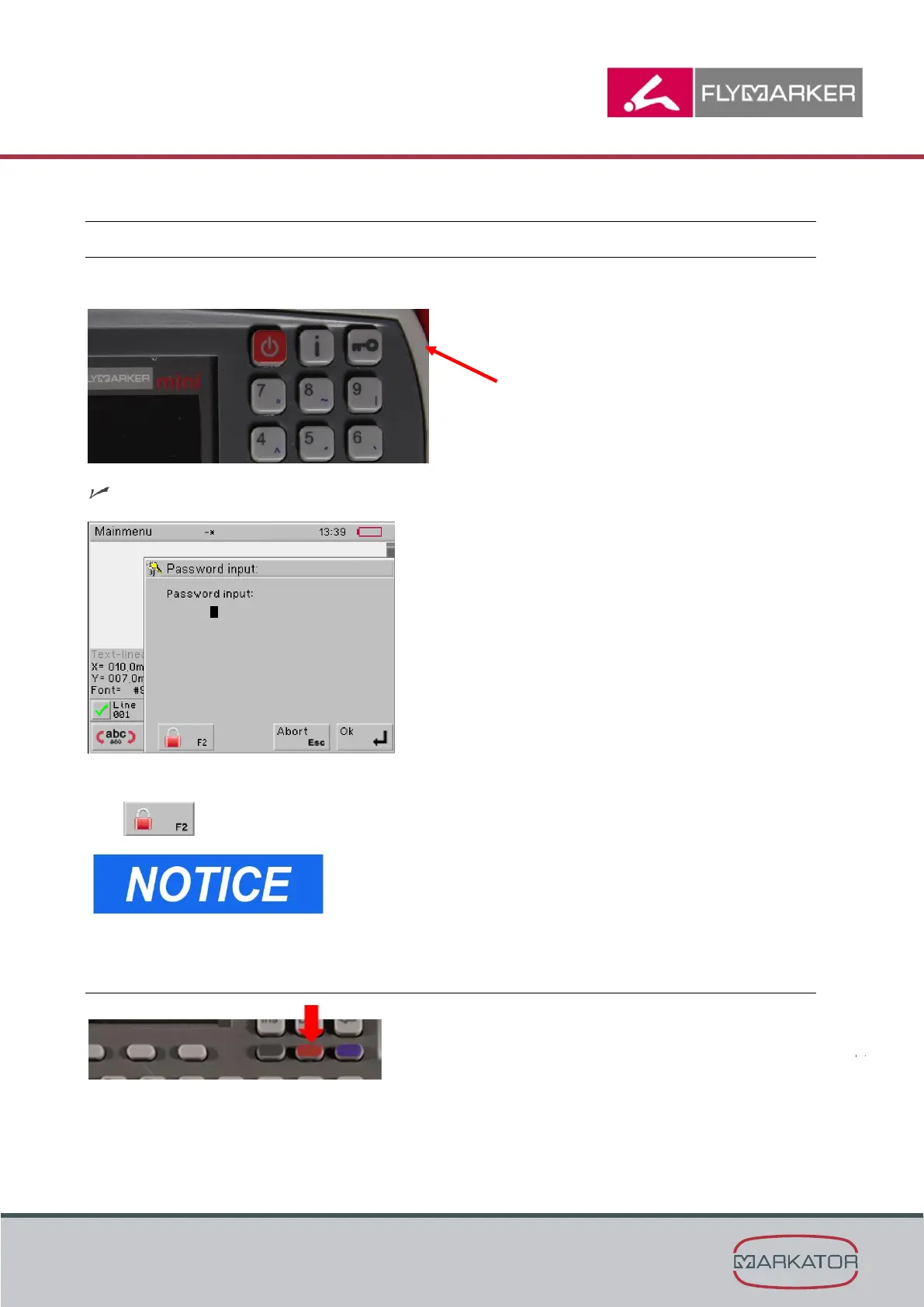
4.2.1 Locking/unlocking the keyboard
1. Press the key button.
The password dialog box appears.
2. F2 activates the keylock.
Do the same to unlock the keyboard.
4.2.2 Turn on/off the illumination of the marking area
Press for 1 second
= Turn the illumination of the marking area on/off
= Illumination will be activated for approx. 20 seconds



 To Next Page