FlyMarker
®
mini 85/45 plus and 120/45 plus
Operating Manual
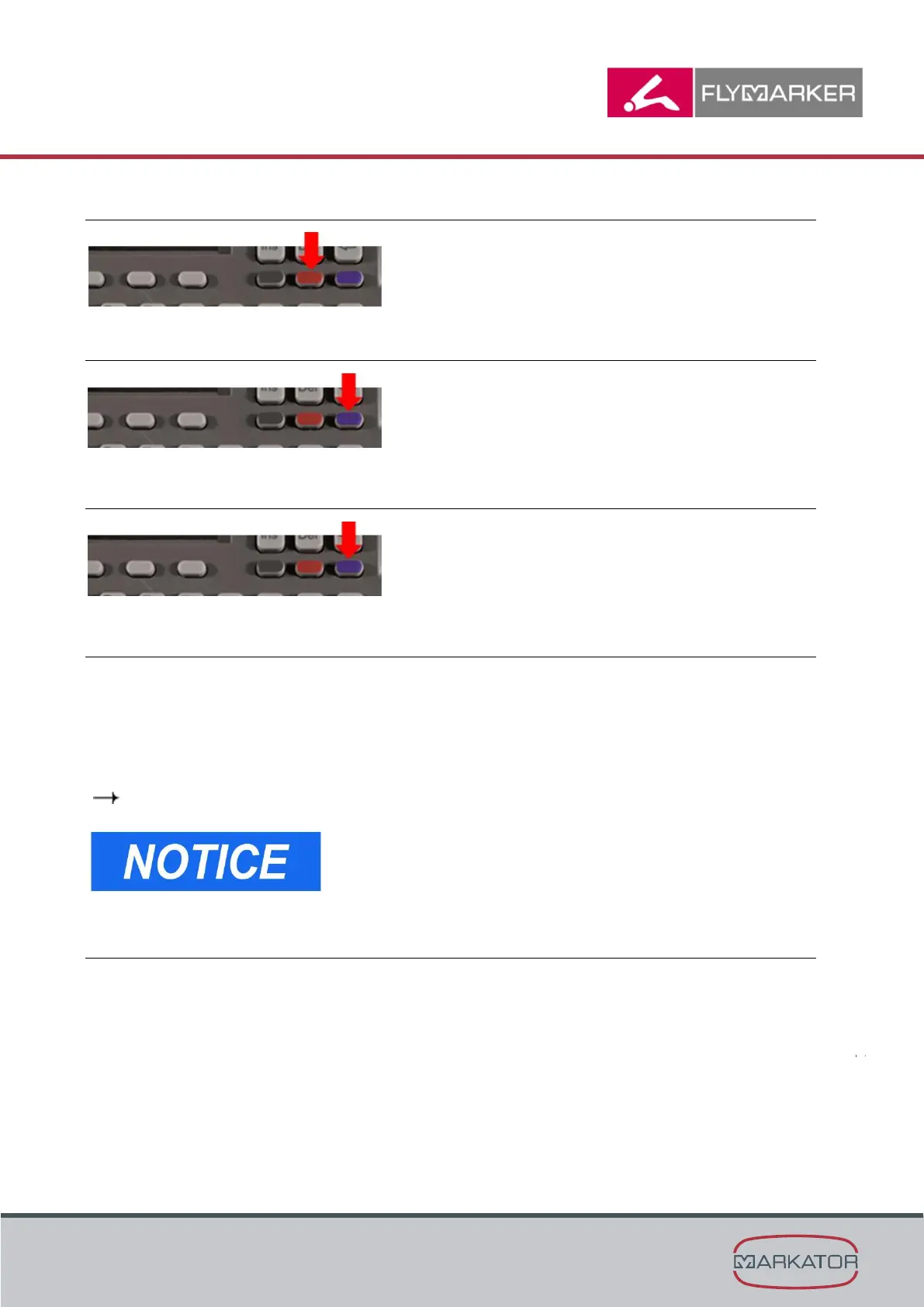
4.2.3 Switch between mm and inch
Press for 5 seconds
= Switch between mm and inch
4.2.4 Laserpointer
Press for 1 second
= Laserpointer will be activated for 20 seconds
4.2.5 Turn the display and marking area
Press for 5 seconds
= Display will be turned 180°
4.2.6 Display lighting
To save energy, the display lighting shuts off if there has been no marking or no key has been
pressed within a specified time. The standard value is 60 seconds.
The first time a key is pressed after that, it merely turns on the display lighting and has no other
function.
In that case, the appropriate key must therefore be pressed again.
( Chapter “Configuring power management”, page 41)
If the value is set to 0 (zero seconds) in power
management, the display lighting does not turn off.
4.2.7 Configuring power management
Setting the switch-off time
FlyMarker
mini shuts off if there has been no marking or no key has been pressed within a
specified time.
Path FlyMarker mini:
Administrator Switch to Level 2 F7 Settings F5 System (power management > t-Off)



 To Next Page