FlyMarker
®
mini 85/45 plus and 120/45 plus
Operating Manual
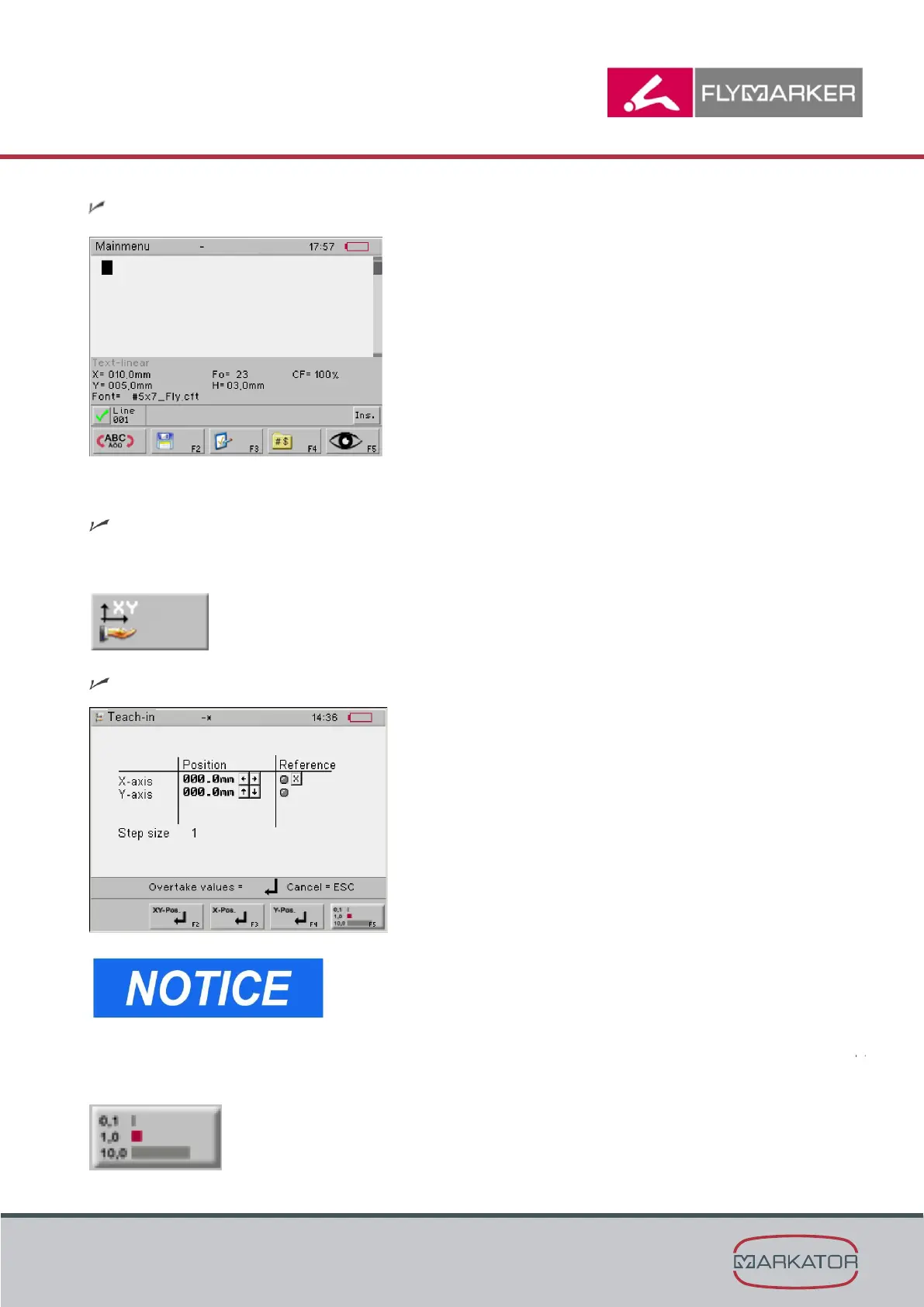
The main menu appears.
1. Press the change level key.
The second level of the main menu appears.
2. Press F10.
The Teach-in window appears.
Because the stepper motors carry no current when at
rest, a reference run must be initiated manually before
setup.
Press the X key to start a reference run.
3. Select the entry step size with F5.



 To Next Page