FlyMarker
®
mini 85/45 plus and 120/45 plus
Operating Manual
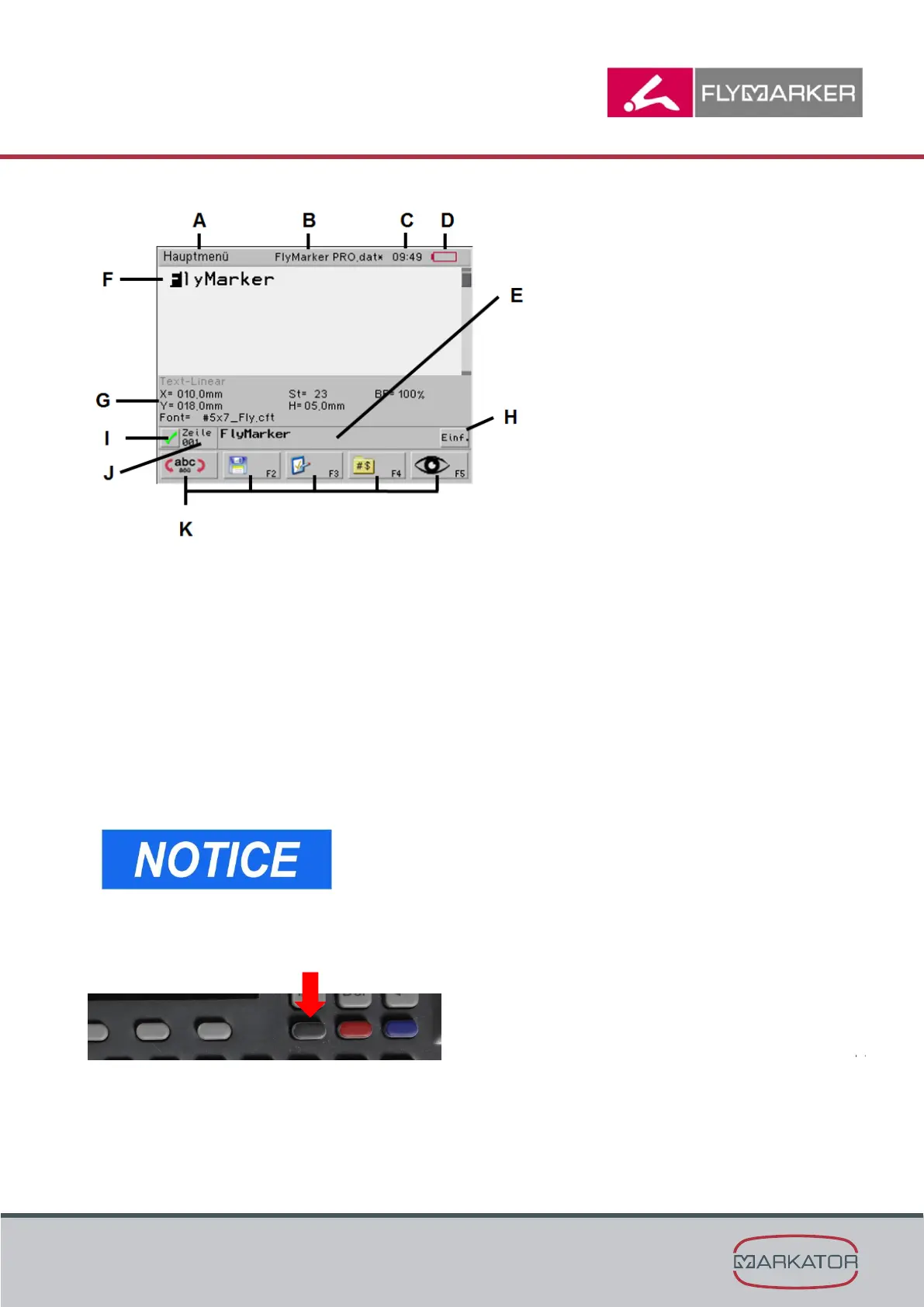
Level 1 (F1 to F5)
A = Menu information
B = File name
C = Time
D = Charge of battery
E = Status line
F = General instructions or marking text
G = Parameter
H = Writing mode
I = OK or reporting keys (stop, etc.)
J = Line information
K = Function key logos; Level 1 (F1 to F5), Level 2 (F7-10)
Screen depends on the current user level.
(→ Chapter „Menu structure“, page 56)
To change levels in the main menu, press the change level key of the FlyMarker
®
mini
(see arrow).



 To Next Page