Need help?
Do you have a question about the Maxcess FIFE DP-20 PLUS and is the answer not in the manual?
 General
| Brand | Maxcess |
|---|---|
| Model | FIFE DP-20 PLUS |
| Category | Controller |
| Language | English |
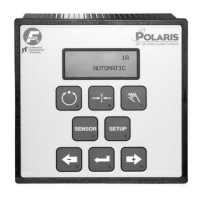
Overview of the DP-20 PLUS Web Guide Controller's capabilities and mounting options.
Explains the function of each key on the operator level interface.
Describes the different lines and indicators on the LCD panel.
Provides important notes and guidelines for navigating and using the setup menus.
Visual representation of the system setup menu hierarchy and options.
Procedure for adjusting the system gain in Automatic Mode.
Procedure for adjusting the system guide point in Automatic Mode.
Explains how to view measurement signals from various sensors in Automatic Mode.
Displays system information like serial number, firmware, and software versions.
Procedure for adjusting the servo-center gain in Servo-Center Mode.
Procedure for adjusting the servo-center guide point in Servo-Center Mode.
Explains how to view measurement signals from various sensors in Servo-Center Mode.
Displays system information for Servo-Center Mode.
Procedure for adjusting system gain in Manual Mode.
Procedure for adjusting system guide point in Manual Mode.
Procedure for setting the guide polarity in Manual Mode.
Procedure for calibrating edge sensors in Manual Mode.
Procedure for calibrating line sensors for center of line guiding.
Procedure for calibrating line sensors for edge of line guiding.
Procedure for calibrating the servo-center sensor in Manual Mode.
Procedure for performing an automatic setup for guiding.
Procedure for adjusting servo-center gain in Manual Mode.
Procedure for setting servo-center polarity in Manual Mode.
Procedure for viewing measurement data in Manual Mode.
Procedure to set the deadband for the guiding system.
Procedure to enable or disable specific operation modes.
Procedure to enable or disable sensor modes for edge sensors.
Procedure to enable or disable sensor modes for line sensors.
Procedure to enable or disable jog functionality for the system.
Procedure to set the polarity for jog operations.
Procedure to adjust the speed for jog operations.
Procedure to select the type of sensor being used.
Procedure to set the sensor voltage, with important cautions.
Procedure to restore the system to previous settings.
Procedure to store current configurable settings as a backup.
Procedure to set a new password for system access.
Procedure to delete the currently set password.
Procedure to change the existing system password.
Procedure to configure the delay for Output A.
Procedure to configure the delay for Output B.
Procedure to set the range for loss of null output.
Procedure to enable or disable Digital I/O functions.
Procedure to view raw sensor signals without scaling.
Procedure for testing and toggling digital outputs.
Procedure for operating the unit in Guide Test Mode.
Procedure to select the display language.
Procedure to adjust the contrast of the LCD display.
Procedure to set the Automatic Sensitivity Control (ASC) to ON or OFF.
Procedure to set the limits for Automatic Sensitivity Control (ASC).
Procedure to select the signal source for ASC operation.
Procedure to select the polarity for digital A/B outputs.
Procedure to control the shift speed of RGPC digital inputs.
Menu for up/downloading information and controlling digital I/O.
Table detailing parallel input modes and their corresponding input configurations.
Table detailing parallel output status and configurations.
Lists common faults, probable causes, and remedies for troubleshooting.
Explains fault indications and their corresponding menu numbers and codes.
Guidelines for returning the unit for service or repair.
Provides general specifications for the DP-20 PLUS controller.
Details the electrical specifications for inputs and outputs.
Lists product certifications and compatibility details.
Specifies the maximum allowed cable lengths for various connections.

 To Next Page