244
Controls in detail
Driving systems
왘 Back in straight carefully.
The desired parking space is wide
enough if nothing protrudes into or
is within the guide lines.
Backing in at any angle
왘 Switch on the COMAND.
왘 Move gear selector lever to position R
(reverse gear).
You will see the guide line for reverse
parking on the COMAND display.
왘 Turn steering wheel so that the guide
lines for cornering are pointing to-
wards the desired parking space.
The parking space is wide enough if
nothing protrudes into the guide
lines.
왘 Back in carefully.
왘 When the green guide line for
straight driving lies parallel inside the
desired parking space, straighten the
steering wheel for straight driving.
왘 Back in enough to leave sufficient
free space around the vehicle.
Parallel parking
This function assists you when you wish
to park in a row, e.g. in a parking place
parallel to the road.
왘 Stop the vehicle in a safe location
앫 at a distance of approximately
3 feet (1 meter) parallel to the ve-
hicle that is in front of the desired
parking space.
앫 in such a way that the front of the
parked vehicle is parallel to your
rear wheel.
왘 Switch on the COMAND.
왘 Move gear selector lever to position R
(reverse gear).
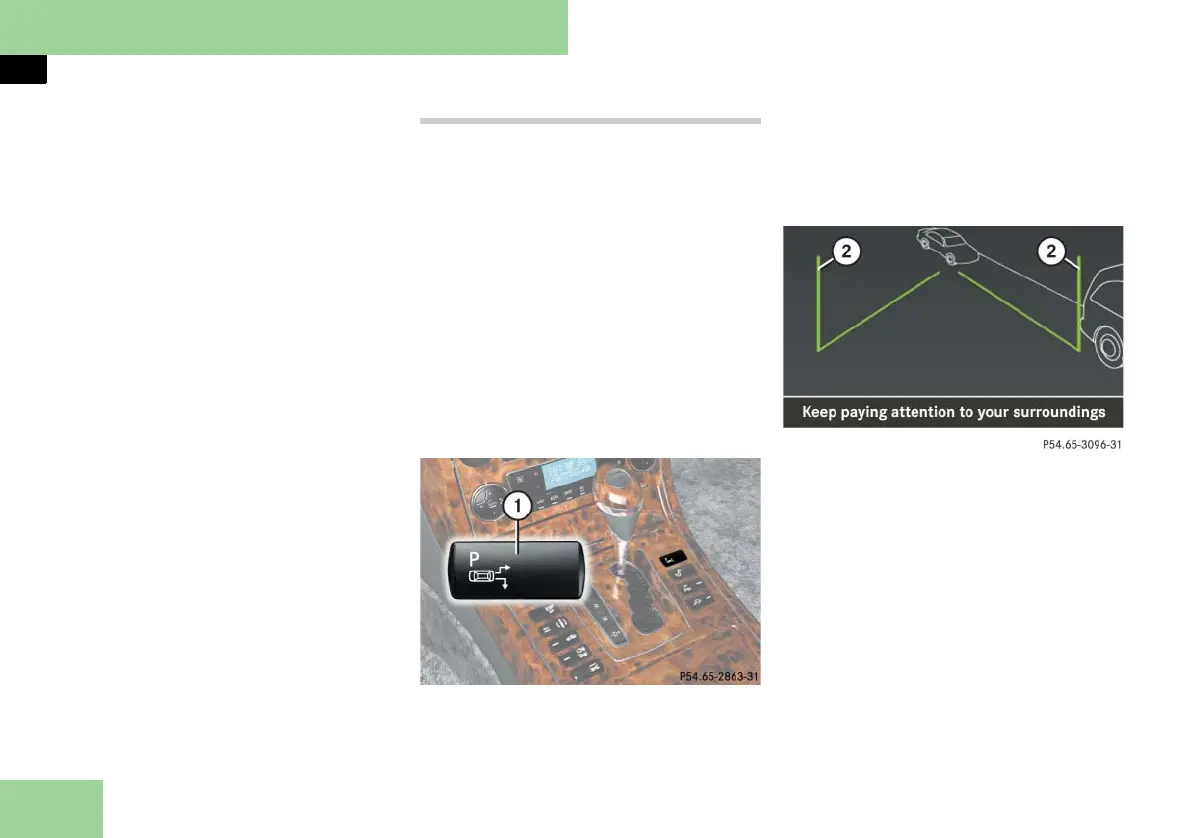
1 Parallel parking/back-in parking se-
lector button
왘 Press parallel parking button 1 on
front center console.
i If you press the parallel parking/back-in
parking selector button 1 again, you have se-
lected the reverse parking assistance function
once more (컄 page 243).
2 Vertical guide line
왘 Back up carefully parallel to parked
car until the respective vertical guide
line 2 is at the end of the parked ve-
hicle next to you.
왘 Stop the vehicle in a safe location.
컄컄



 To Next Page