278
Controls in detail
Useful features
You can receive and place telephone
calls using the s and t buttons on
the steering wheel. To carry out other
telephone functions, use the control sys-
tem (
컄 page 164).
See the separate operating manual
COMAND and Rear-Cabin Audiovisual
System for instructions on how to use the
telephone.
Mobile phone in the front
Mobile phone cradles for GSM or CDMA
phones can be installed in the cockpit.
These mobile phone cradles can be ob-
tained from an authorized Maybach
Studio.
The functions and services available to
you while using the mobile phone de-
pend on your service provider and the
type of mobile phone you are using.
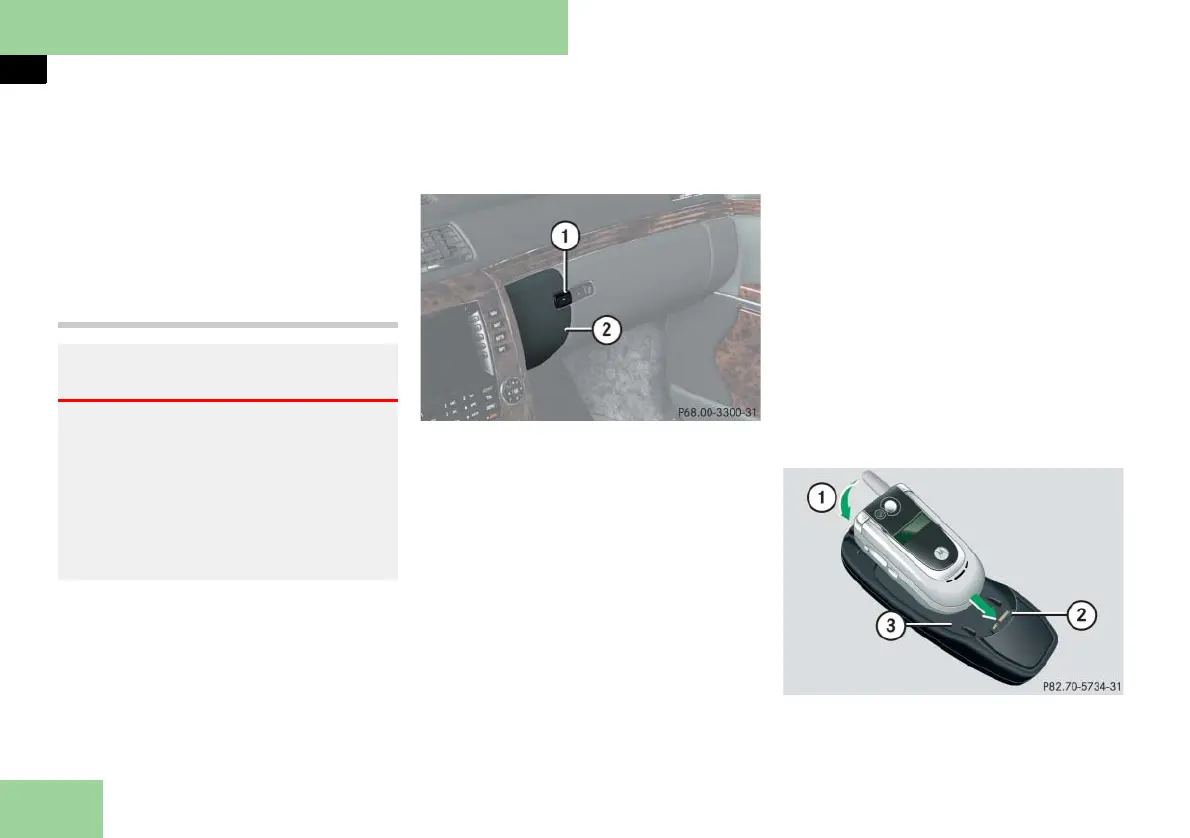
1 Compartment lid release button
2 Compartment lid
Opening
왘 Press release button 1.
Compartment lid 2 opens down-
ward. The telephone handset swings
out.
Closing
왘 Press button 1 to close.
! To prevent any damage, the mobile
phone flap must be folded down before clos-
ing the telephone compartment.
i The Roadside Assistance button • and
the Information button ¡ (컄 page 285) are
located in the compartment for the front tele-
phone.
Inserting the mobile phone in the mobile
phone cradle
Once the mobile phone has been insert-
ed in the mobile phone cradle, calls can
only be made via the hands-free system.
! Do not try to remove the mobile phone
along with the cradle. You could otherwise
damage the mobile phone cradle.
왘
Remove the cover for the external an-
tenna connection from the back of
the mobile phone and store it in a
safe place.
1 Insert the mobile phone
2 Connector contact
3 Mobile phone cradle
Warning! G
Always keep the compartment for the
front telephone closed while the vehicle is
in motion. The protruding telephone could
otherwise cause injury to you and others
during
앫 braking
앫 vehicle maneuvers or
앫 an accident.



 To Next Page