279
Controls in detail
Useful features
왘 Slide the lower end of the mobile
phone into connector contact 2 on
cradle 3.
왘 Push the top of the mobile phone in
direction of arrow 1, until the lug on
the mobile phone release button en-
gages.
The mobile phone is connected to the
network via the external antenna.
The mobile phone is linked to the
hands-free device and the multifunc-
tion steering wheel.
The battery is charged depending on
its charge status and the position of
the key in the ignition switch. The
charge procedure will be indicated in
the mobile phone’s display.
i GSM mobile phone:
The phone books contained on the SIM card
and in the mobile phone’s memory will be im-
ported. If an identical entry has been stored in
both phone books, the entry will appear twice
in the multifunction display.
You can place or receive phone calls us-
ing the t and s buttons in the
steering wheel. You can control other
functions of the mobile phone via the
control system (
컄 page 164).
i When you take the SmartKey or SmartKey
with KEYLESS-GO** out of the starter switch,
the mobile phone remains switched on for ap-
proximately 10 minutes (run-on time). If you
place or receive a call during this time, the mo-
bile phone switches off 10 minutes after the
call has been completed.
Removing the mobile phone from the
cradle
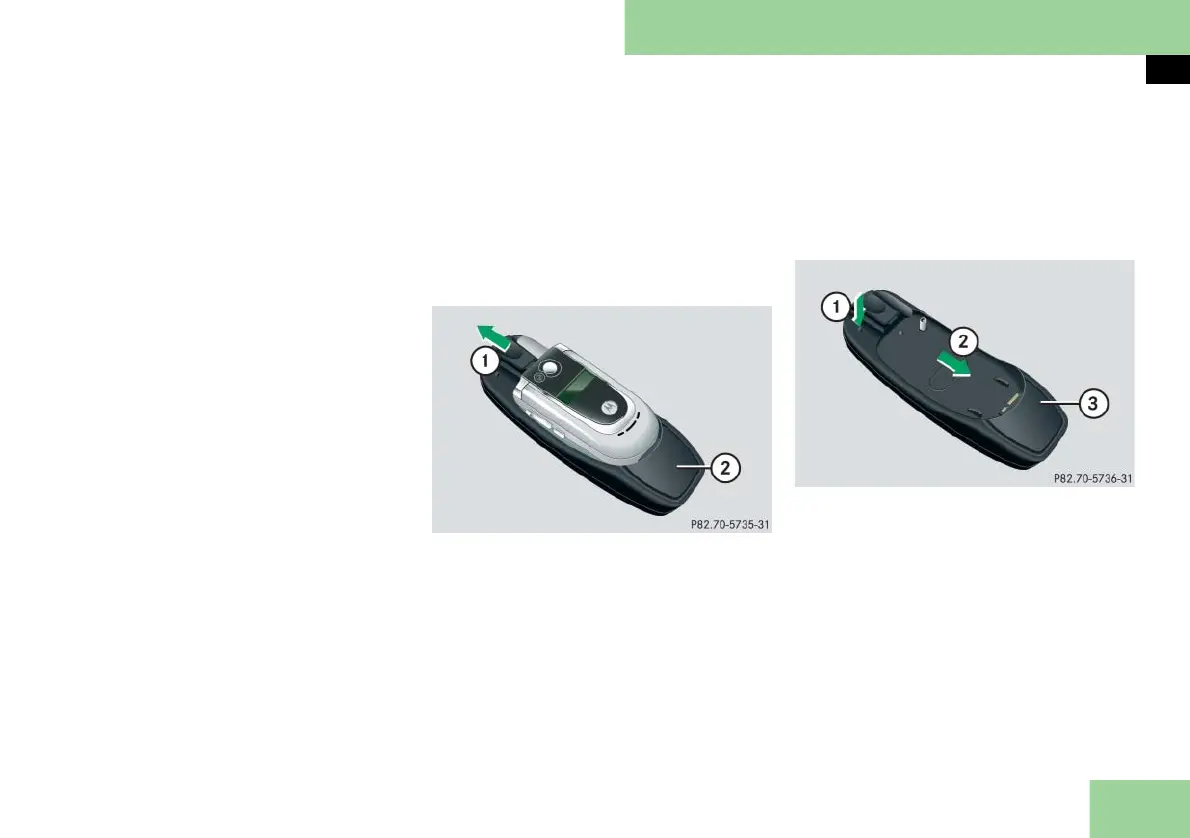
1 Release catch for mobile phone
2 Mobile phone cradle
왘 Press release catch in direction of
arrow 1 and take mobile phone out
of mobile phone cradle 2.
Changing the mobile phone cradle
Please contact an authorized Maybach
Studio if you require a different mobile
phone cradle for your GSM or CDMA mo-
bile phone.
Removing an existing mobile phone cra-
dle:
1 To release the mobile phone cradle
2 To remove the mobile phone cradle
3 Mobile phone cradle
왘 Press release button in direction of
arrow 1 and take mobile phone
cradle 3 out in direction of
arrow 2.



 To Next Page