139
Hospital Administrator Login
The MEDIVATORS
®
ADVANTAGE PLUS
®
Automated Endoscope Reprocessor database can only be
accessed using a Hospital Administrator account. A Hospital Administrator account is created during
MEDIVATORS ADVANTAGE PLUS System installation. A Hospital Administrator can add and update:
• Users
• Physicians/Assistants
• Instruments
• Modify and create parameter sets
• Modify non-critical system parameters
• Launch the Server program if it is not already running.
To login as a Hospital Administrator:
1. Launch the Server Program if it is not already running.
2. Launch the Management program by going to Start > All Programs > MDS > Management,
or by double clicking on the Management shortcut in the MEDIVATORS ADVANTAGE PLUS system
folder on the computer desktop.
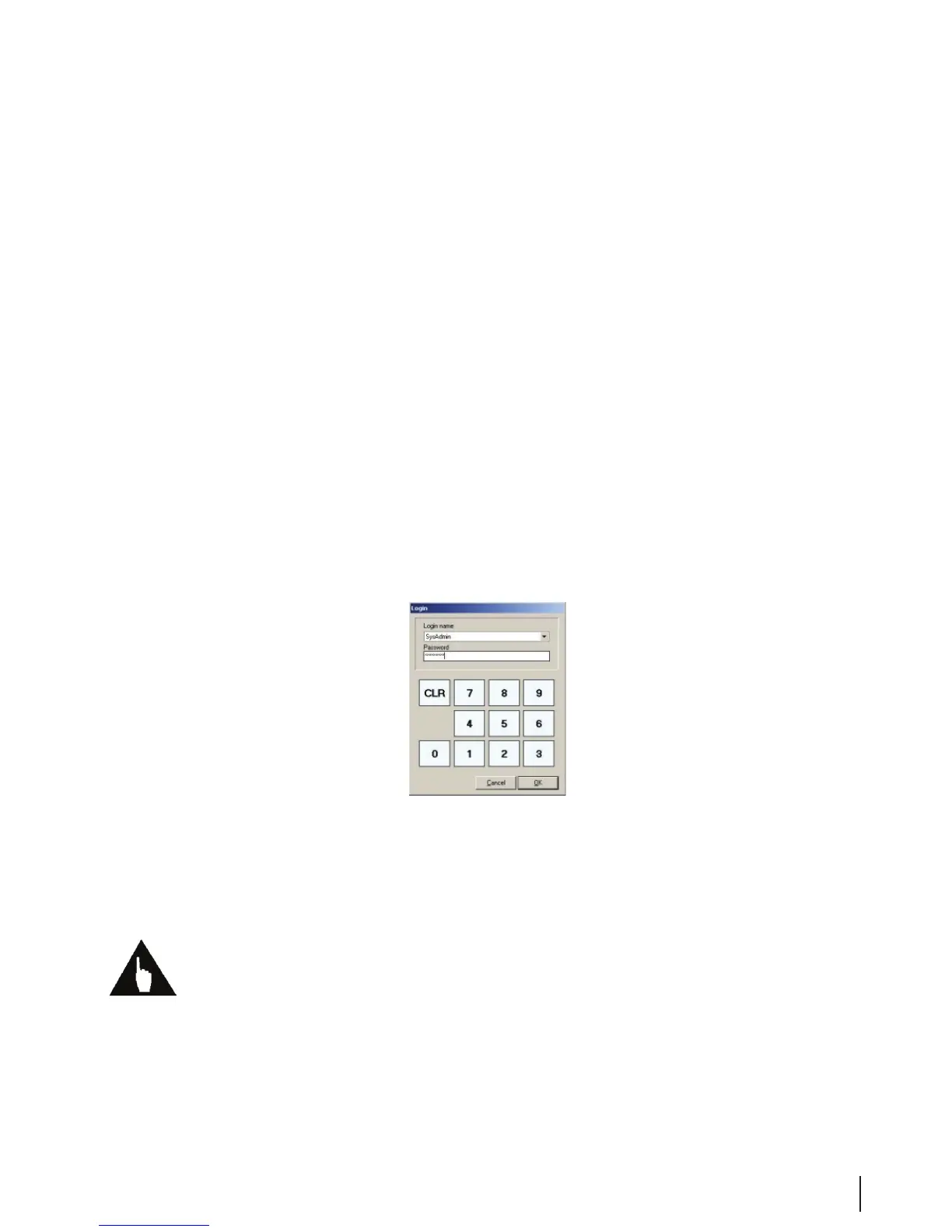
3. When the authorization window appears, click on the down arrow to select your Login name.
Figure 2 Authorization Window
4. Enter your numeric password. Press the CLR button if you make an entry error and want to re-enter
the password. Press the Cancel button to close the Management Program without creating your password.
Press the OK button to complete your password entry and continue on to the Management program.
Note: To prevent unauthorized access to the Management program, close the program when you have
nished your work.
Under special circumstances, a temporary password can be issued to login as a System Administrator.
Contact technical service to describe the problem. If you receive a password, it will be valid only for the
date it was granted and only for specic applications.



 To Next Page