43
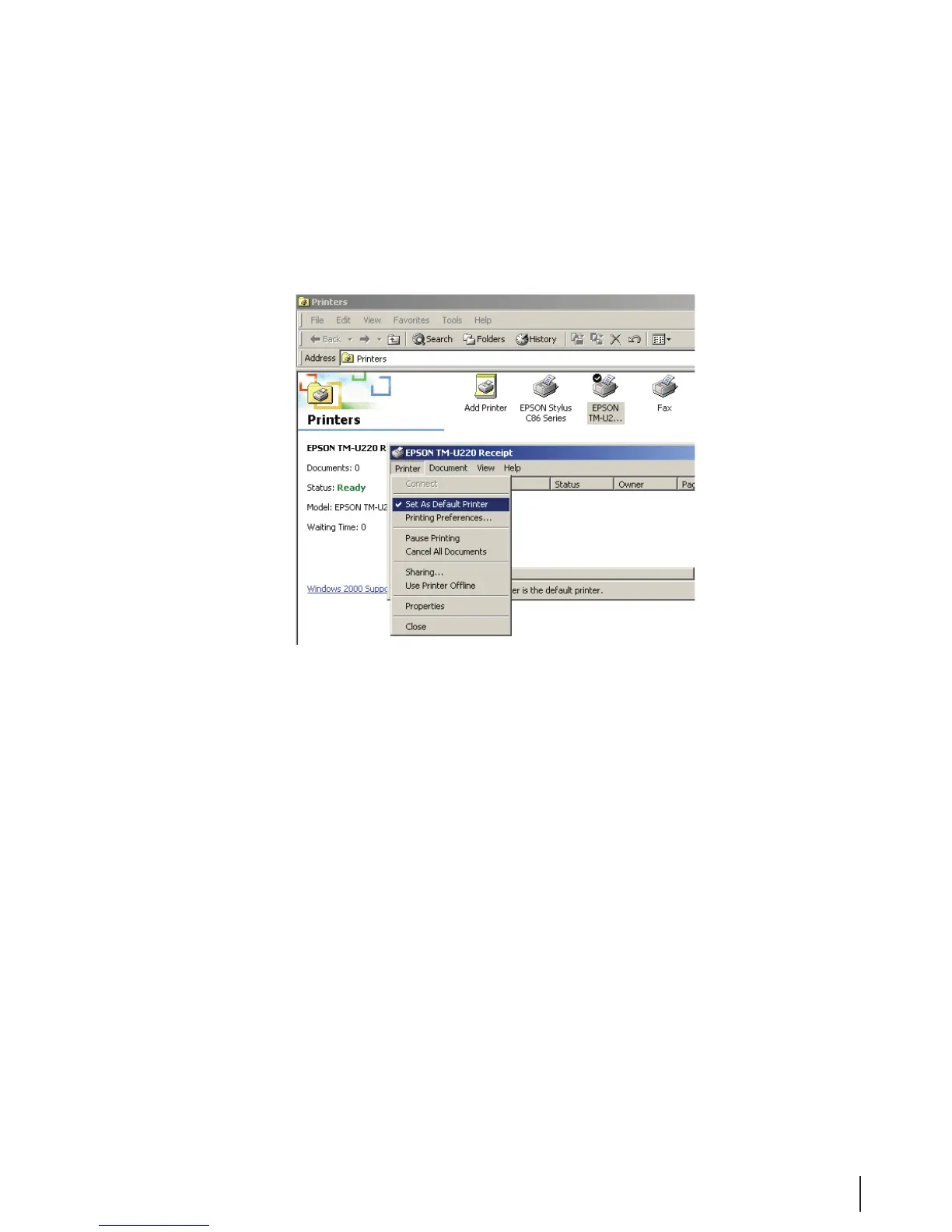
Figure 22 Printer Selection
2. Double-click the icon for your cycle log printer.
3. In the dialog box for the printer, double-click on Set As Default Printer. A checkmark appears
above the printer icon and in the submenu the next time it is accessed.
Figure 23 Set As Default Printer
Backups
The computer on the MEDIVATORS
®
ADVANTAGE PLUS
®
Automated Endoscope Reprocessor is
equipped with mirrored hard drives. Mirrored hard drives consist of a main hard drive and a second hard
drive which contains an exact copy of the rst hard drive. This conguration provides a backup of the
entire computer system.
The MEDIVATORS ADVANTAGE PLUS endoscope reprocessor uses MICROSOFT SQL Server 2008
Express to generate the database les.
The databases should be backed up on a regular basis. Although the mirrored hard drives do provide
protection against a single hard drive failure, regular backups of the database to a remote location (CD,
memory stick or remote server) will protect against database corruption or complete system failure. Follow
the procedures established by your facility for scheduling and storing backups.
MEDIVATORS provides a backup utility, SQLBackupAndFTP, preinstalled on the MEDIVATORS
ADVANTAGE PLUS system. This utility must be congured.



 To Next Page