3.12.12 Assigning Communications Interfaces to Physical
Communications Channels
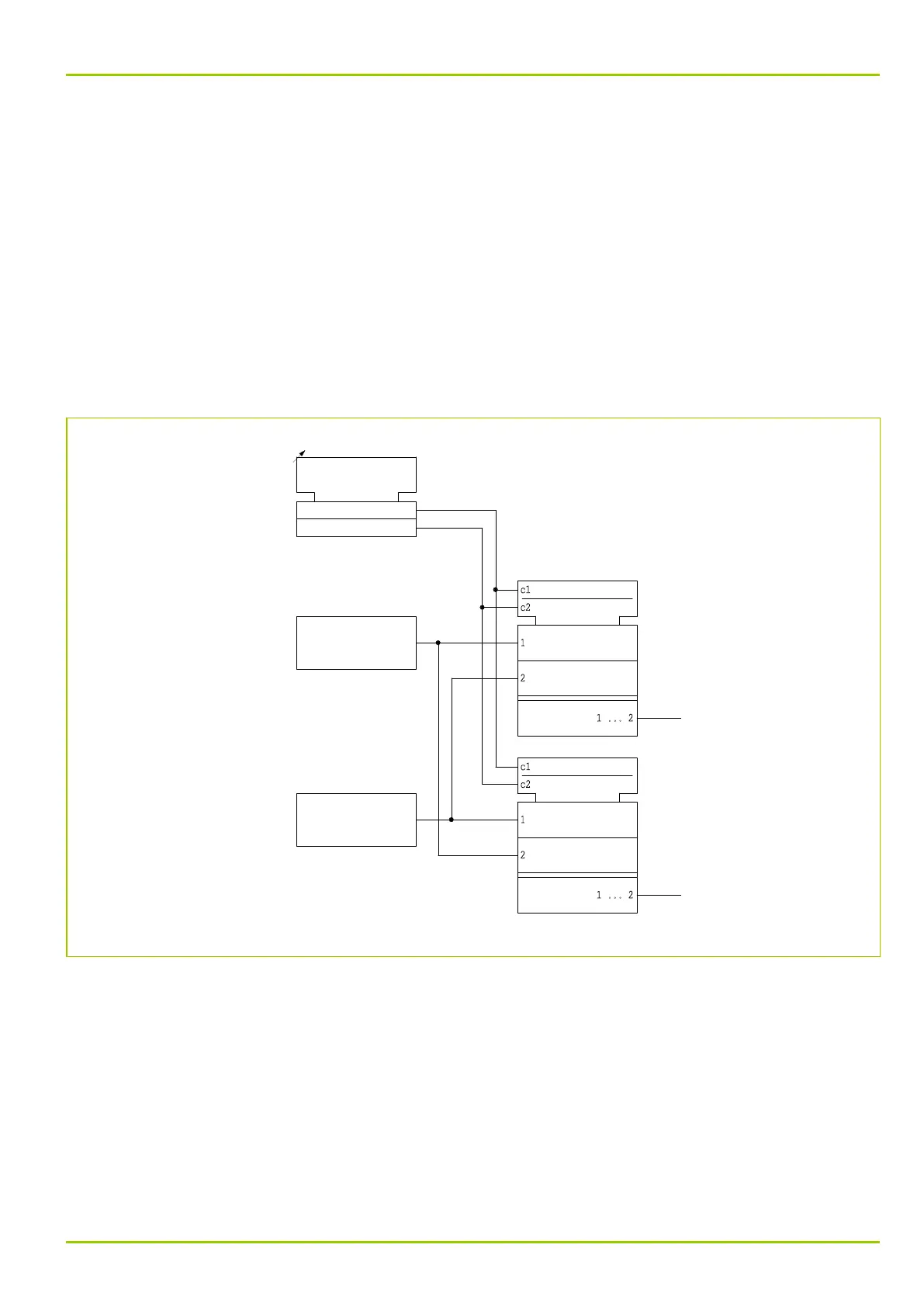
Depending on the design version of the communications module A there are up
to two communications channels available (see Chapter “Technical Data”). These
physical communications channels may be assigned to communications
interfaces COMM1 and COMM2.
If communications interface COMM1 is assigned to communications channel 2,
then the settings of communications interface COMM2 are automatically
assigned to communications channel 1.
COMM2 can only be used to transmit data to and from the P631 if its PC interface
has been de-activated. As soon as the PC interface is used to transmit data,
COMM2 becomes “dead”. It will only be enabled again when the "time-out"
period for the PC interface has elapsed.
45Z5171A
MAIN:
Chann.assign.COMM1/2
[ 003 169 ]
2
1
1: COMM1->chann.1,(2-2)
2: COMM1->chann.2,(2-1)
"Logical"
"Logical"
Communic. interface
Communic. interface
Comm. interface
COMM1
COMM2
Channel 1
Comm. interface
Channel 2
Fig. 3-60: Assignment of communication interfaces to physical communication channels.
3 Operation
P631
P631/EN M/R-11-C // P631-310-650 3-87



 To Next Page