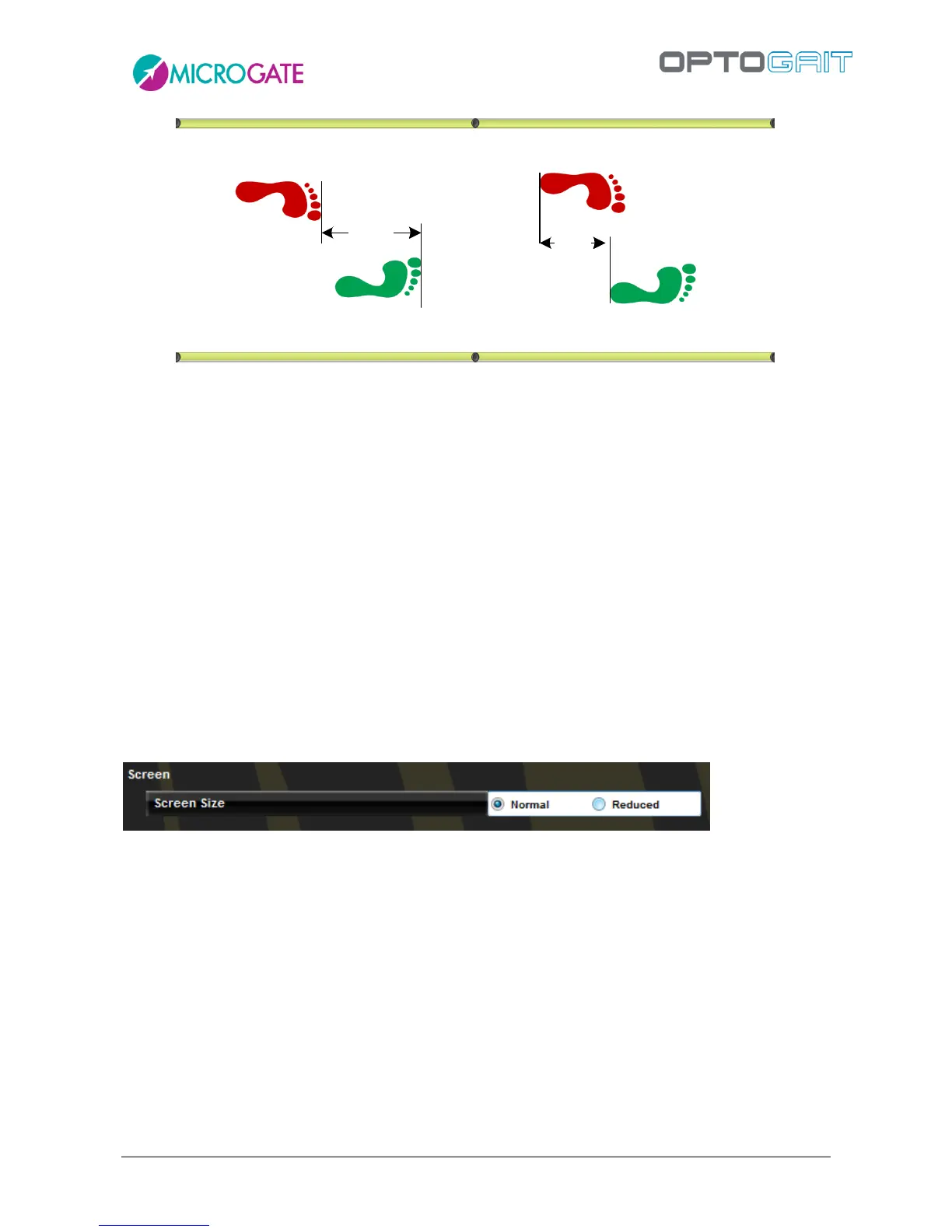
Figure 95 - Tip to Tip or Heel to Heel Step Length
Minimum gap between feet [cm or ft]: is the minimum gap between tiptoe and the heel
of the next feet.
N° step speed reference: insert the reference speed for the 3rd/6th/9th step in m/s;
insert 0 to disable this option.
Split N° at distance [cm or ft]: insert at how many cm from the start the first or second
split time will be taken; leave 0 to disable split times.
Minimum foot length [cm]: is the minimum foot length in centimeters (or inches) used
to filter possible wrong acquisitions.
4.4.1.6 SCREEN
The OptoJump Next software works on most desktop PCs and notebooks of the most recent
generation, usually with a resolution of 1024x768 (the minimum recommended resolution). For
users who want to use computers with lower resolutions (e.g., netbooks which often have
1024x600) or computers with lower performance, we recommend that you select the ‘Reduced’
Screen option; this will apply the following changes:
In the tables with numerical data and the data lists, a smaller font is used in order to fit as
much information as possible in the allotted space.
In the Test|Execute module, the webcam, though connected, is not displayed in real-time
during acquisition. In any case, the video is saved and can be played in the module ‘Results’.
In the module Results|View or Compare Test it is not possible to view charts and the table
with numerical data simultaneously (either one or the other). Furthermore, the bar display
is disabled. In the configuration panel, the VCR Player control for the video is hidden.
4.4.1.7 NEWS & EVENTS



 To Next Page