Version 1.10 Page 93 of 203
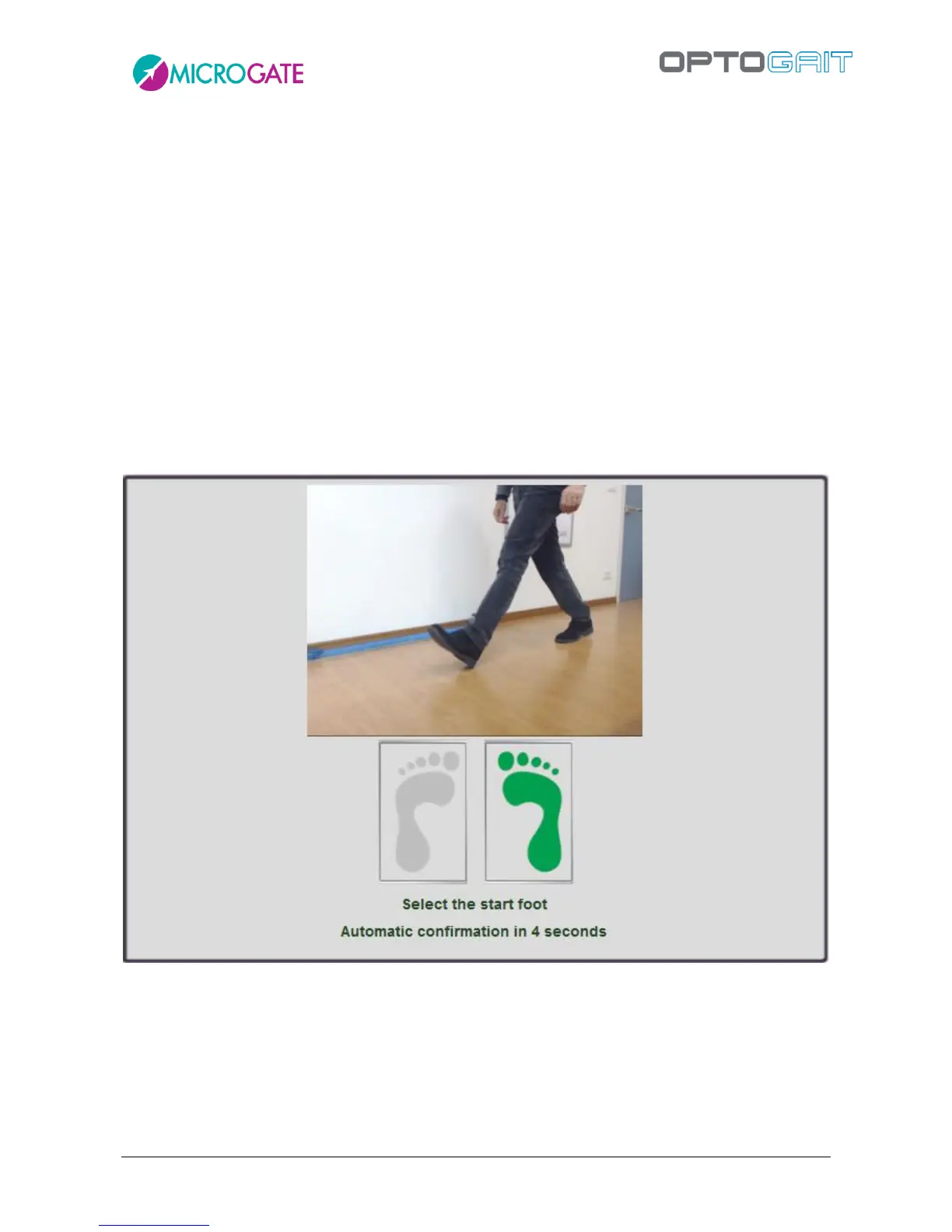
4.3.1.6 VIDEO PREVIEW POPUP: FIRST STEP PREVIEW
In some test types, such as Sprint and Gait (run and gait on linear systems), treadmill gait and
treadmill running, the operator must decide which foot is the one that began the test.
In order to help the user in this operation, which is sometimes difficult because the patient is far
away, a new feature called 'video preview popup' has been added, displaying a popup window for
10 seconds, where the first frame of the trial is viewed, allowing the operator to understand if the
entering foot is the one specified or if it is the opposite foot.
During these 10 seconds, by watching the preview of the two webcams it is possible to confirm or
change the foot of the first step simply clicking on the right or left foot icon (or wait until the popup
closes automatically confirming the choice).
In the example below, the patient enters with the left foot, whereas the test was set differently (or
could have been set as 'undefined'). Clicking on the red icon of the left foot, the setting is
immediately inverted, therefore it does not need to be done afterwards from the Results Module.



 To Next Page