Version 1.10 Page 114 of 203
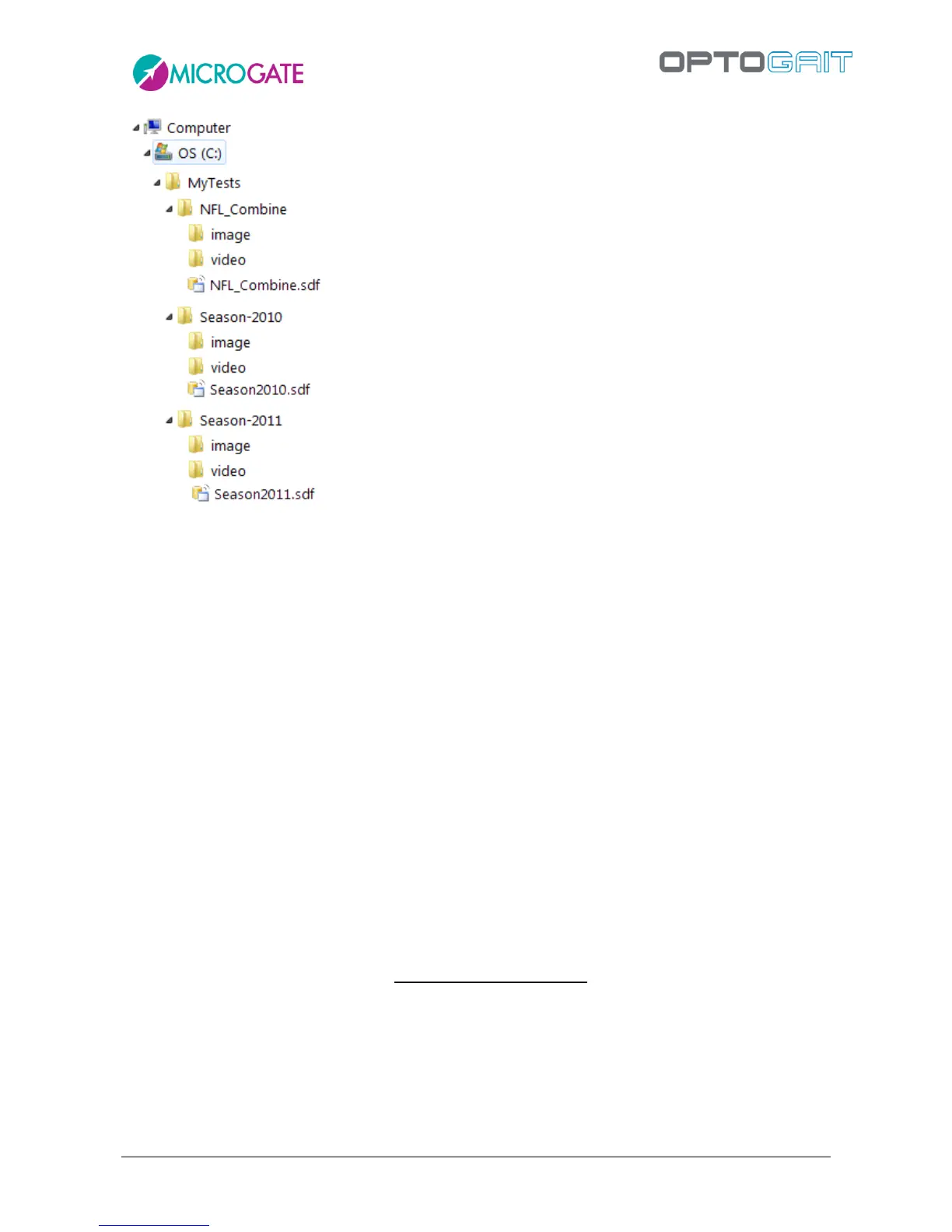
Figure 98 - Database organization example
4.4.4.3 SELECT
If more than one database has been created, you can choose (browsing on the hard disk) which one
to be the ACTIVE one.
4.4.4.4 CLEAR
Empties the current database of all Athletes, Groups, Test Definitions, and Tests (tests, protocols,
analyses) data. You will be asked which of the four tables to empty and further confirm (this
operation is IRREVERSIBLE).
4.4.4.5 IMPORT PREVIOUS
Allows you to import the database of the previous HW/SW version. You will be asked to locate the
.opj file saved with the old software.
4.4.4.6 EXPORT
Exports the CURRENT database together with all videos and still pictures processed in a single
compressed file with the extension .OJN; you will be asked in which directory (or on which drive, for
example a USB stick with sufficient space) to create and store the file and how to name it. It is
possible to export only the database, without videos and images, choosing ‘Database (*.sdf)’ from
the File Type dropdown menu.



 To Next Page