Version 1.10 Page 112 of 203
4.4.4 DATABASE
OptoJump Next stores all data (athletes, tests, results, settings, etc.) in a database file (Sql Server CE
format with the extension .SDF). Most users can use a single file to store all information, which by
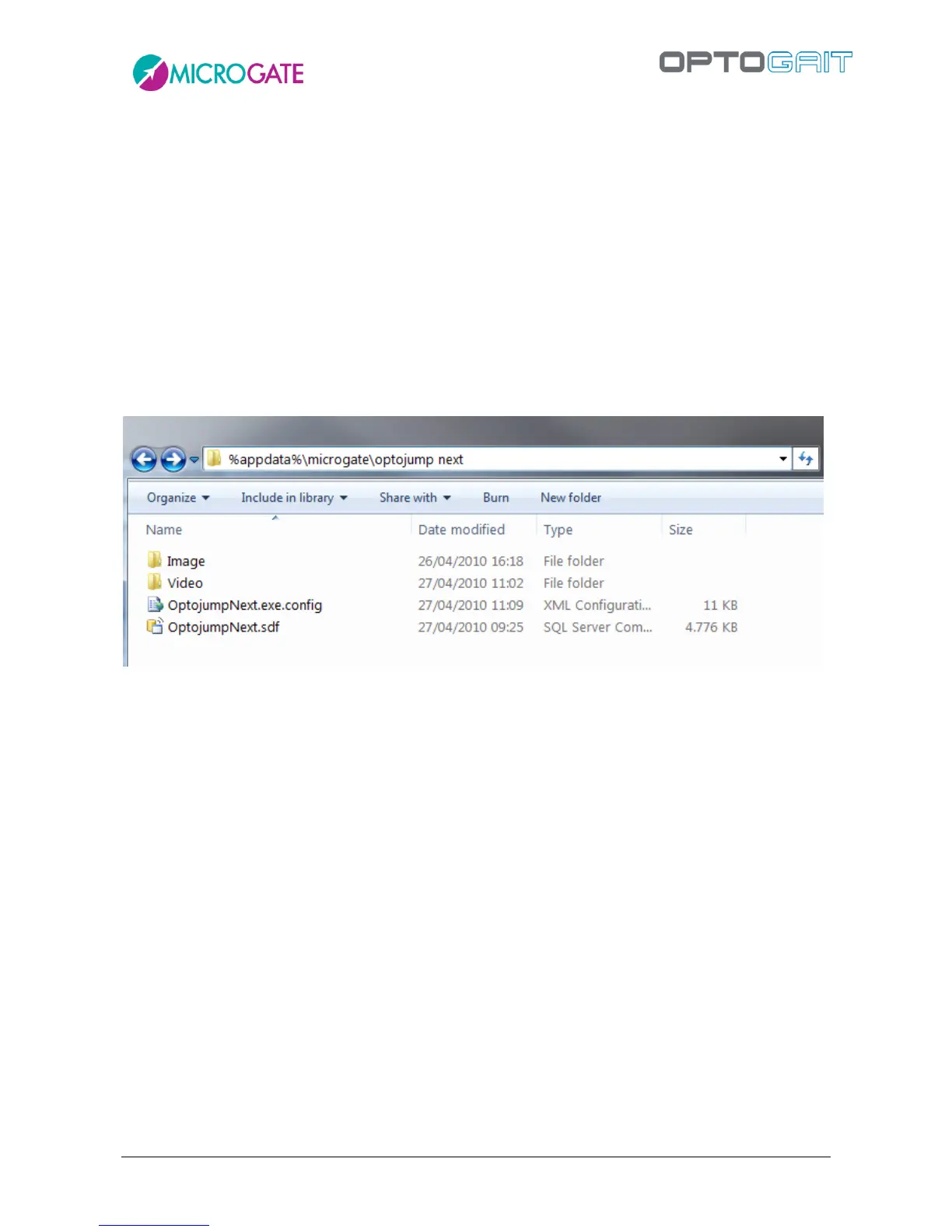
default will be called ‘OptojumpNext.sdf’, located in the following directory:
Documents\Microgate\OptoJump Next
The name of this directory changes depending on the operating system used and the language.
Some examples follow (<YourUserName> is the user name for logging into Windows):
Windows XP in Italian: C:\Documents and Settings\
<YourUserName>
\Documenti\Microgate\OptoJump Next
Windows XP in English: C:\Documents and Settings\
<YourUserName>
\My Documents\Microgate\OptoJump Next
Windows VISTA/7: C:\Users\
<YourUserName>
\Documents\Microgate\OptoJump Next
etc.
Figure 97 - Folder where by default all database, settings, video, and image files are located
The subdirectory VIDEO contains the videos (in .asf or .avi format depending on your choice in
4.4.1.4) acquired by the webcam. The subdirectory IMAGE stores all still pictures (.bmp files with
possible graphical notes) saved from the module Video Analysis.
The name of the videos is formed using the following pattern:
VideoX_DD_MM_YYYY_HH_MM_SS_ZZZZZZZZ-ZZZZ-ZZZZ-ZZZZ-ZZZZZZZZZZZ.EEE
Where
X: webcam No. 1 or No. 2
DD_MM_YYYY: day, month and year of acquisition
HH_MM_SS: hour, minutes and seconds of acquisition
ZZZZZZZZ-ZZZZ-ZZZZ-ZZZZ-ZZZZZZZZZZZZ series of univocal characters to avoid duplicates
EEE: video format (ASF or AVI)
Example:
Video1_02_04_2009_12_32_16_1f74d384-4a7f-4c5b-a94c-1772fb608736.asf
Meaning:
Video taken by webcam No. 1 on 2/4/2009 at 12:32:16 in ASF format



 To Next Page