Version 1.10 Page 20 of 203
2 SOFTWARE INSTALLATION
Start the OptojumpNext.exe setup program in the usual way for Windows.
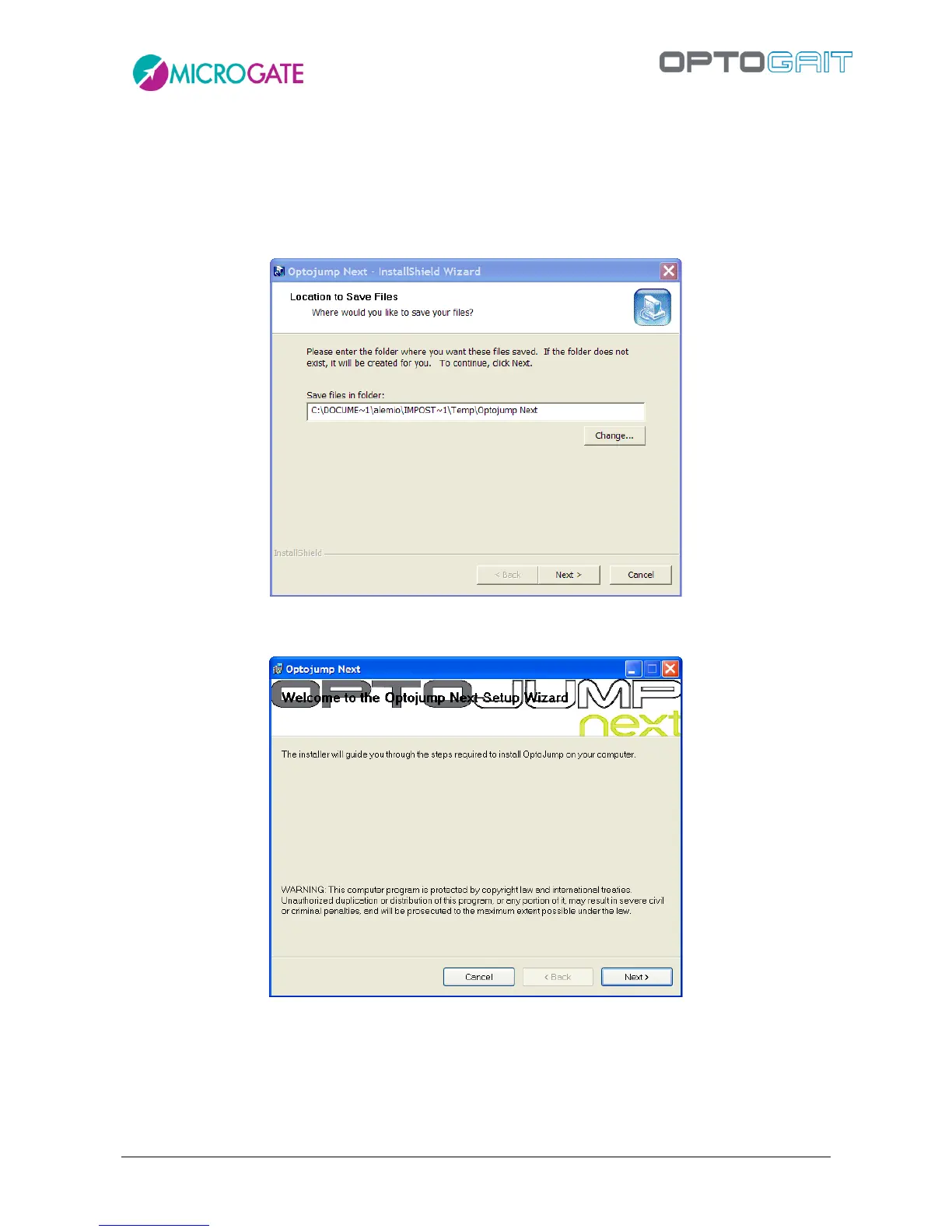
In the first installation window the user is asked where to save the files for the installation of
OptoJump Next. We advise you to leave the directory unchanged and to click on <Next> to continue.
Figure 2 – Installation wizard
In the first installation program window click on <Next>.
Figure 3 – Installation - welcome.
In the next window you can insert a folder where the software will be installed.
If you want everyone with access to the computer to be able to use the product, select “Everyone”.
Otherwise, select “Just me”.
We advise you to leave the folder unchanged and select “Everyone”. Click on <Next> to continue.



 To Next Page