Version 1.10 Page 97 of 203
4.3.1.8 PRINT
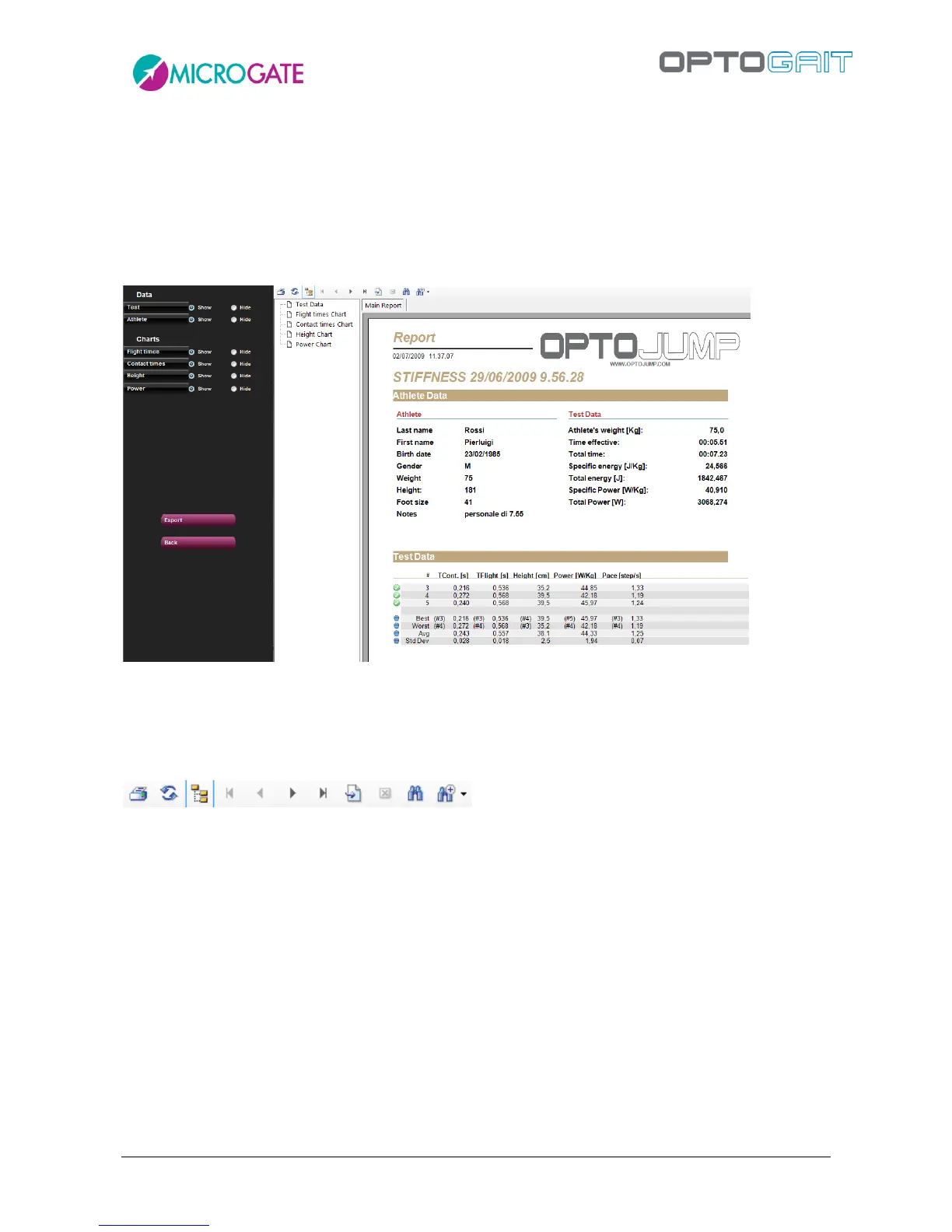
When <Print> is pressed, a multi-page report is printed with the athlete’s data, summarizing
(average) test data, numerical test data (times, heights, power, etc.) and all the charts of the
previous window.
A box containing the index with the pages allows you (by clicking on each page) to rapidly select the
desired section.
Figure 78 – Report Print
The radio buttons on the left allow you to show or hide particular sections of the report for both
Data and Charts.
The command toolbar above the report allows you to perform the following operations:
Figure 79 –Print Report Command Toolbar
Print the report on the printer set in the dialog box
Refresh the data
Show/Hide the page index
Go to first page
Go to previous page
Go to next page
Go to last page
Go to page No.
Close the report
Search
Zoom



 To Next Page