Version 1.10 Page 89 of 203
4.3.1.5 START FOOT
The Starting Foot can be defined during the creation of a test (see 'Define / Modify Test'), or
afterward - keeping it as 'not defined' - during the analysis.
Sprint and Gait Test on modular systems:
- Starting outside the test area: the starting foot is the first one to touch the ground inside the
area;
- Starting inside the test area: the starting foot is the one with the first contact after the
beginning of the test.
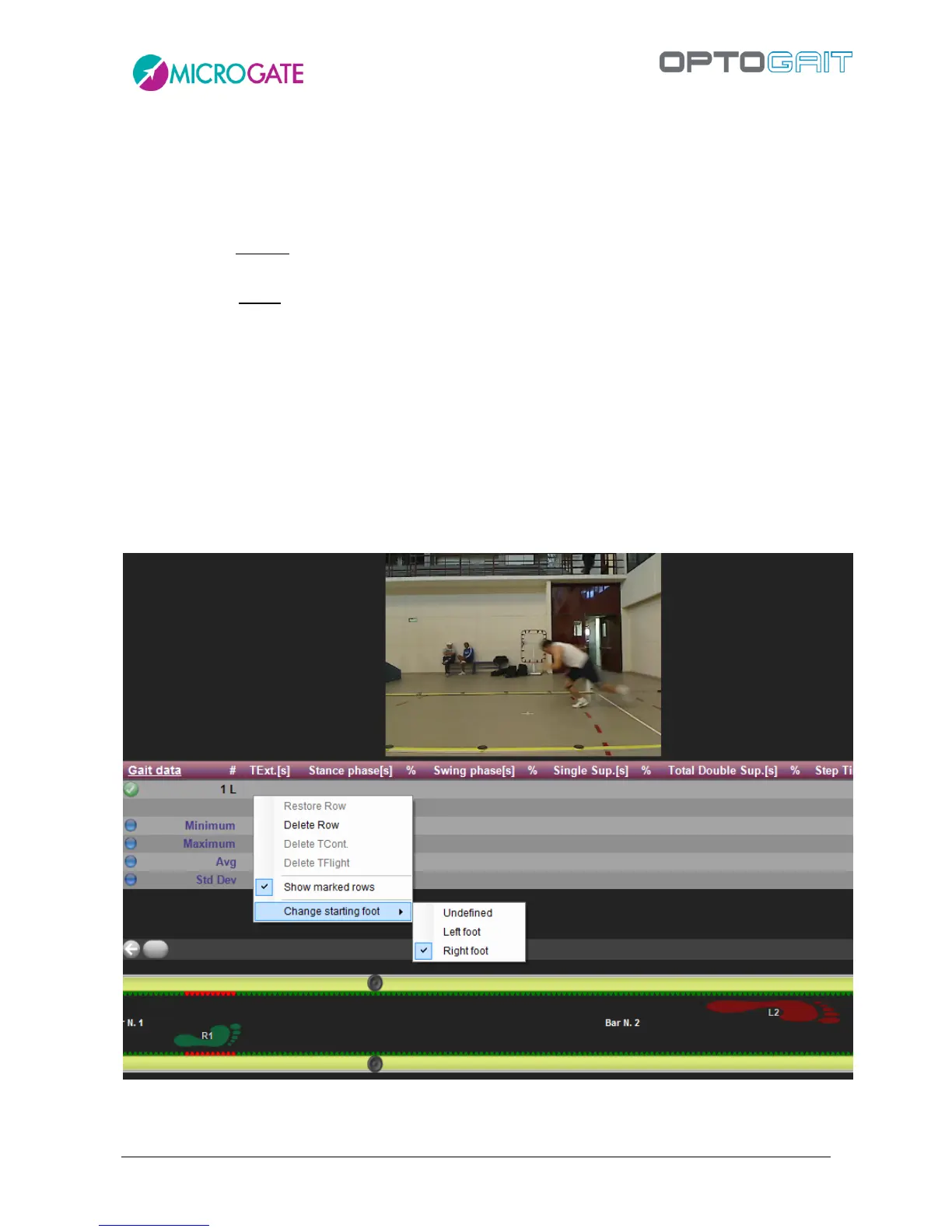
Assigning the starting foot after a test has been carried out is done in the 'Results' area. From 'View',
open the 'Configure' menu, select 'First Contact Time' from 'Parameter Research' and, viewing the
first contact time from the 'Data' window, right-click on the relevant line. At this point, select
'Change starting foot' from the displayed menu and make your choice.
e.g. In the following picture the athlete enters the Optojump test area with his RIGHT foot (as you
can see in the video) and then, using the menu, it is possible to assign that foot (confirmed by the
green footprint below).
Figure 69 – Sprint and Gait Test: assigning the starting foot



 To Next Page