Version 1.10 Page 88 of 203
4.3.1.4.1 Row Management Menu
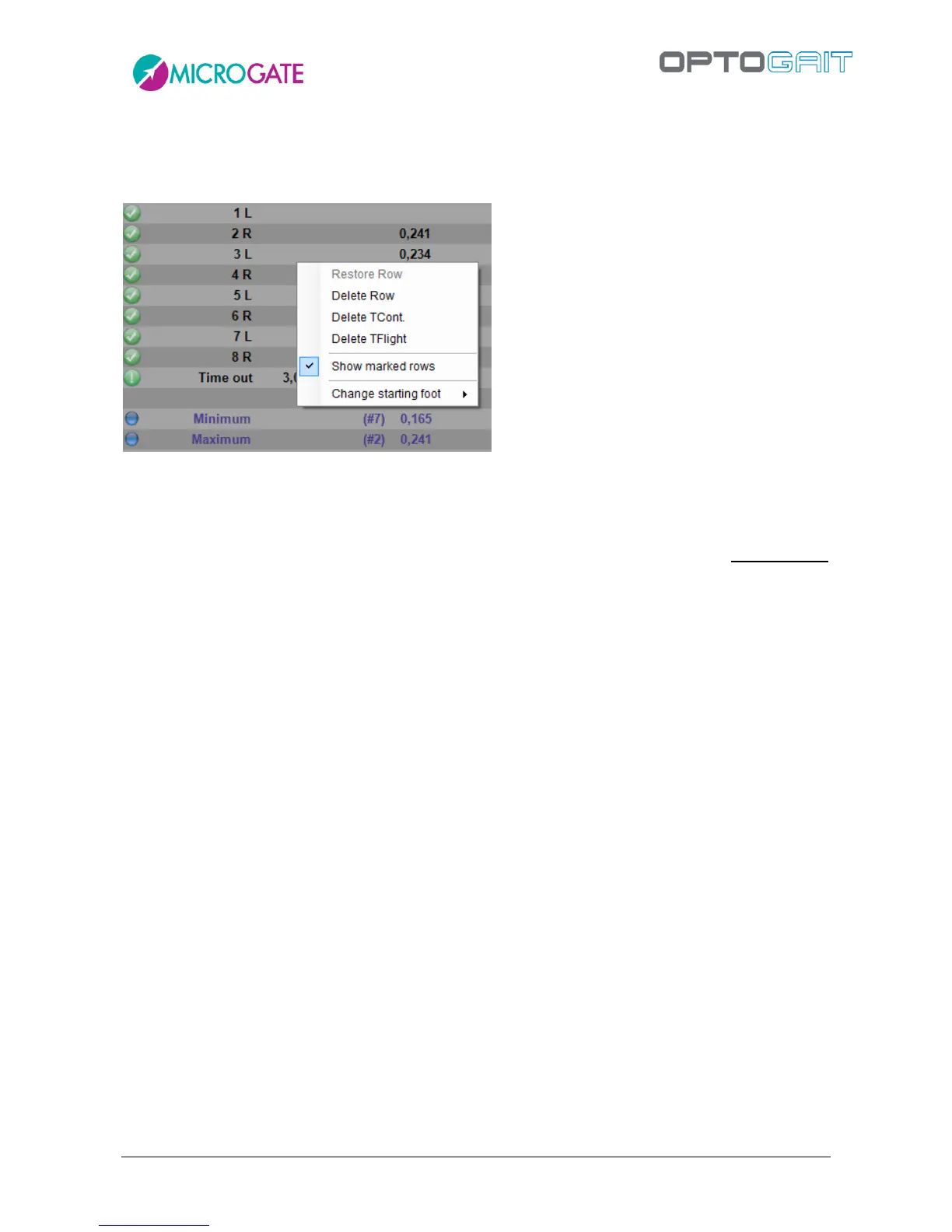
When RIGHT-clicking with the mouse on a table row a context menu appears with the following
items:
Figure 68 – Data row management menu
Restore row: allows to reset a previously deleted row or a row connected to the row
above or below as valid
Delete row: deletes the selected row – deleted rows are not considered in the
calculation of averages and of total values for the test and are displayed in strikethrough
syle
Delete TCont. deletes a contact time from the selected row; as a consequence the
associated contact and flight times are added to the flight time in the row above
Delete TFlight: deletes the flight time from the line row; as a consequence associated
flight and contact times are added to the contact time in the row below
Show marked rows: allows to show/hide deleted rows or rows with deleted flight or
contact time
Change starting foot: allows to set the right foot or the left foot as starting foot. It is
very useful to use the video to discern with which foot the athlete has started. If you do
not have video recordings and you do not remember the foot, specify ‘Undefined’.



 To Next Page