Version 1.10 Page 39 of 203
4.1.1.3 RFID TAG MANAGEMENT
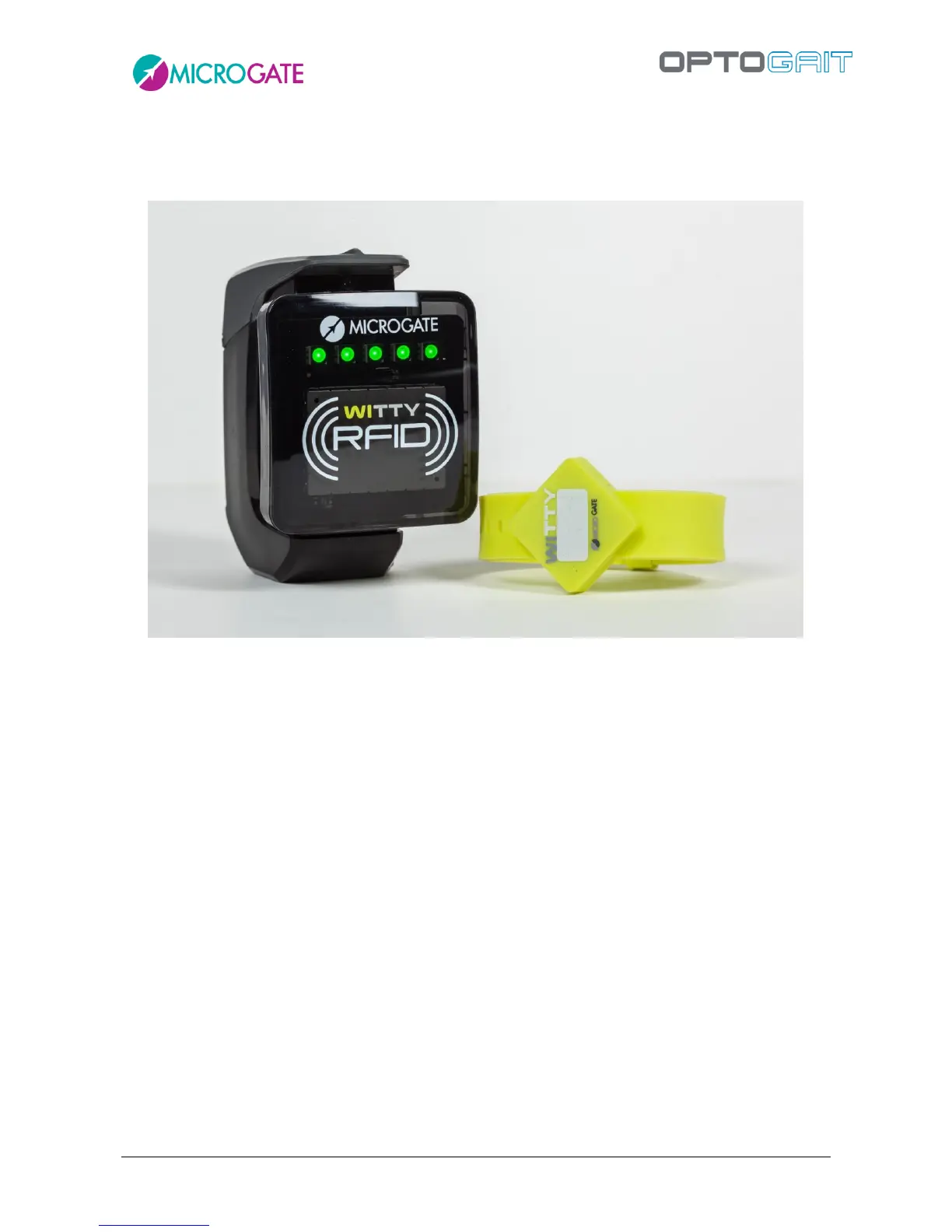
Witty·RFID is an automatic athlete/patient detection system that makes the trainer/therapist's work
easier by not having to enter the name of the person about to perform a test in the software.
The reader used on the field or in the lab is also used via the OptoGait software to write the RFID
tags (yellow bracelets) with the subject's identification number (that we will call the "bib" number).
When a batch of bracelets is acquired, these are in fact sold without numbers, and it is the task of
the “registry” to prepare the RFID tags (both “digitally” entering the bib number in it, as well as
indicating the number in the provided white space using a marker pen or an adhesive number).
To program an RFID tag, switch on the Witty·RFID device and connect it to the PC via the supplied
USB cable.
Access the card of an athlete (new or already stored)
Make sure that the bib number field is filled out correctly
Press the button <Write RFID Tag>
Bring the bracelet near until the LEDs on the reader turn green
The tag has now been correctly written as indicated by the dialogue box.



 To Next Page