Version 1.10 Page 15 of 203
1.5.1.1 DYNAMIC STABILITY
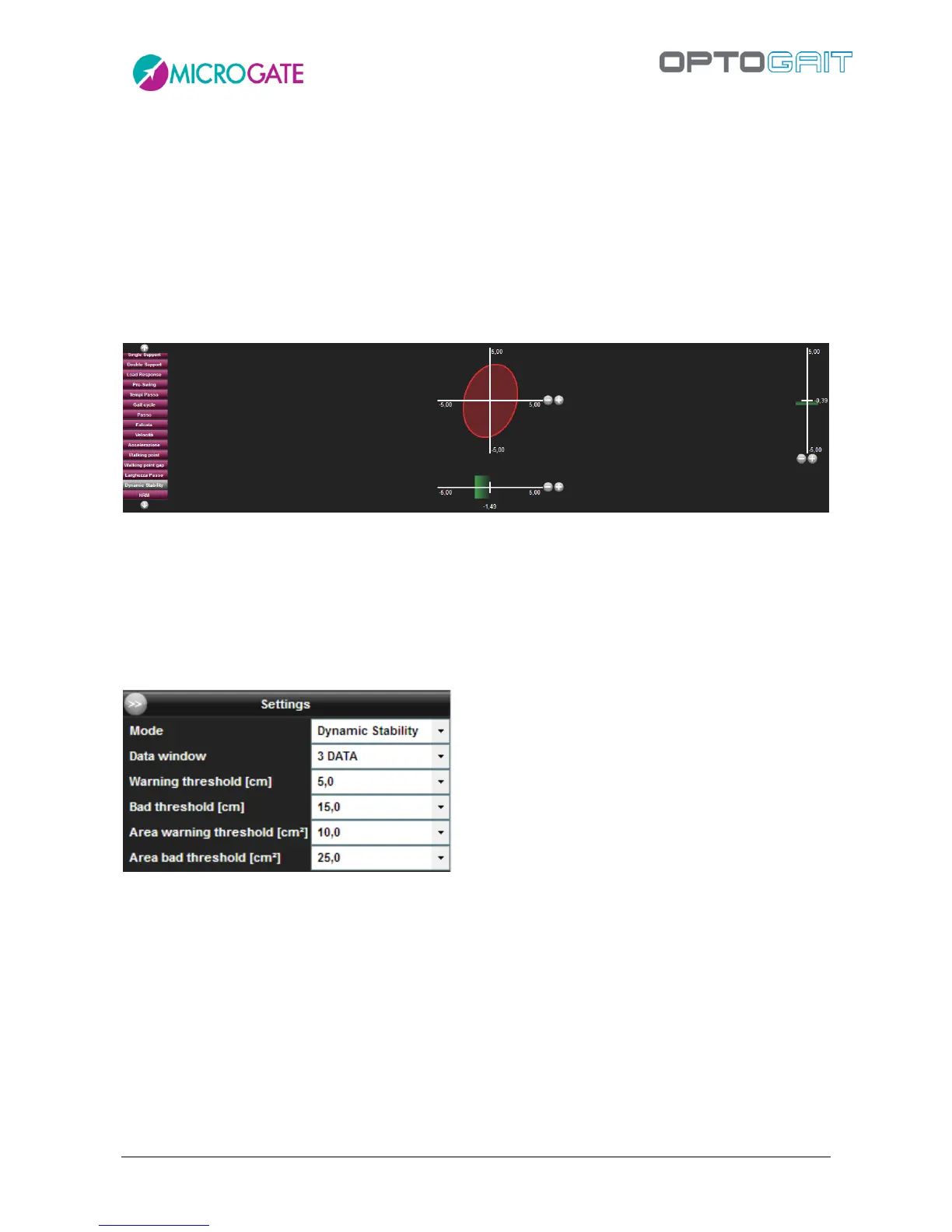
In addition to graphics for Step, Stride, flight/contact times, etc. with Gyko there is another one
called Dynamic Stability that can be activated from the legend on the left.
The graphic is an ellipse whose size represents:
how far the trunk rotates along the Antero-Posterior (AP) and Medio-Lateral (ML)
directions; the larger the area of the ellipse the more the trunk rotates.
in which direction the movement is prevalent. If the ellipse is stretched towards AP or ML
the movement of the trunk is prevalent in that direction.
The two horizontal and vertical bars below and to the right of the ellipse represent respectively the
offset of the ML/AP movement. The green/orange/red colour depends on the Bad and Warning
thresholds set in the Configuration panel (Area Threshold affects the colours of the ellipse and the
shades above for the gauges)
Set the Mode to "Dynamic Stability", the number of data on which to calculate the averages and the
two pairs of thresholds (the first pair for the two gauges and the second pair for the ellipse).



 To Next Page