Version 1.10 Page 92 of 203
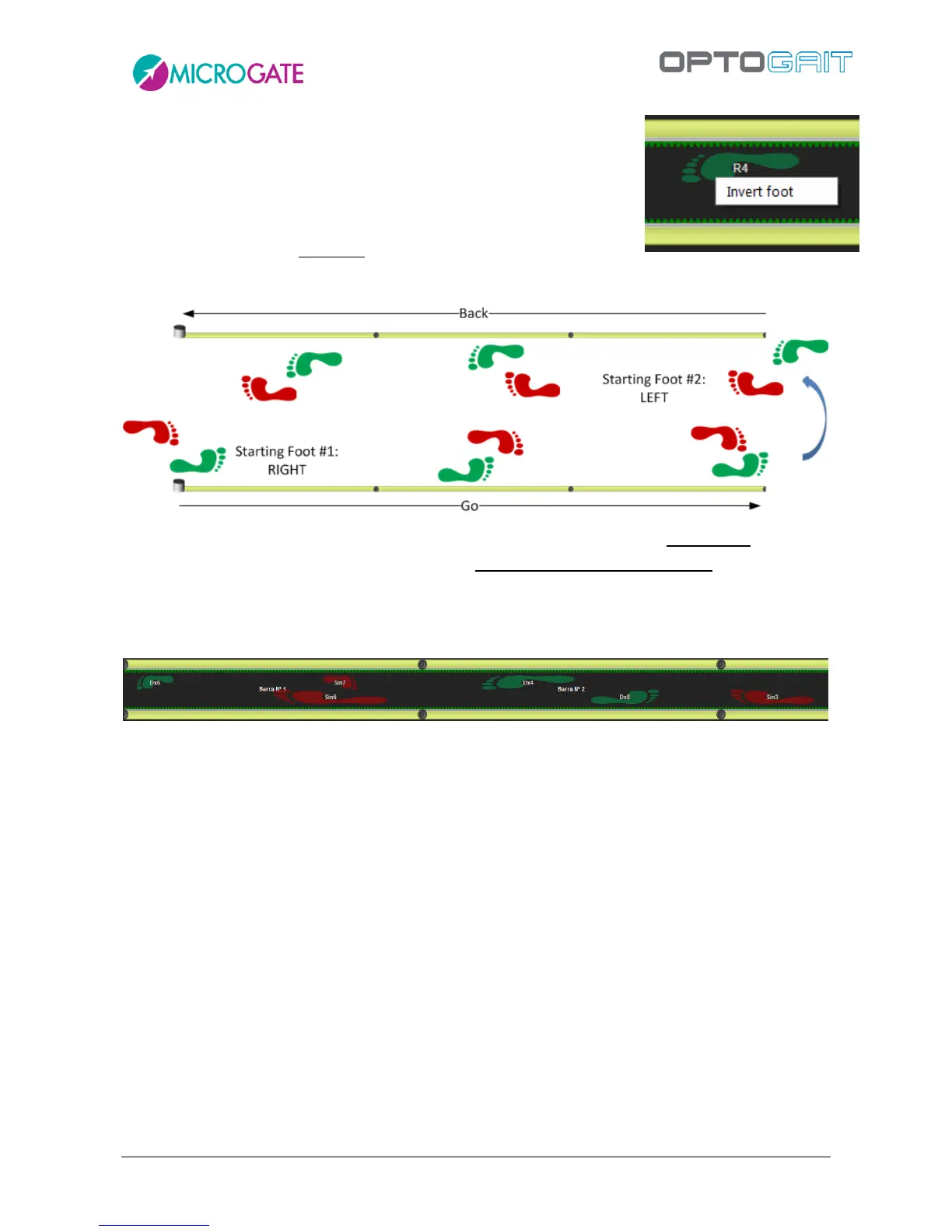
The starting foot of run and gait tests with modular systems can be
change several times. In a round-trip test, for example, it can be useful
to change the foot with which the athlete has entered the area after
having changed direction. By positioning the mouse on the footprint to
be changed and pressing the right button 'Invert foot' is viewed.
Choosing this option, all following feet of the chosen foot are changed
(e.g. clicking on the footprint #7, the 7,8,9, etc. are inverted.).
In the round-trip used in modular systems, assigning a maximum flight time lower than the time it
takes the athlete to turn around in the test area, the ‘there’ footprints are deleted and substituted
with the ‘back’ footprints. Therefore, set the maximum flight time based upon one's needs (i.e. if
the ‘there’ and ‘back’ footprints are to be left superposed as shown in the figure, or the previous
ones deleted).
Figure 73 - There’ and ‘Back’ footprints



 To Next Page