Version 1.10 Pag. 191 di 203
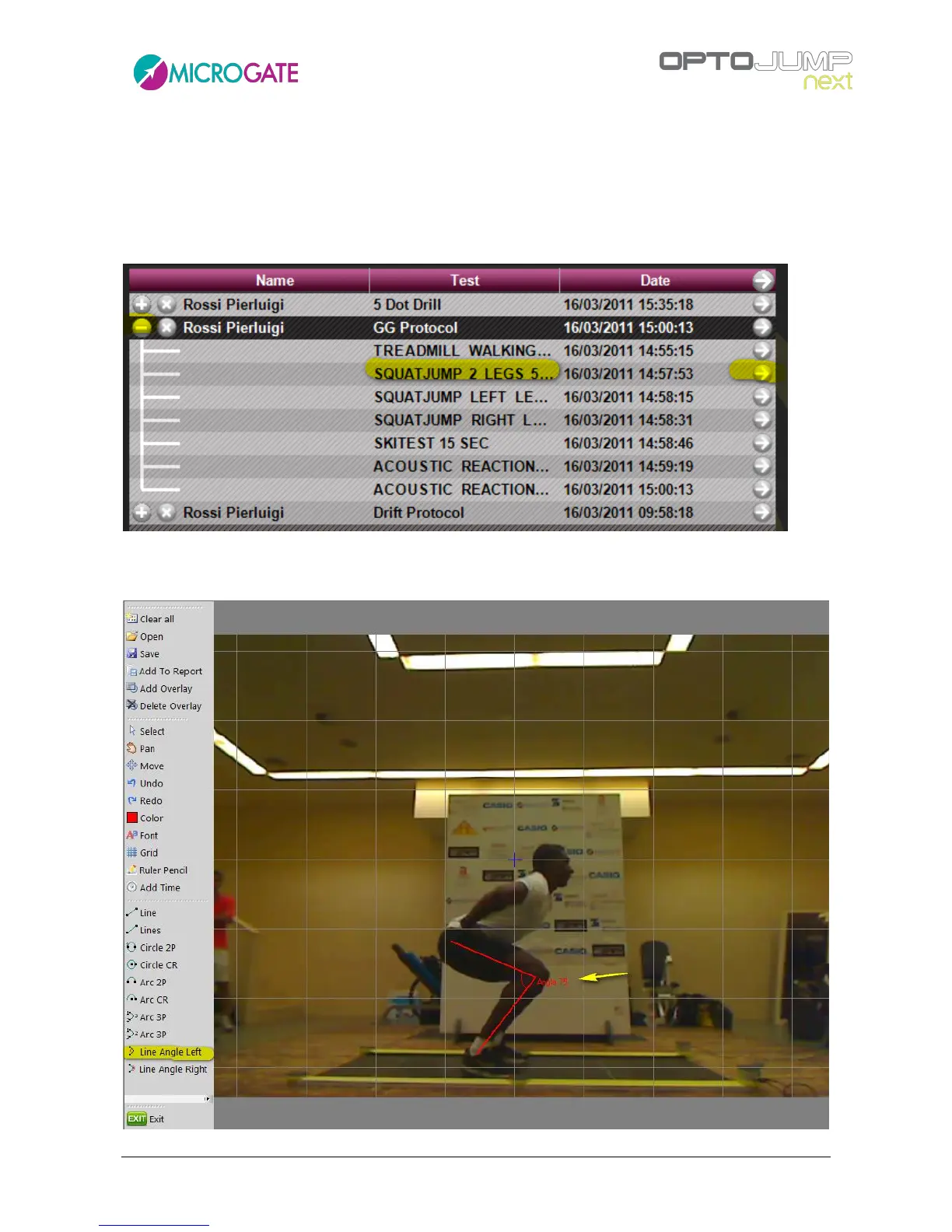
The 'Knee angle' parameter is an index which can be derived 'manually' from a video still image.
Once the parameter with had been defined using the dedicated graphic tools, the value can be
entered to the 'Indexes' section and will be showing in your print.
Example:
Expand the GG protocol, find the 'SquatJump 2 Legs' test and display it as a single test
Find the desired spot in the video, double-click on the video and enter Video Analysis. With the 'Line
Angle Right' tool draw two lines and read the value of the angle measure.



 To Next Page