Version 1.10 Page 42 of 203
To add one or more athletes to a group there are two other possibilities:
Select the group to which you want to add an athlete and press <Add to a Group>,
select one or more athletes by checking them in the grid and press <Confirm>. It is
possible to use <Select All> or <Deselect All> to speed up checking operations. Press
<Cancel> to exit this function without adding athletes.
Select the root group 'Athletes' (which contains all athletes), select one or two athletes
by clicking on them (see below) and drag them with the mouse (the classic drag ‘n drop
function) to the destination group. The message 'Done' will confirm that the operation
has been successfully completed. To make multiple selections, use the SHIFT keys to
select a range of athletes (from… to…) or the CTRL key for selections that are not
adjacent.
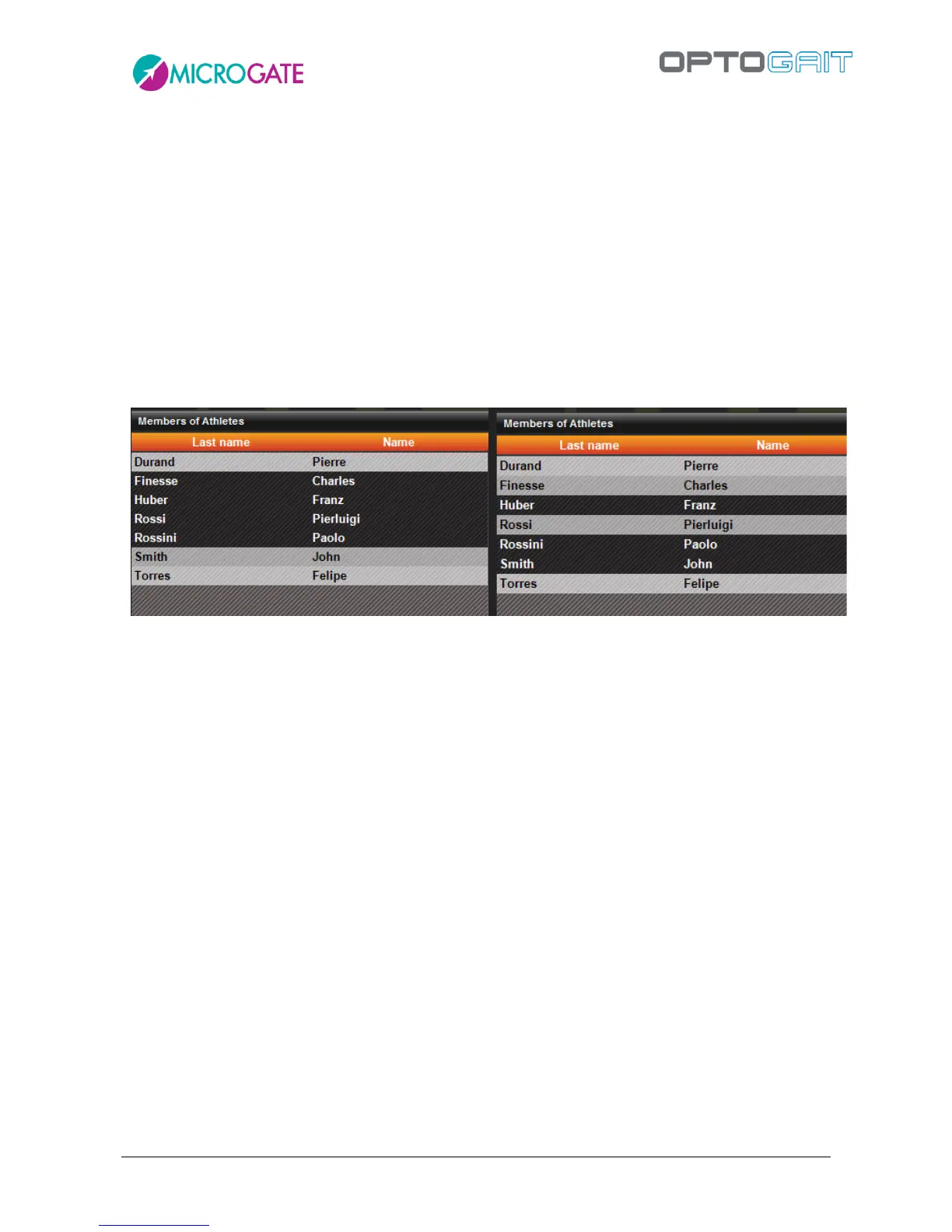
Selecting a range. Click on 'Finesse', keep SHIFT pressed,
click on 'Rossini'
Selecting a number of non-adjacent athletes: keep CTRL
pressed and click on the athletes
It is also possible to move athletes from one group to another with these two methods:
Select the source group of an athlete you want to move, select one or more athletes,
press <Move into a Group>, select a destination group and press <Confirm move>.
Press <Cancel> to cancel the operation in progress.
Select the subgroup from which to transfer the athlete or athletes and perform the
same drag ‘n drop operations described above. The difference between operating from
the root group “Athletes” or from others is that in the first case the athletes are always
copied. When moved from one subgroup to another, they are transferred without
copying
With <Delete Group> the group selected and its dependent subgroups are eliminated (but not the
athletes that formed it), while with <Edit Group> its name can be changed.
With <Remove from Group> the athlete selected in the grid is removed but not eliminated from the
database. The button is disabled when no athlete is selected or when the first level group “Athletes”
is displayed.



 To Next Page