© Microhard Systems Inc. 147
4.0 Configuration
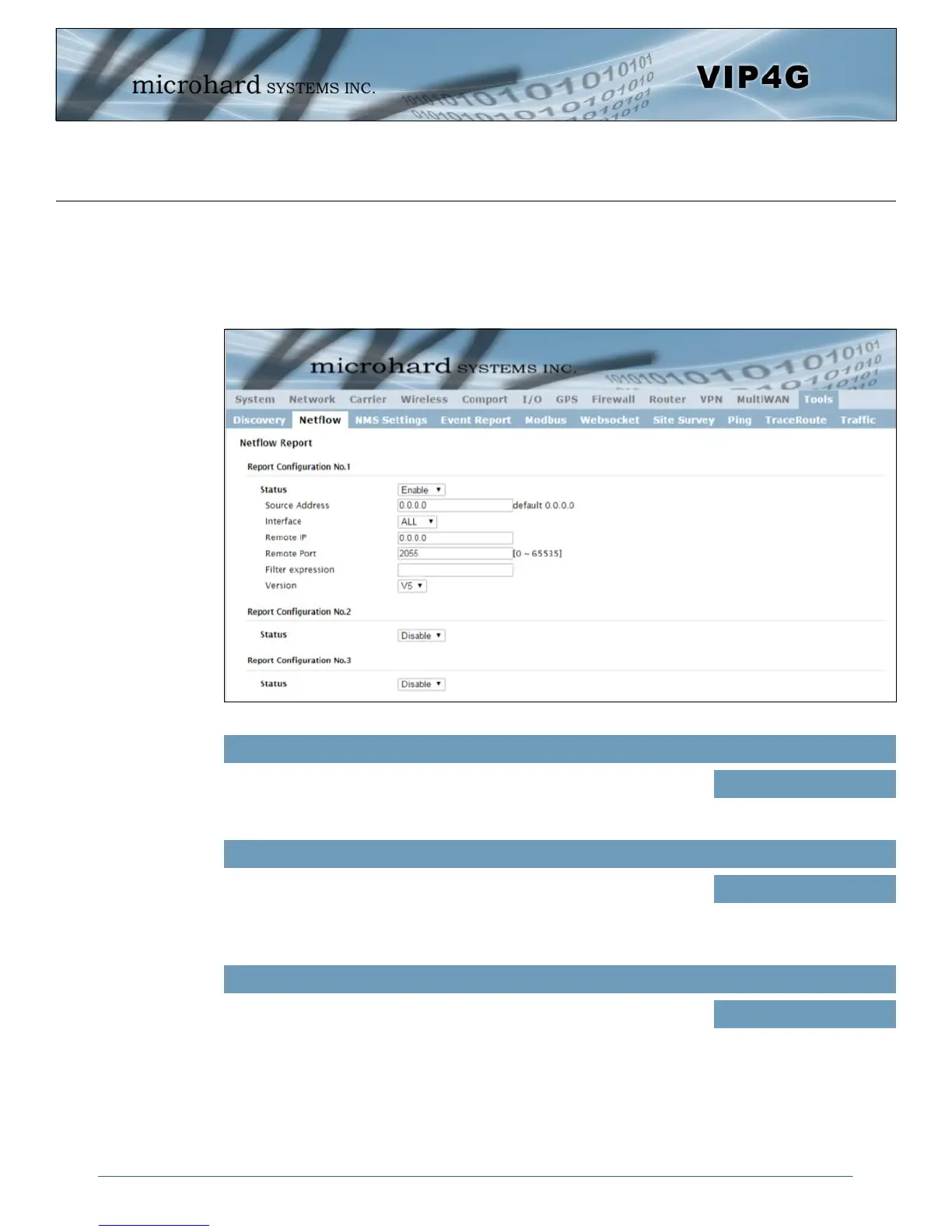
Image 4-12-2: Tools > Netflow Report
4.12.2 Tools > Netflow Report
The VIP4G can be configured to send Netflow reports to up to 3 remote systems. Netflow is a tool that
collects and reports IP traffic information, allowing a user to analyze network traffic on a per interface basis
to identity bandwidth issues and to understand data needs. Standard Netflow Filters can be applied to
narrow down results and target specific data requirements.
Status
Enable / Disable Netflow Reporting.
Values (selection)
Disable / Enable
Interface
Select between WAN ,4G/Cellular and LAN interfaces, or capture data from
all interfaces.
Values (selection)
LAN / WAN / 4G / ALL
Source Address
The Source Address is the IP Address, of which data is to be collected and
analyzed. The default of 0.0.0.0 will collect and report information about all
addresses connected to the interface selected below.
Values (IP Address)
0.0.0.0



 To Next Page