© Microhard Systems Inc. 32
4.0 Configuration
NTP Server
Enter the IP Address or domain name of the desired NTP time server.
Values (address)
pool.ntp.org
NTP Port
Enter the IP Address or domain name of the desired NTP time server.
Values (port#)
123
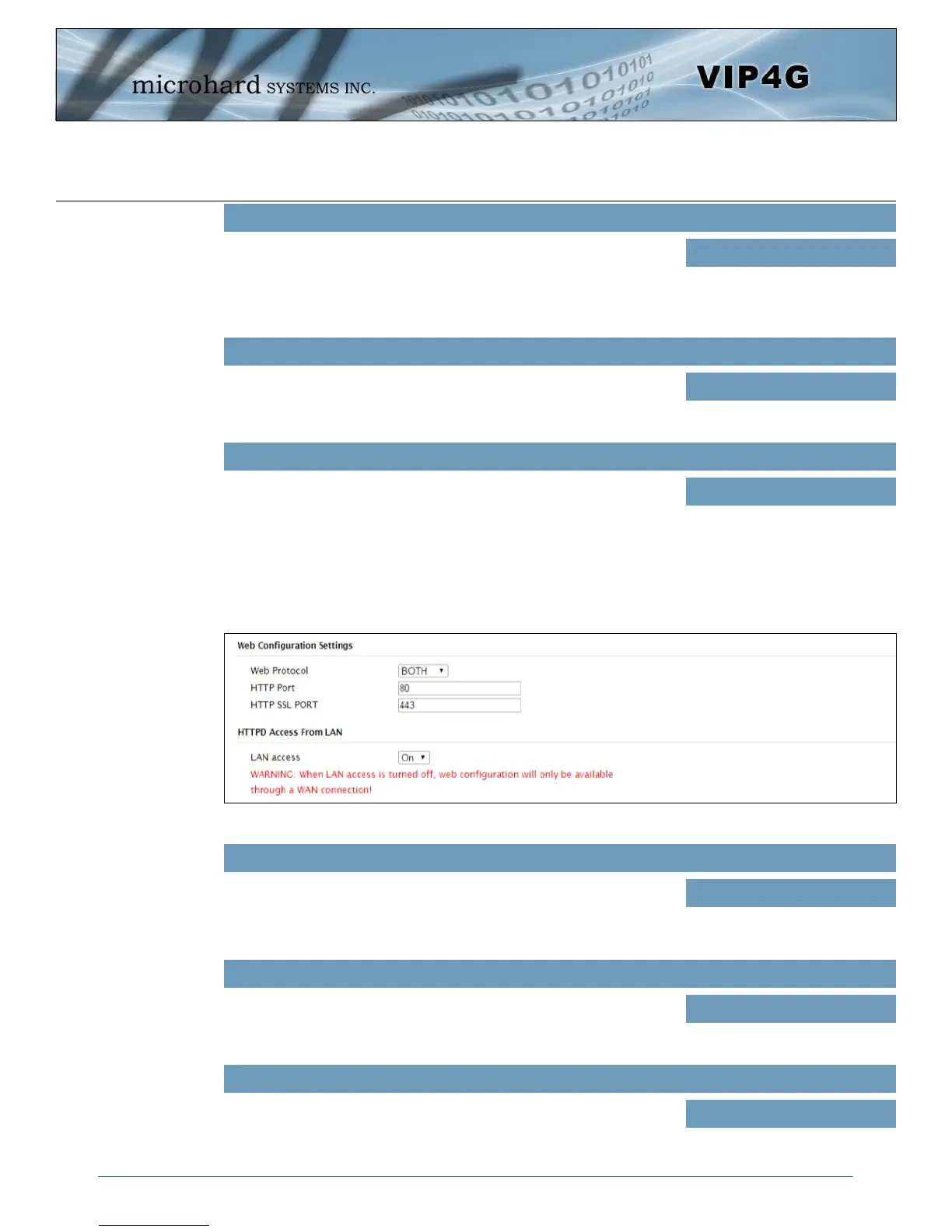
Web Configuration Settings
The last section of the System Setting menu allows the configuration of the HTTP and HTTPS Ports used
for the web server of the WEBUI.
Image 4-1-4: System Settings > Web Configuration Settings
HTTP Port
The default web server port for the web based configuration tools used
in the VIP4G is port 80. If a non standard port is used, it must be
specified in a internet browser to access the unit. (example:
http://192.168.168.1:8080)
Values (port#)
80
HTTP SSL Port
The secure web port (HTTPS) can be enabled or disabled using the
HTTP SSL On/Off drop down menu. If enabled, the port used can be
specified, the default is port 443.
Values (port#)
443
LAN Access
This option can be used to disable LAN access of the HTTP WebUI
port. If disabled, connection can only be made from the WAN side
(Wired or 4G).
Values (selection)
On / Off
NTP Client Interval
Specify the frequency, in seconds, in which the VIP4G will synchronize
its time and date with the specified NTP Server. If disabled the VIP4G
will only sync to an NTP Server during boot-up. *Please note: Each
time the VIP4G synchronizes with a NTP Server, cellular data may
be consumed*
Values (seconds)
0



 To Next Page