© Microhard Systems Inc. 37
4.0 Configuration
4.1.5 System > Power Saving (Factory Installed Option)
The Power Saving feature of the VIP4G is only available in firmware version 1.1.6-1170 or later. It
also requires a factory installed modification that must be specified at the time of order, or returned
to the factory for an upgrade.
The Power Saving feature of the VIP4G works with the IGN line located on the PWR connector. It was
designed with vehicle systems in mind, but could be useful in other applications. The VIP4G must run for at
least 5 minutes before power saving will work.
The VIP4G requires that the IGN line be ON (1.8 - 32V) to boot up and perform normal operations. If the
IGN line goes OFF (Less than 1.8V) or floating (The Ignition of the vehicle turned OFF), the VIP4G will
then look at the Power Down Delay and start counting down to when it will turn itself off. It will also look at
the Power Down Voltage, if the voltage drops below the set value, the VIP4G will power down.
The VIP4G will power up and resume normal operation once the IGN line is retuned to the ON state.
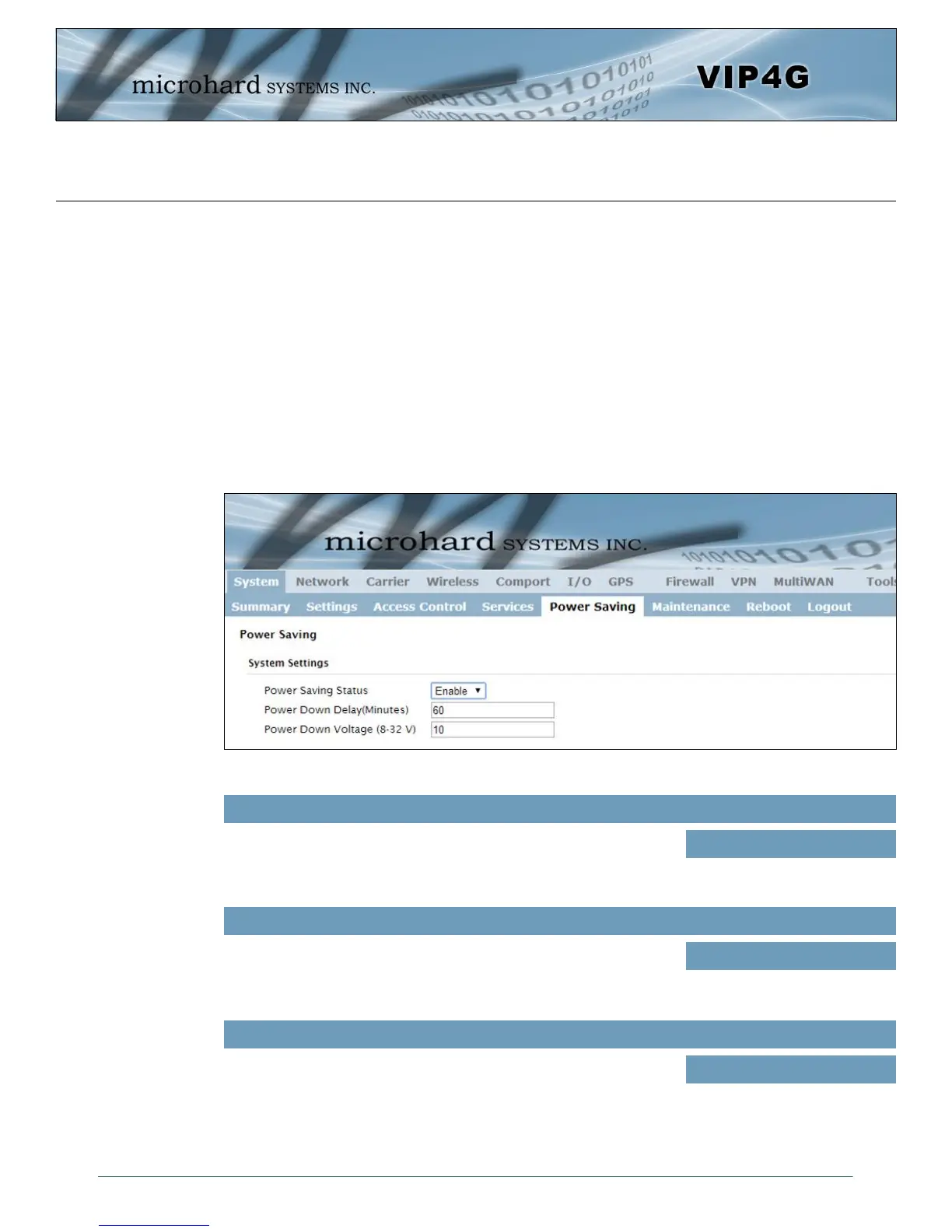
Image 4-1-8: System > Power Saving
Enable or disable the power saving feature of the VIP4G. If enabled, it
requires that the IGN line is high to run, if IGN is low it will initiate the
power down delay.
Power Saving Status
Values (selection)
Enable / Disable
Power Down Delay
Once the VIP4G is running for at least five minutes, and the IGN line
goes low (less than 1.8V), the VIP4G will stay on for the amount of
time (minutes) defined here.
60
Values (minutes)
Power Down Voltage
The VIP4G can be configured to power down if the supply voltage
drops below the value defined here. This ensures that the unit will
power down before it causes a significant drain on the vehicles battery.
10
Values (8 - 32 V))



 To Next Page