© Microhard Systems Inc. 28
4.0 Configuration
4.1 System
The main category tabs located at the top of the navigation bar separate the configuration of the VIP4G
into different groups based on function. The System Tab contains the following sub menu’s:
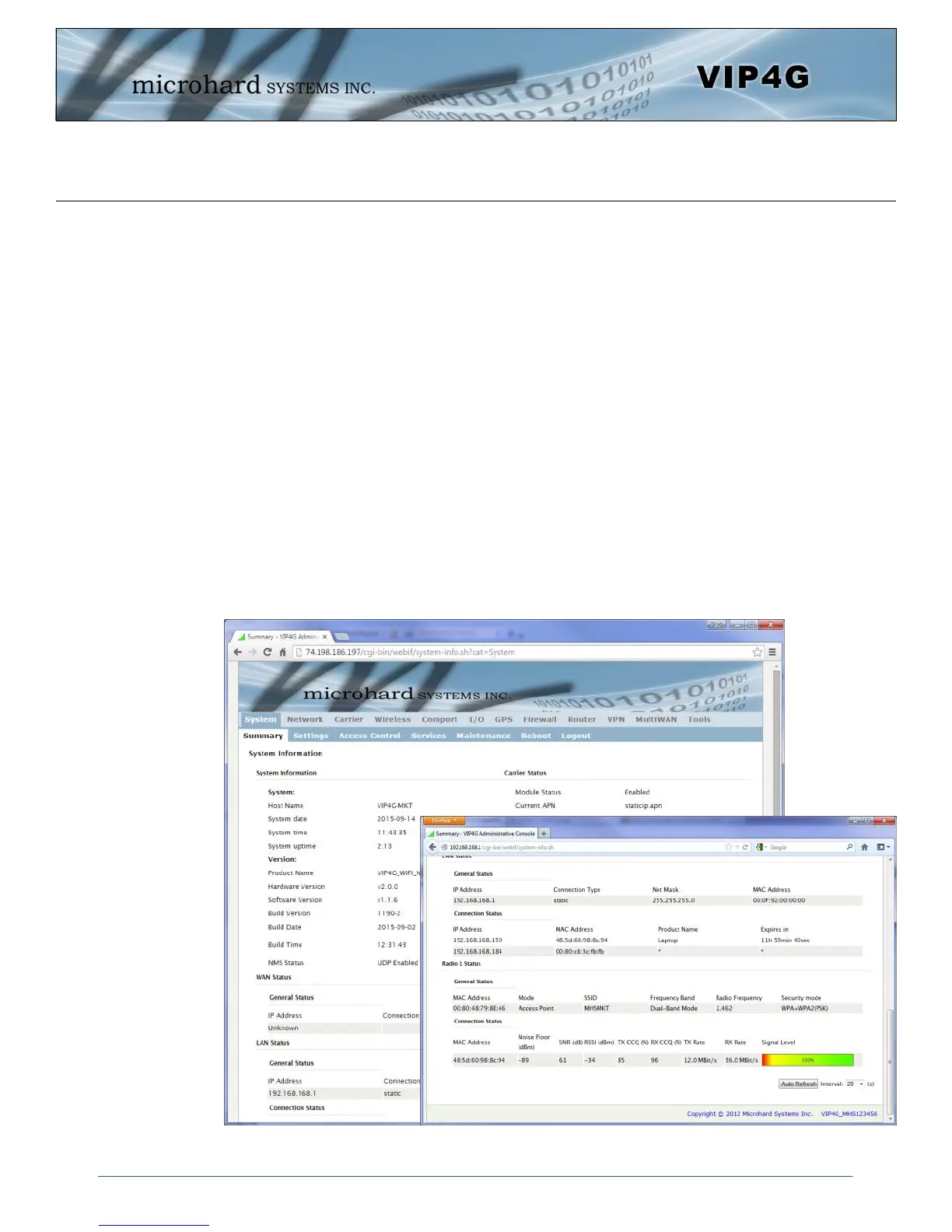
Summary - Status summary of entire radio including network settings,
version information, and radio connection status.
Settings - Host Name, Default System Mode (Bridge or Router),
System Time/Date, HTTP Port for the WebUI,
Access Control - Change passwords, create new users
Services - Enable/Disable RSSI LED’s, SSH and Telnet services
Maintenance - Version information, firmware Upgrades, reset to defaults,
configuration backup and restore.
Reboot - Remotely reboot the system.
Logout - Logout of the current browser session.
4.1.1 System > Summary
The System Summary screen is displayed immediately after initial login, showing a summary and status of
all the functions of the VIP4G in a single display. This information includes System Status, Carrier Status,
LAN & WAN network information, version info and WiFi radio status as seen below.
Image 4-1-1: System Info Window



 To Next Page