© Microhard Systems Inc. 52
4.0 Configuration
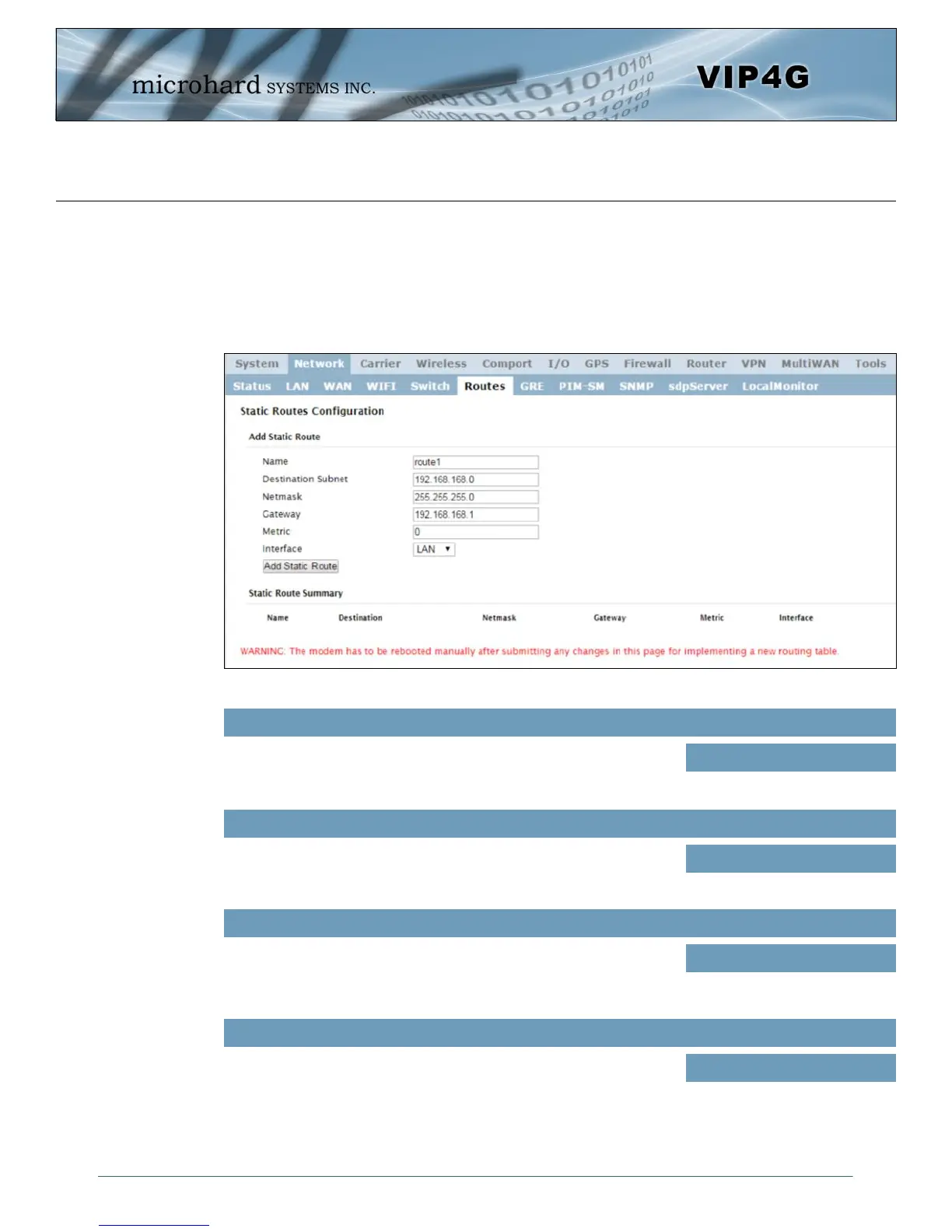
4.2.6 Network > Routes
Static Routes Configuration
It may be desirable to have devices on different subnets to be able to talk to one another. This can be
accomplished by specifying a static route, telling the VIP4G where to send data. The modem must be
restarted before new routes will take effect.
Image 4-2-9: Network > Routes
Routes can be names for easy reference, or to describe the route
being added.
Name
Values (characters)
(no default)
Enter the network IP address for the destination.
Destination
Values (IP Address)
(192.168.168.0)
Specify the Gateway used to reach the network specified above.
Gateway
Values (IP Address)
192.168.168.1
Enter the Netmask for the destination network.
Netmask
Values (IP Address)
255.255.255.0



 To Next Page