© Microhard Systems Inc. 96
4.0 Configuration
Select operational status of the Serial Port. The port is disabled by
default, to allow the port to be used for console and AT command
operations. If it is required to connect to a serial based device, the port
first must be enabled.
Com Port Status
Values (selection)
Disabled / Enable
Determines which serial interface shall be used to connect to external
devices: RS232, RS485, or RS422. When an interface other than
RS232 is selected, the DE9 port will be inactive.
Channel Mode
Values (selection)
RS232 / RS485 / RS422
The serial baud rate is the rate at which the modem is to communicate
with the attached local asynchronous device.
Data Baud Rate
Values (bps)
Note: Most PCs do not
readily support serial
communications greater than
115200bps.
921600
460800
230400
115200
57600
38400
28800
19200
14400
9600
7200
4800
3600
2400
1200
600
300
This setting determines the format of the data on the serial port.
The default is 8 data bits, No parity, and 1 Stop bit.
Data Format
Values (selection)
8N1
8N2
8E1
8O1
7N1
7N2
7E1
7O1
7E2
7O2
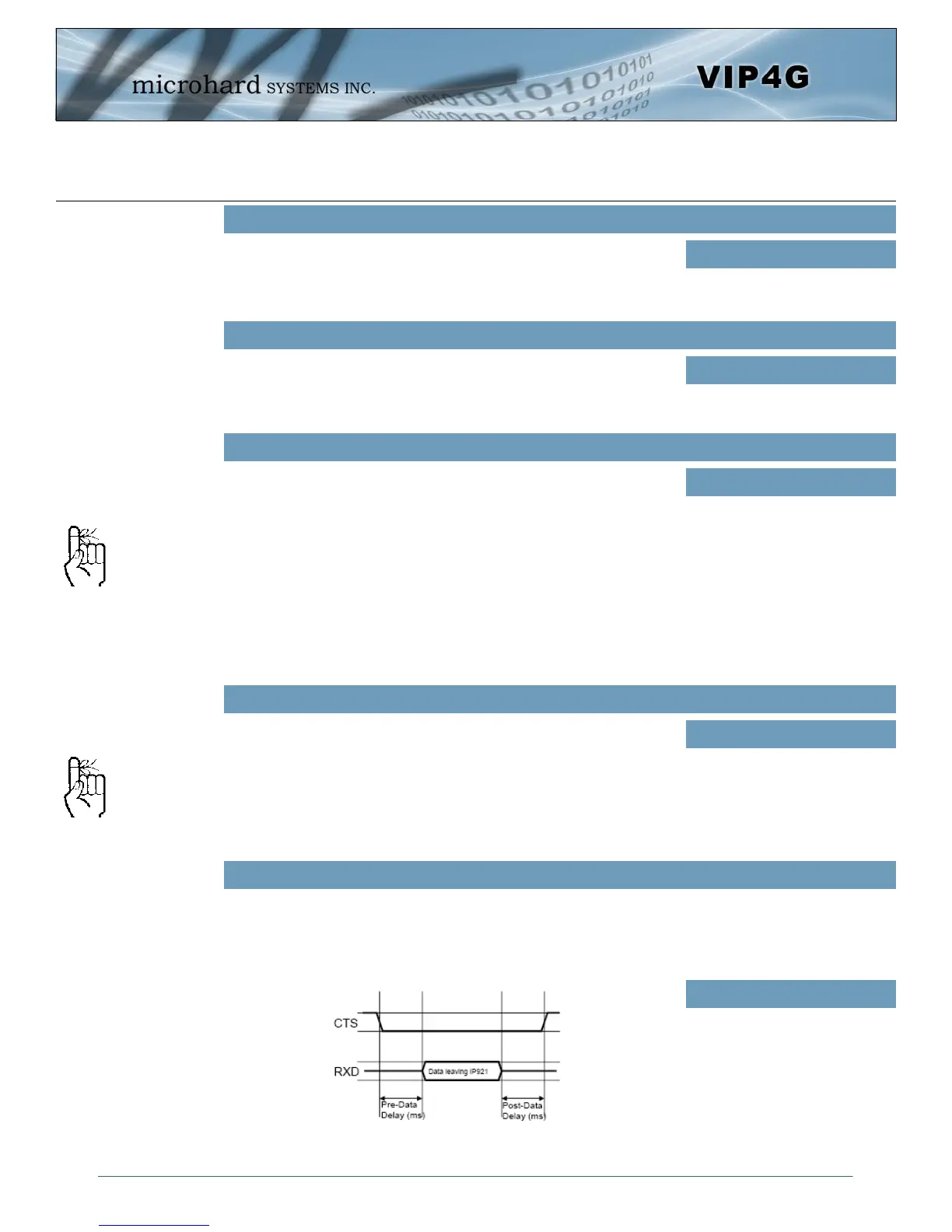
Flow control may be used to enhance the reliability of serial data communications, particularly at higher
baud rates. If the attached device does not support hardware handshaking, leave this setting at the default
value of ‘None’. When CTS Framing is selected, the VIP4G uses the CTS signal to gate the output data on
the serial port.
Flow Control
Values (selection)
None
Hardware
CTS Framing
Software flow control (XON/
XOFF) is not supported.
Drawing 4A: CTS Output Data Framing



 To Next Page