© Microhard Systems Inc. 29
4.0 Configuration
4.1.2 System > Settings
System Settings
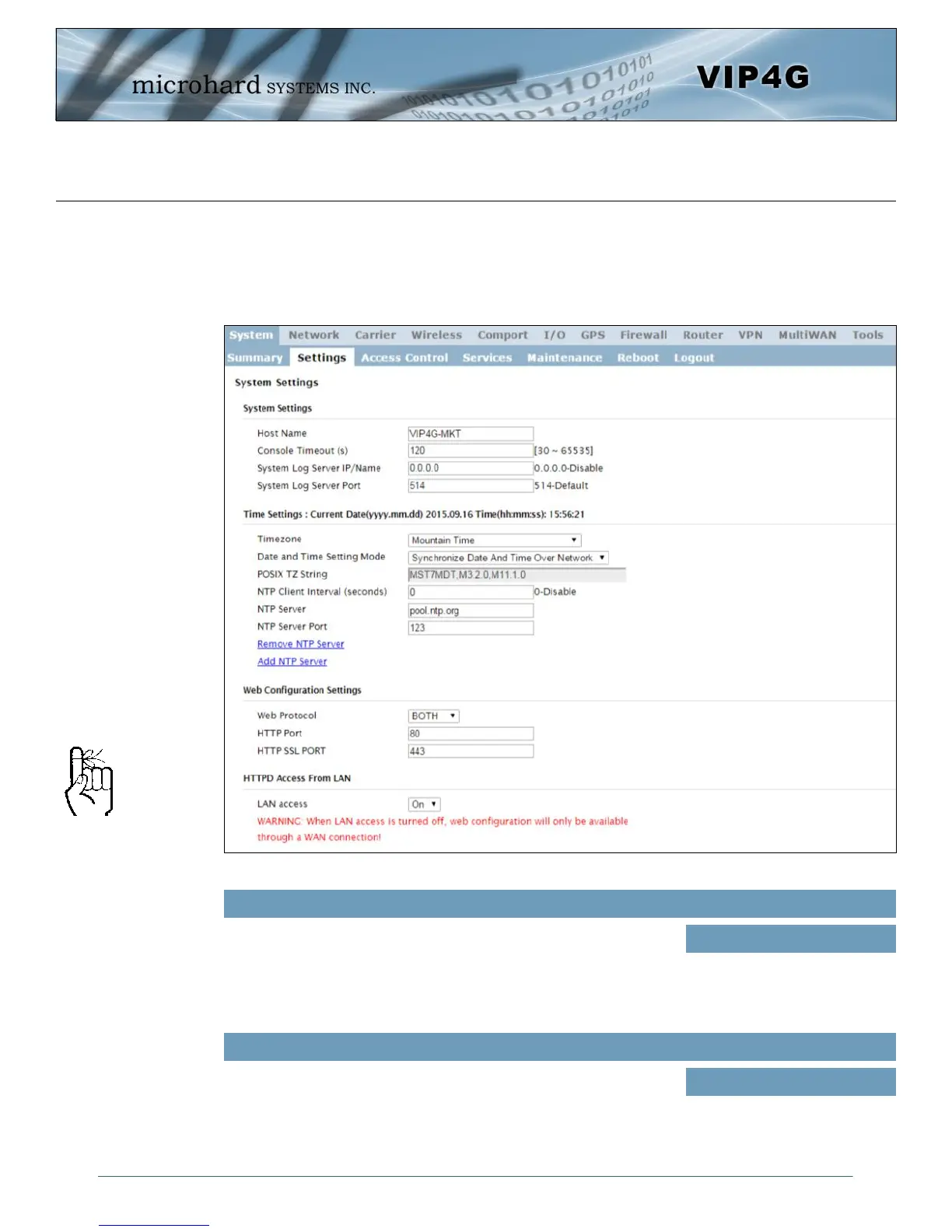
Options available in the System Settings menu allow for the configuration of the Host Name.
Image 4-1-2: System Settings > System Settings
The Host Name is a convenient identifier for a specific VIP4G unit.
This feature is most used when accessing units remotely: a convenient
cross-reference for the unit’s WAN IP address. This name appears
when logged into a telnet session, or when the unit is reporting into
Microhard NMS System.
Host Name
Values (characters)
VIP4G (varies)
up to 30 characters
The Host Name must not be
confused with the Network
Name (SSID) (Wireless
Configuration menu). The
Network Name MUST be
exactly the same on each
wireless device within a VIP4G
network.
The console timeout is used to automatically logout a User, after the
specified time period of inactivity, on the console port. This affects
bother the serial console port or a TCP/IP telnet session.
Console Timeout
Values (seconds)
120



 To Next Page