© Microhard Systems Inc. 35
4.0 Configuration
4.1.4 System > Services
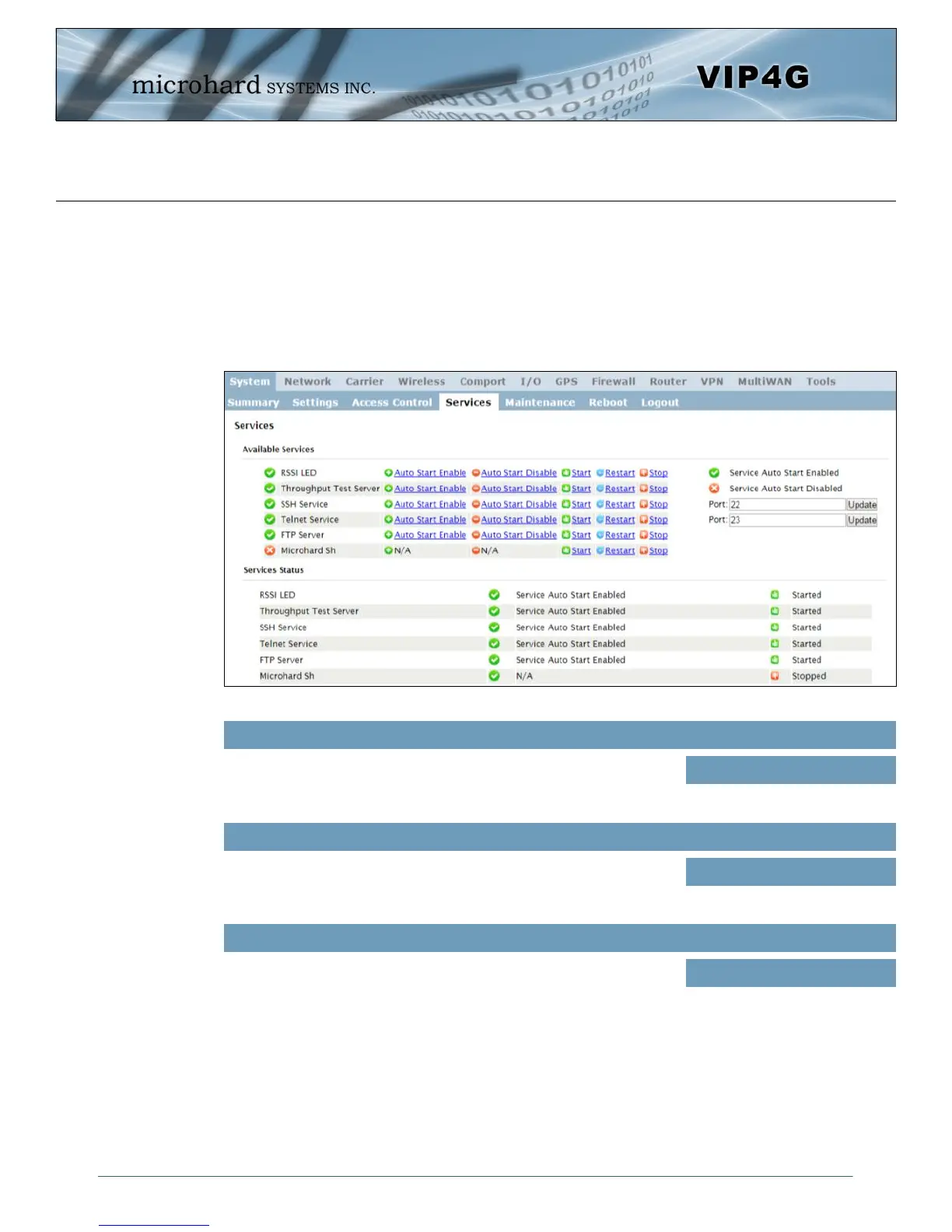
Available Services
Certain services in the VIP4G can be disabled or enabled for either security considerations or resource/
power considerations. The Enable/Disable options are applied after a reboot and will take affect after each
start up. The Start/Restart/Stop functions only apply to the current session and will not be retained after a
power cycle.
Image 4-1-7: System > Services
The VIP4G has the ability to turn off the RSSI LED’s. The RSSI value
can still be read from the unit, but the status will not be visible on the
unit itself .
RSSI LED
Values (selection)
Enable / Disable
Throughput Test Server
For testing purposes the VIP4G has an internal iperf server that can be
used to test unit performance. The user must install a iperf client to
use this functionality.
Enable / Disable
Values (selection)
SSH Service
Using the SSH Service Enable/Disable function, you can disable the
SSH service (Port 22) from running on the VIP4G. You can also
specify a alternate port to use. Any port number changes require the
modem to be restarted.
Enable / Disable
Values (selection)



 To Next Page