© Microhard Systems Inc. 93
4.0 Configuration
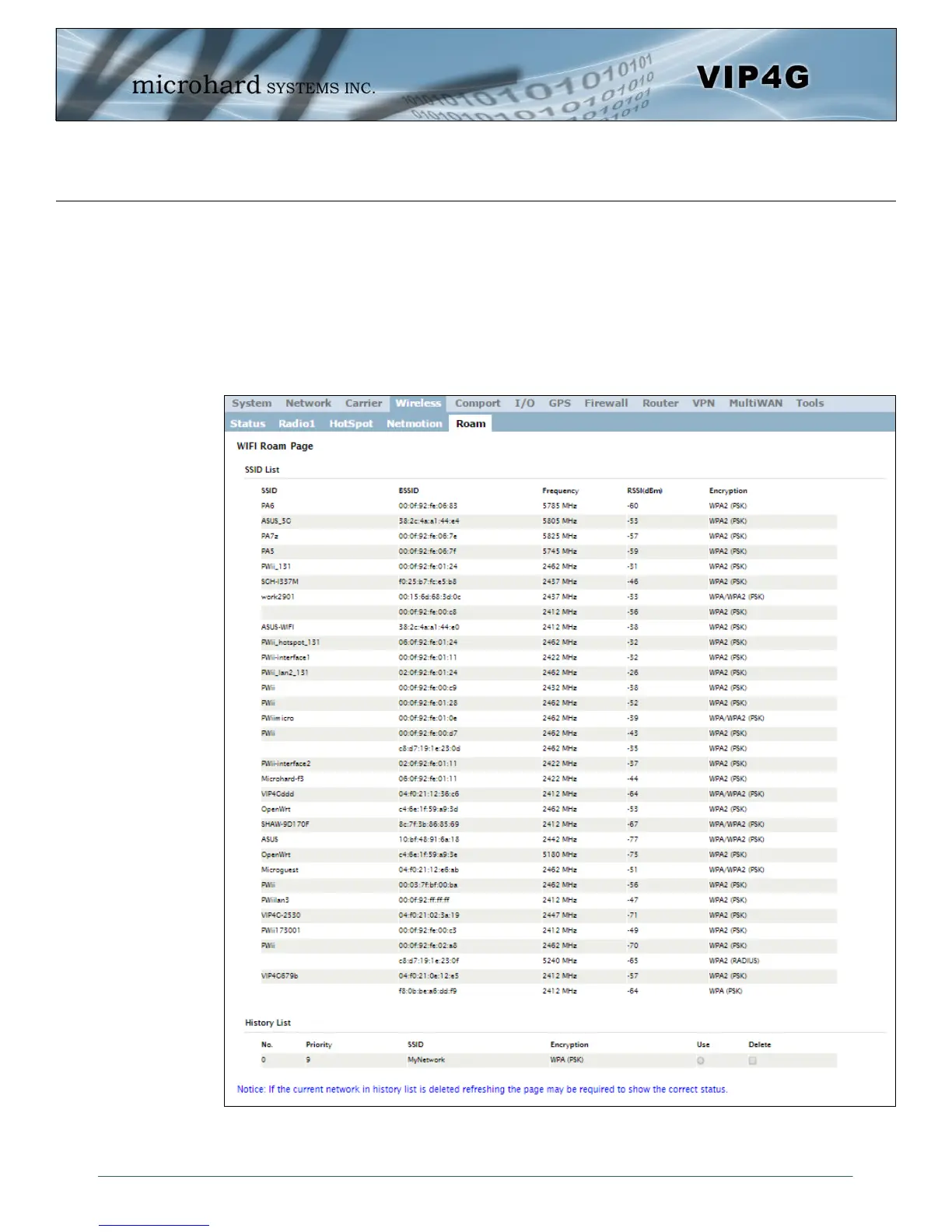
Image 4-4-7: Wireless > Roam
4.4.5 Wireless > Roam
The Roam menu is used in conjunction with Netmotion. When the modem is connected to a AP (Access
Point), the Roaming page will only display the currently connected network, and the History List of
previously used networks. If the modem is not currently connected to a Wireless Network, Roam will
display all available APs (Access Points) in range, as well as the history list of previously used networks.
The last 10 configured APs will be displayed in the list and will be automatically used if they are available.
This is ideal for mobile applications, where the modem will be moving from place to place. Unwanted
networks can be removed from the history list to prevent the modem from using it.



 To Next Page