© Microhard Systems Inc. 71
4.0 Configuration
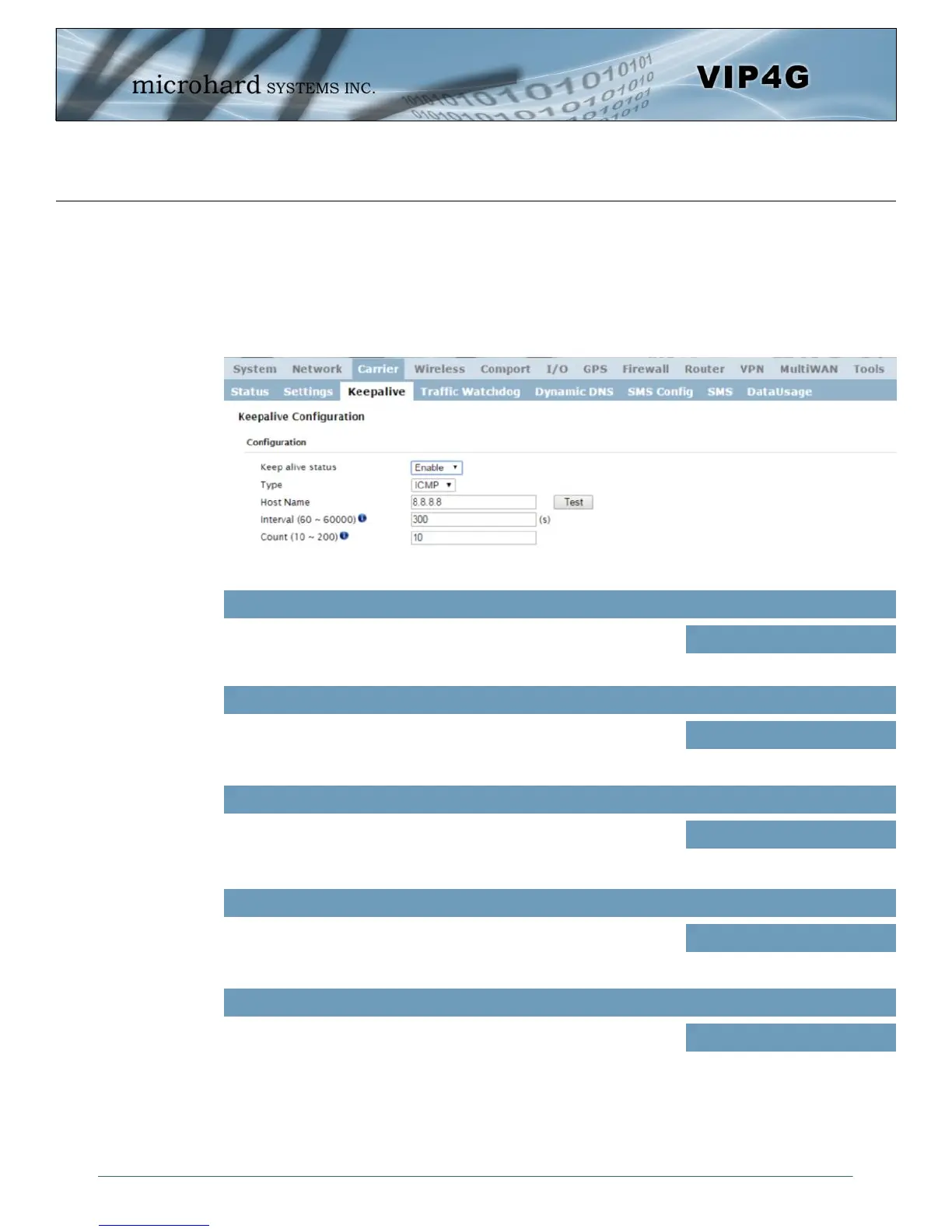
Image 4-3-3: Carrier > Keepalive
4.3.3 Carrier > Keepalive
The Keep alive tab allows for the configuration of the keep alive features of the VIP4G. The VIP4G can
either do a ICMP or HTTP keep alive by attempting to reach a specified address at a regular interval. If the
VIP4G cannot reach the intended destination, it will reset the unit in an attempt to obtain a new connection
to the carrier. The Keepalive ensures that there is internet/network connectivity to the address specified at
all times. If the VIP4G does not have a SIM card installed, is not connected to the Carrier, or is on a
private APN, the default keepalive may not work and the unit will reboot at the interval configured.
Enable or Disable the keep alive functions in the VIP4G.
Keep Alive Status
Values (Selection)
Enable / Disable
Select the type of keep alive used. ICMP uses a “ping” to reach a
select destination.
Type
Values (Selection)
ICMP / HTTP
Specify a IP Address or Domain that is used to test the VIP4G
connection. The ‘Test’ button can be used to verify that the specified
host/IP is reachable and a candidate for the keepalive feature.
Host Name
Values (IP or Domain)
8.8.8.8
The Interval value determines the frequency, or how often, the VIP4G
will send out PING messages to the Host.
Interval
Values (seconds)
300
The Count field is the maximum number of PING errors such as “Host
unreachable” the VIP4G will attempt before the unit will reboot itself to
attempt to correct connection issues. If set to zero (0), the unit will
never reboot itself.
Count
Values (number)
10



 To Next Page