© Microhard Systems Inc. 31
4.0 Configuration
Date
The calendar date may be entered in this field. Note that the entered
value is lost should the VIP4G lose power for some reason.
Values (yyyy-mm-dd)
2011.04.01 (varies)
Time
The time may be entered in this field. Note that the entered value is
lost should the VIP4G lose power for some reason.
Values (hh:mm:ss)
11:27:28 (varies)
Image 4-1-3: System Settings > Time Settings
Network Time Protocol (NTP)
can be used to synchronize the
time and date or computer
systems with a centralized,
referenced server. This can
help ensure all systems on a
network have the same time
and date.
Date and Time Setting Mode
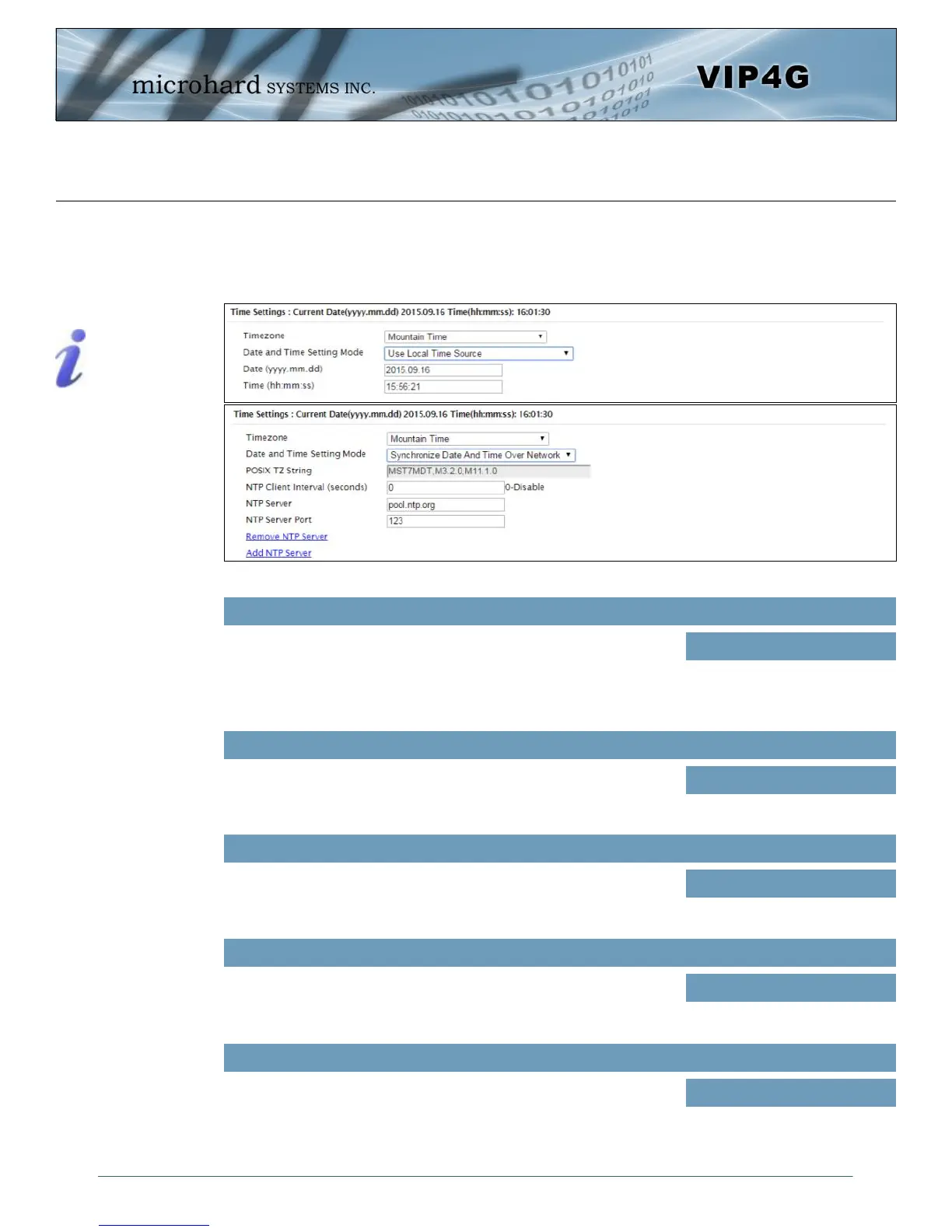
Select the Date and Time Setting Mode required. If set for ‘Use Local
Time’ the unit will keep its own time and not attempt to synchronize
with a network server. If ‘Synchronize Date And Time Over Network’ is
selected, a NTP server can be defined.
Values (selection)
Use Local Time Source
Synchronize Date And Time
Over Network
If connecting to a NTP time server, specify the timezone from the
dropdown list.
Values (selection)
User Defined (or out of date)
Timezone
POSIX TZ String
This displays the POSIX TZ String used by the unit as determined by
the timezone setting.
Values (read only)
(varies)
Time Settings
The VIP4G can be set to use a local time source, thus keeping time on its own, or it can be configured to
synchronize the date and time via a NTP Server. The options and menus available will change depending
on the current setting of the Date and Time Setting Mode, as seen below.



 To Next Page