© Microhard Systems Inc. 38
4.0 Configuration
4.1.6 System > Maintenance
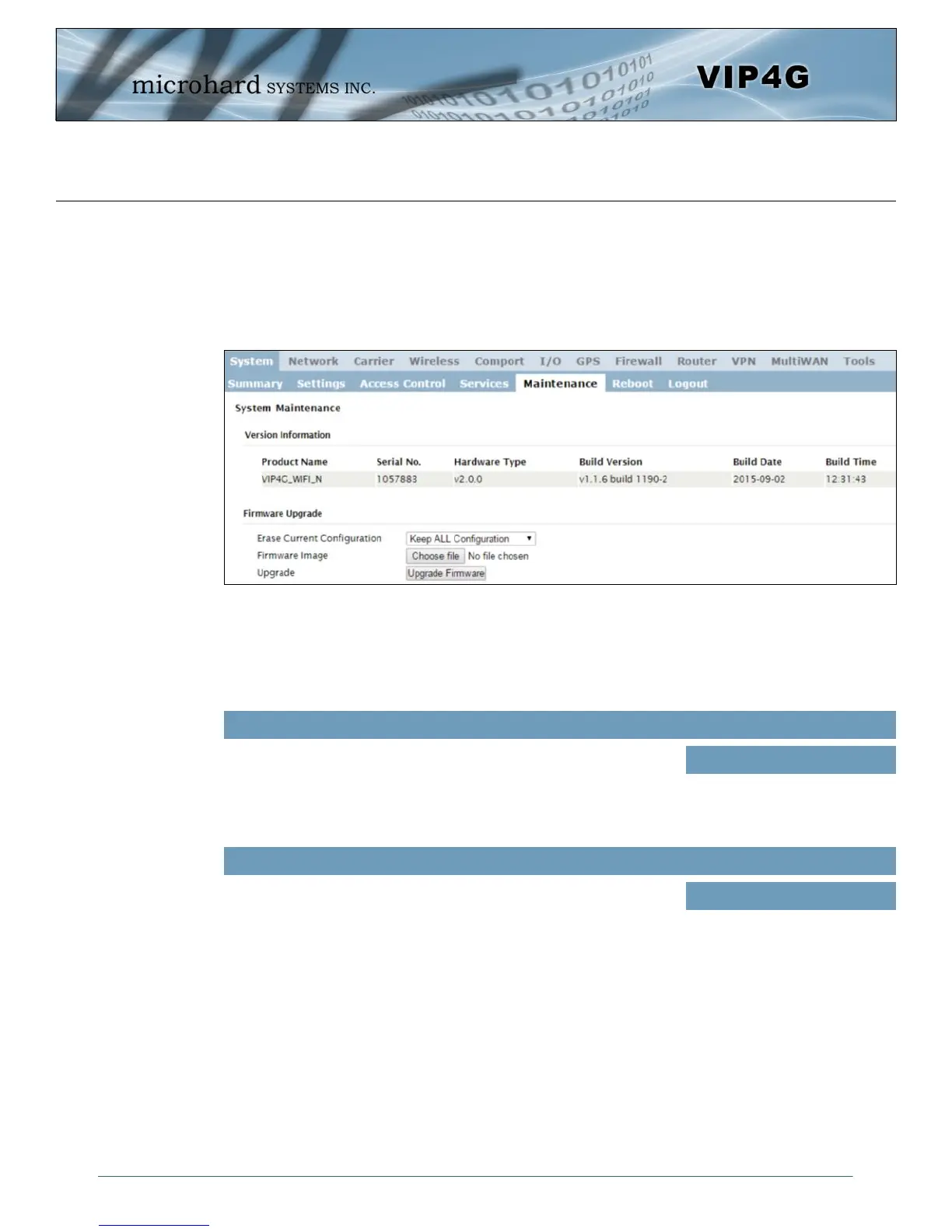
Version Information
Detailed version information can be found on this display. The Product Name, Firmware Version, Hardware
Type, Build Version, Build Date and Build Time can all be seen here, and may be requested from
Microhard Systems to provide technical support.
Image 4-1-9: Maintenance > Version Information / Firmware Upgrade
Allows a user to select if the unit is to keep its current configuration,
erase its configuration, or to erase the configuration, but keep Carrier
Settings during the firmware upgrade process.
Erase Current Configuration
Values (selection)
Keep ALL Configuration
Keep Carrier Configuration
Erase Configuration
Firmware Image
Use the Browse button to find the firmware file supplied by Microhard
Systems. Select “Upgrade Firmware” to start the upgrade process.
This can take several minutes.
(no default)
Values (file)
Firmware Upgrade
Occasional firmware updates may be releases by Microhard Systems which include fixes and new
features. The firmware can be updated here wirelessly using the WebUI.



 To Next Page