MSB780(X) - User’s Guide
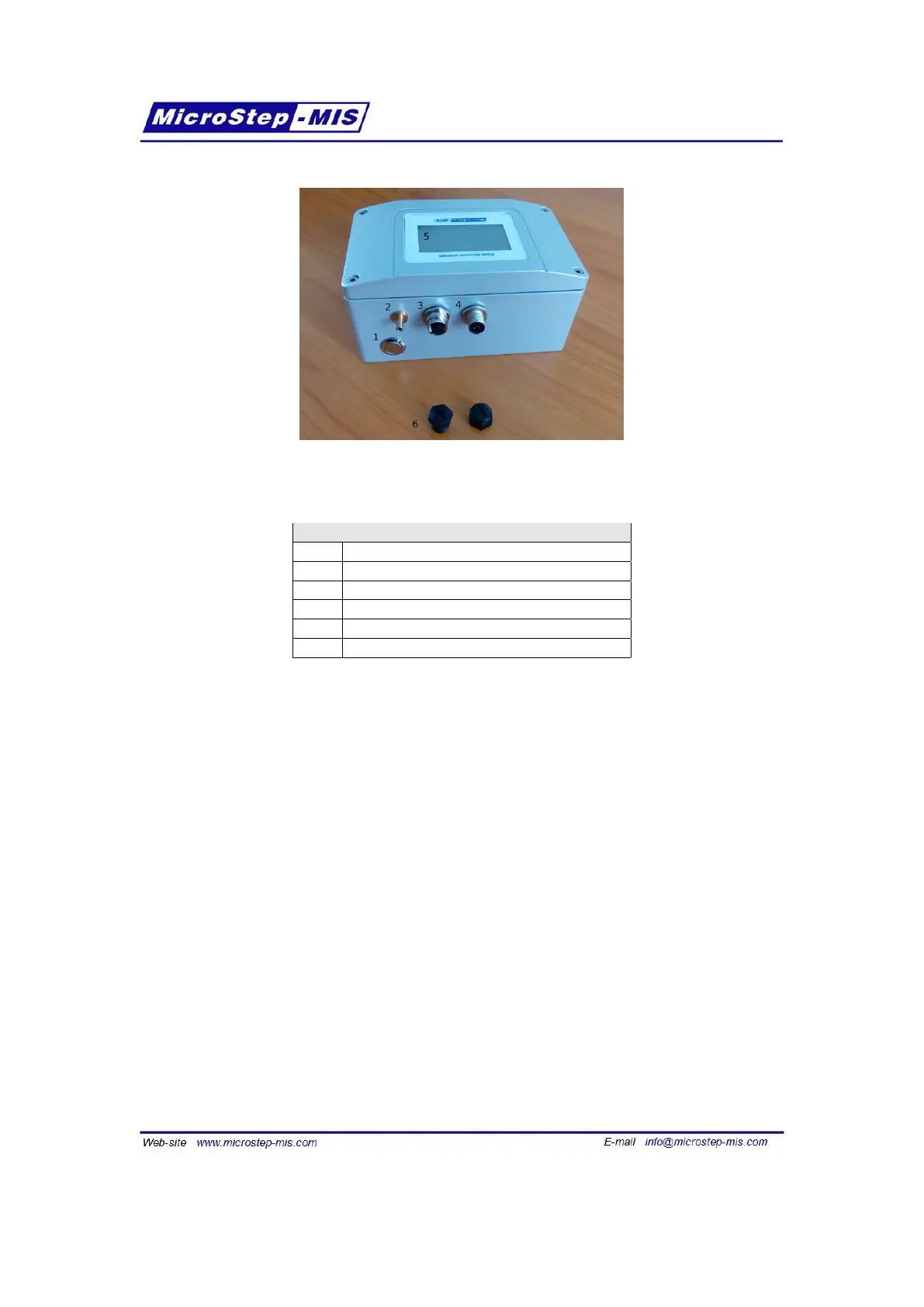
Figure 13: Description of the transfer standard inputs/outputs
Table 6: Description of the transfer standard inputs/outputs
Item Description
1 Power button
2 Pressure port
3 External probe connector
4 Power in and communication connector
5 Touch screen display
6 Dust caps
To adjust the external probe reading, please refer to the RHT175 User guide, sections RH
adjustment, temperature adjustment.
3.8 Terminals of the transfer standard
The description of MSB780X transfer standard terminals is in the figure 14.
After opening the lid with display, disconnect the display flat cable from the display connector on
the mainboard. Before closing the lid, reconnect the flat cable to the connector again, otherwise
the display will not operate.
22



 To Next Page