MSB780(X) - User’s Guide
Note: Lower periode leads to larger record files and longer time needed for file transfer to PC.
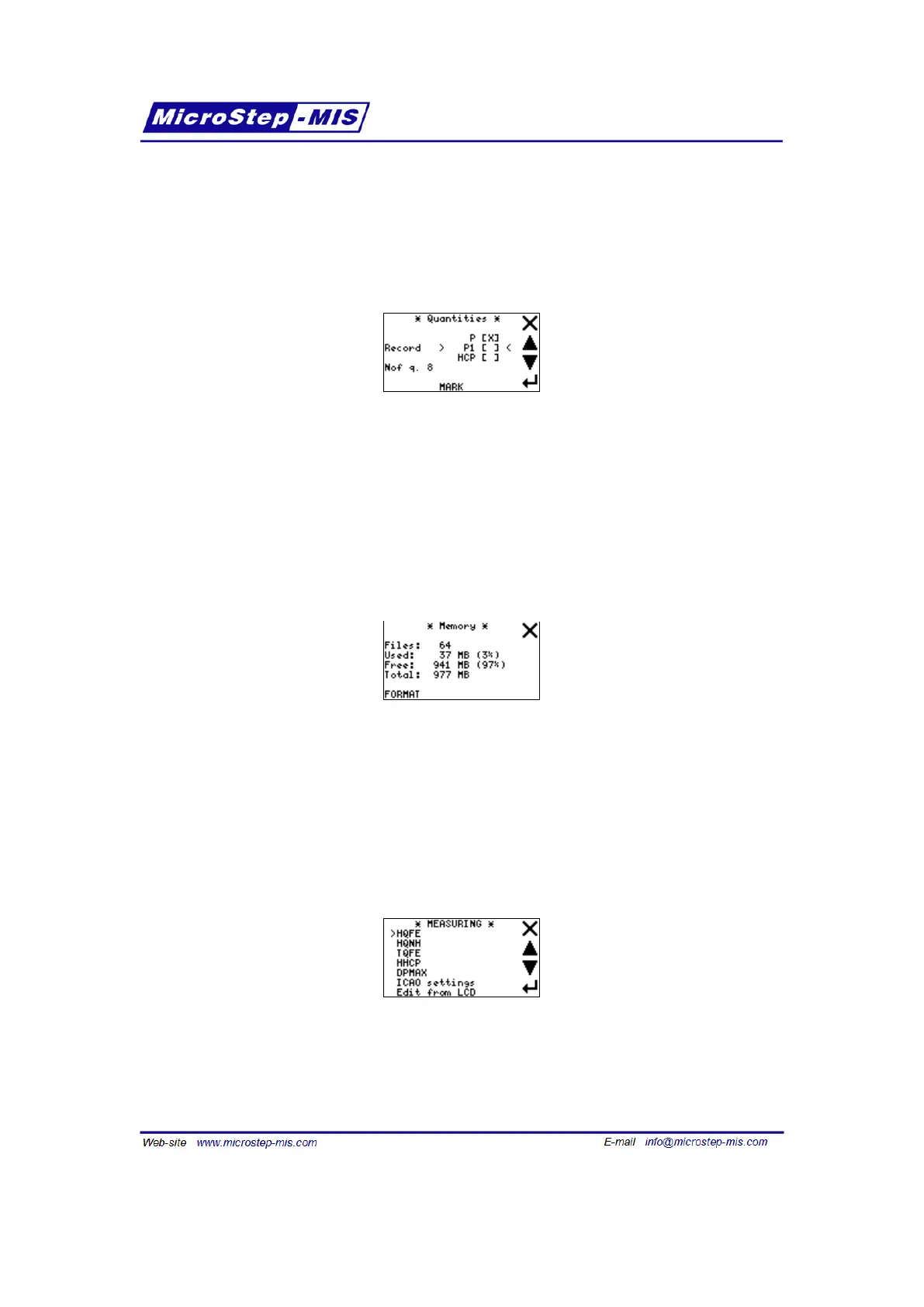
Quantity screen (selecting quantities to be recorded)
This screen is used for selecting quantities which will be recorded:
Use arrows to browse the list of available quantities and MARK/UNMARK button to select/deselect
them.
Some of quantities are always selected ("MANDATORY") to prevent forgetting to select them.
"Nof q." shows number of selected quantities. Note: More recorded quantities leads to larger
record files and longer time needed for file transfer to PC
Memory screen (info and formatting)
Here you can see amount of used/free/total memory and count of files stored in SD card mem-
ory. You can also format the memory, i.e. delete all records and files at once.
7.6 Measuring menu (measurement settings)
View of Measuring menu is in the following picture:
In Measuring menu, you can display and change values of the following parameters:
• HQFE - Altitude for QFE corrected pressure
64



 To Next Page