MSB780(X) - User’s Guide
Use "QUANT", "MAX" and "MIN" buttons to alter quantity and limits settings.
You can see available quantities in Table 21 on page 82.
Note: If you swap min/max limits, i.e. in "Alarm min" is higher value than in "Alarm max", then
the alarm also swaps behavior. In such case the alarm is activated when measured value is
inside the interval. Note: If sensor measuring the quantity watched by alarm fails then the alarm
is activated. For example if alarm is set to watch quantity measured by external probe RHT and
the probe is disconnected, alarm is activated.
8 SDI-12 reference
8.1 Introduction to SDI-12
SDI-12 stands for serial data interface at 1200 baud. It is a standard to interface battery powered
data recorders with micro-processor based sensors designed for environmental data acquisition
(EDA).
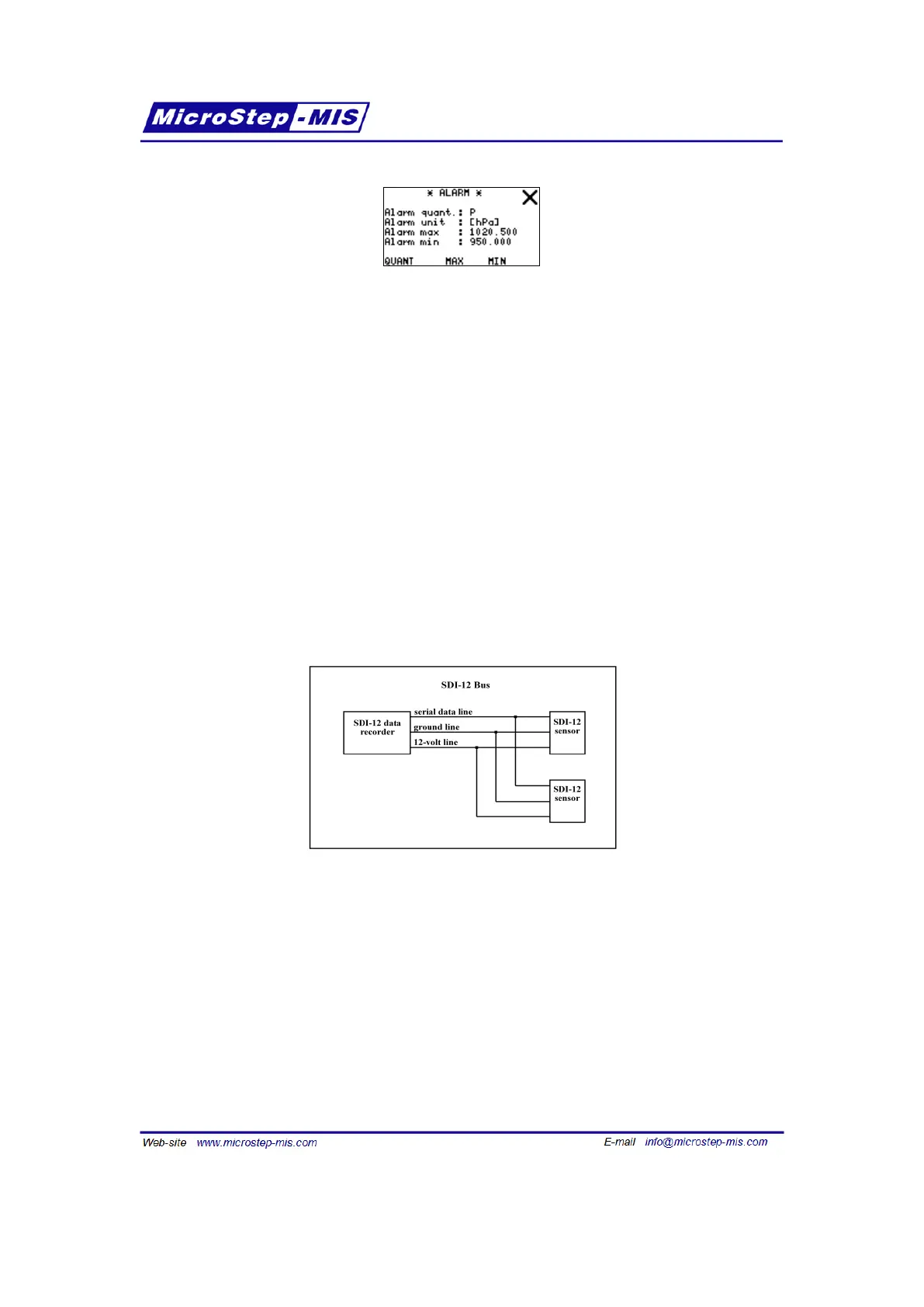
Figure 17: SDI-12 Bus
Only three wires need to be connected when using SDI-12. To use SDI-12 a SDI-12 compliant
data recorder is required. Follow the instructions given by the data recorder manufacturer to set
up the SDI-12 communication.
8.2 SDI-12 commands supported by MSB780
All SDI-12 commands start with address (a stands for address), and are terminated by !. All SDI-
12 sensor responses start with address (a stands for address), and are terminated by <cr><lf>
(which are ASCII characters 0x0d 0x0a).
72



 To Next Page